Travel & Local

여행 준비와 지역 생활을 위한 실용 정보
Practical information for travel planning and everyday local life.

  • A 15-Minute Short-Trip Packing Routine

    A 15-Minute Short-Trip Packing Routine

    작성자: Kai Life Editorial Team

    For a short trip, you can build a useful packing list in 15 minutes by first checking the trip basics, then sorting items into a few categories, packing only what supports the plan, and reviewing the list once before leaving. This travel planning organization routine is designed for independent travelers who want a quick system that works across different kinds of local visits and short journeys.
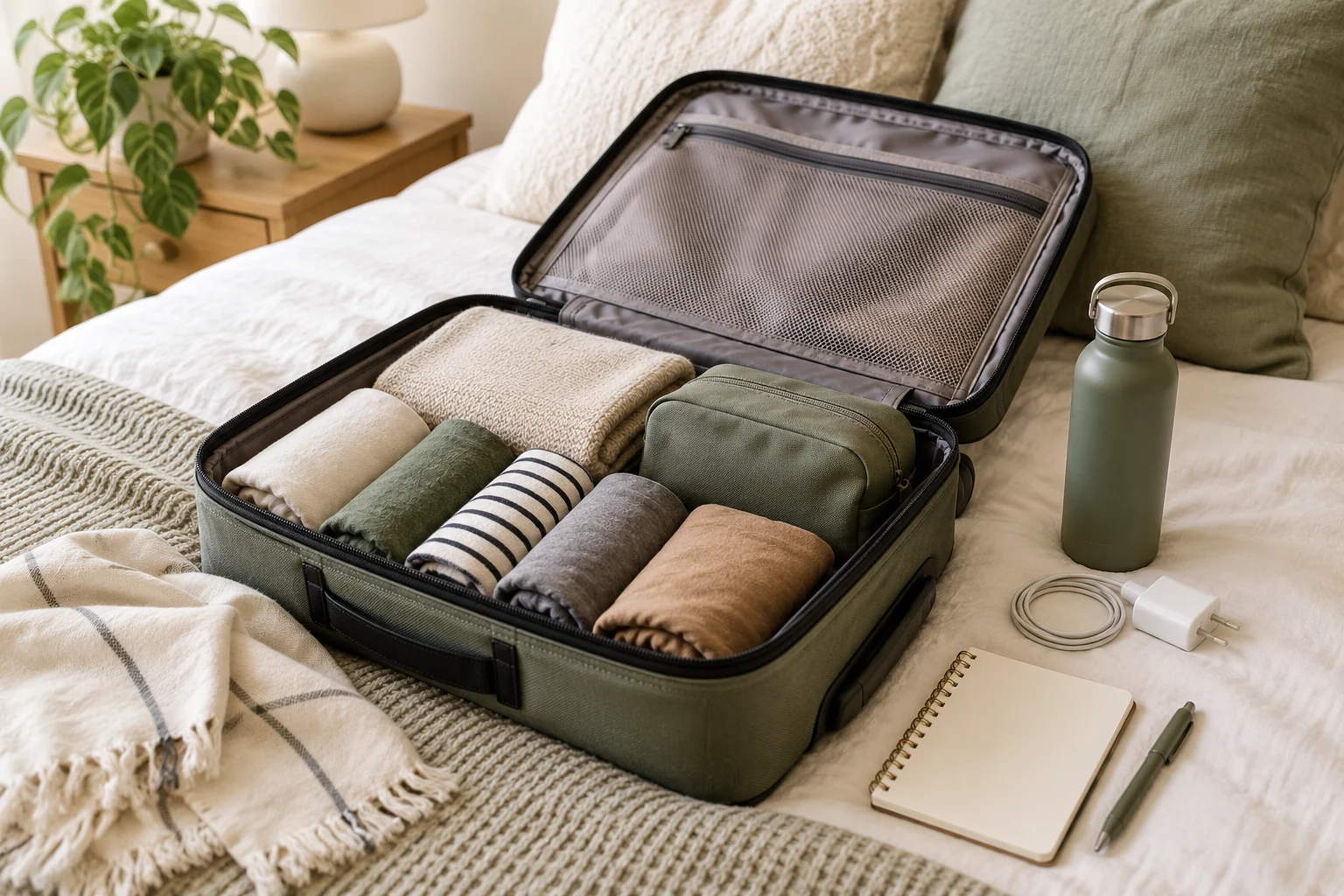
    A compact bag with clothes and essentials arranged for a short trip

    Why a short-trip packing list can become complicated

    Packing often takes longer when the decision is treated as one large question: “What might I need?” A better approach is to connect each item to a real part of the trip. Your transport, accommodation, planned activities, access to basic supplies, and personal requirements all affect the list.

    The goal is not to create a universal list. A city visit, an overnight stay, a family visit, and a day of outdoor activities can require different items. The goal is to create a repeatable decision process that helps you notice important needs without adding unnecessary objects.

    Use four stages:

    • Prepare: collect the few facts that affect packing.
    • Sort: group possible items by purpose.
    • Act: place the selected items together and record what is still missing.
    • Review: check the packed set against your departure and return plans.

    Minute 0–3: Prepare the trip information

    Start with your itinerary, booking details, calendar, or trip notes. You do not need to rewrite the entire plan. Look for information that changes what you carry.

    1. Write the departure and return dates or times.
    2. Note how many nights you will be away, if applicable.
    3. List the main activities in short phrases, such as walking, dining, swimming, work, or visiting family.
    4. Check the accommodation and transport information for practical constraints.
    5. Record any personal items that cannot be replaced easily during the trip.

    At this stage, avoid browsing for additional places or building a detailed itinerary. New research can expand the scope of the trip and make the packing decision less clear. Keep the preparation focused on information already relevant to this visit.

    A compact trip snapshot

    Question Short note Packing effect
    When am I leaving and returning? Dates or time window Clothing, food, medication, and charging needs may change
    Where will I sleep? Accommodation type Check what is already available and what you prefer to bring
    How will I travel? Walking, public transport, car, or another option Consider carrying comfort, access, and document storage
    What will I do? Short activity list Pack items that support the actual plan
    What is personally important? Health, accessibility, work, or routine needs Set these aside before optional items

    Minute 3–7: Sort possible items into four groups

    Place possible items into four groups. You can use a table, notes app, open bag, or a clear surface. The sorting step separates decisions that are often mixed together.

    1. Essentials

    Essentials are items linked to identity, access, communication, health, or the ability to complete the trip. Examples may include identification, required payment methods, keys, medication, glasses, and a phone. The exact items depend on your circumstances and destination.

    2. Clothing and personal care

    Choose clothing based on the number of days, planned activities, and available washing or changing options. Personal care items should reflect what you use and what is available at your destination. Smaller quantities can reduce bulk, but personal health and comfort take priority over saving space.

    3. Activity-specific items

    These are objects needed because of a particular plan, such as work materials, exercise clothing, a reusable water container, or equipment for a hobby. If an item is connected to no activity in your trip notes, pause before adding it.

    4. Convenience items

    Convenience items can make a trip more comfortable but are less central to completing it. Examples include entertainment, an extra accessory, or a backup item. Select these after the first three groups, so they do not crowd out essentials.

    Group Decision question Action
    Essentials Would access, health, or communication be affected without it? Set aside early
    Clothing and personal care Does the trip length or activity plan support bringing it? Choose a reasonable quantity
    Activity-specific Which planned activity requires it? Match it to a trip note
    Convenience Will it provide enough value to justify carrying it? Review last

    Minute 7–11: Act with a focused packing list

    Now turn the sorted groups into a list you can use immediately. Write one line per item or item group. Avoid vague entries such as “everything I need,” because they are difficult to check. Use clear phrases like “charging cable,” “sleepwear,” or “work document.”

    Pack or place together the items already available. For anything missing, record a short follow-up action rather than leaving it in your memory. For example, write “collect key from desk,” “wash clothing,” or “check booking message.” This turns packing into a visible task list.

    Use this copyable checklist as a starting structure:

    • Trip information: dates, route, accommodation details, and planned activities reviewed
    • Access: identification or required documents, keys, payment method, and tickets or booking details
    • Communication: phone, charging equipment, and any needed work or contact information
    • Health and routine: medication, glasses, accessibility items, and personal care needs
    • Clothing: clothing for the trip length and activities, sleepwear, and suitable footwear
    • Activity items: only the equipment or materials linked to the actual plan
    • Comfort: a small selection of optional items after the essential groups are complete
    • Before leaving: keys, lights or appliances, rubbish, notifications, and transport timing checked according to your situation

    For a reusable digital version, create a note titled Short trip packing with the same headings. Copy it for each journey, then remove sections that do not apply. A consistent structure reduces the need to start from a blank page.

    Minute 11–13: Connect packing with itinerary organization

    A packing list is more useful when it sits beside your itinerary organization system. Keep three short lists together:

    • Plan: places, appointments, and activities you intend to visit or attend.
    • Pack: items that support those plans.
    • Notes: useful details such as opening information, meeting points, or questions to confirm.

    This separation prevents a place list from becoming a packing list. A restaurant, museum, park, or shop may belong in your place list, but it does not automatically require a special item. Add an item only when the plan creates a clear practical need.

    You can also use a small connection table:

    Trip note Possible preparation Status
    Planned activity Relevant clothing or equipment To pack, packed, or not needed
    Transport detail Document, ticket, timing, or carrying adjustment To check or complete
    Accommodation detail Personal item not provided or preferred Confirm or pack
    Personal routine Health, work, or accessibility item Set aside early

    Minute 13–15: Review and close the task

    The final review should be short. Compare the packed items with the trip snapshot, then check the items most likely to be forgotten. Review your actual departure situation rather than adding more possibilities.

    1. Confirm that essential documents, keys, communication items, and personal requirements are accounted for.
    2. Check that clothing and activity items match the length and purpose of the trip.
    3. Look for missing actions, such as charging a device or collecting an item from another room.
    4. Remove duplicates and optional items that no longer seem worthwhile.
    5. Place the bag, outerwear, and departure-day items where they are easy to find.

    Then close the note. If a future trip reveals a repeated omission, update the template after returning rather than constantly adding items before every departure.

    Common packing decisions that need a pause

    “I might need it” items

    Uncertainty is a useful signal, but it is not a decision by itself. Ask whether the item supports a known activity, a personal requirement, or a realistic contingency. If not, place it in the convenience group and review it at the end.

    Weather-dependent items

    Weather can affect clothing and equipment, but conditions vary by destination and date. Check a reliable forecast or local information when it is relevant to your trip, then adjust the list. Do not treat a generic packing template as a substitute for current conditions.

    Shared items

    If you are traveling with another person, clarify who is carrying shared items. Record the owner beside the item in your trip notes. This can reduce duplicate packing while keeping responsibility visible.

    Health and accessibility needs

    Personal health and accessibility requirements should be handled before optional convenience items. This article does not replace advice from a qualified professional. If a prescribed treatment, medical device, or accessibility arrangement is part of your routine, use the instructions that apply to you and confirm destination-related requirements when relevant.

    A reusable 15-minute routine

    Save the following sequence as a note or calendar description:

    1. Prepare for 3 minutes: review dates, transport, accommodation, activities, and personal requirements.
    2. Sort for 4 minutes: separate essentials, clothing and personal care, activity items, and convenience items.
    3. Act for 4 minutes: gather selected items and write follow-up actions for anything unavailable.
    4. Review for 2 minutes: compare the bag with the trip snapshot and remove duplicates.
    5. Close: save the updated trip notes and put departure-day items in one visible place.

    Conclusion

    A short-trip packing list does not need to be a long inventory. The practical value comes from using a repeatable structure: prepare with the trip facts, sort by purpose, act on clear items, and review against the itinerary. Keeping a place list, trip notes, and packing list close together can make decisions easier without turning every journey into a large planning project.

    FAQ

    How many items should a short-trip packing list contain?

    There is no useful universal number. The list should reflect the trip length, activities, accommodation, transport, and personal requirements. Start with essentials, then add activity and convenience items only when they have a clear role.

    Should I use a paper list or an app?

    Use the format you can check easily during preparation. A paper list works well for a visible packing surface, while a note app can be copied for future trips and connected with itinerary details.

    How can I avoid overpacking?

    Link each nonessential item to a known activity or realistic need. Review convenience items last, remove duplicates, and distinguish between an item that would be pleasant and one that supports the actual trip.

    What should I do if my plans change?

    Update the trip snapshot first, then revise the activity-specific section. Recheck clothing, documents, and transport-related items after the change instead of rebuilding the entire list from the beginning.


  • 여행 정보 정리, 링크를 한 페이지에 모으는 15분 실행 루틴

    여행 정보 정리, 링크를 한 페이지에 모으는 15분 실행 루틴

    작성자: Kai Life 편집팀

    여행 정보 정리는 링크를 많이 저장하는 일이 아니라, 필요한 순간에 장소·시간·이동 정보를 한 페이지에서 찾을 수 있게 만드는 일입니다. 메모 앱, 문서, 북마크 등 평소 사용하는 한 곳을 정한 뒤 15분 동안 링크를 모으고 분류하면 여행 계획의 기본 틀을 만들 수 있습니다.

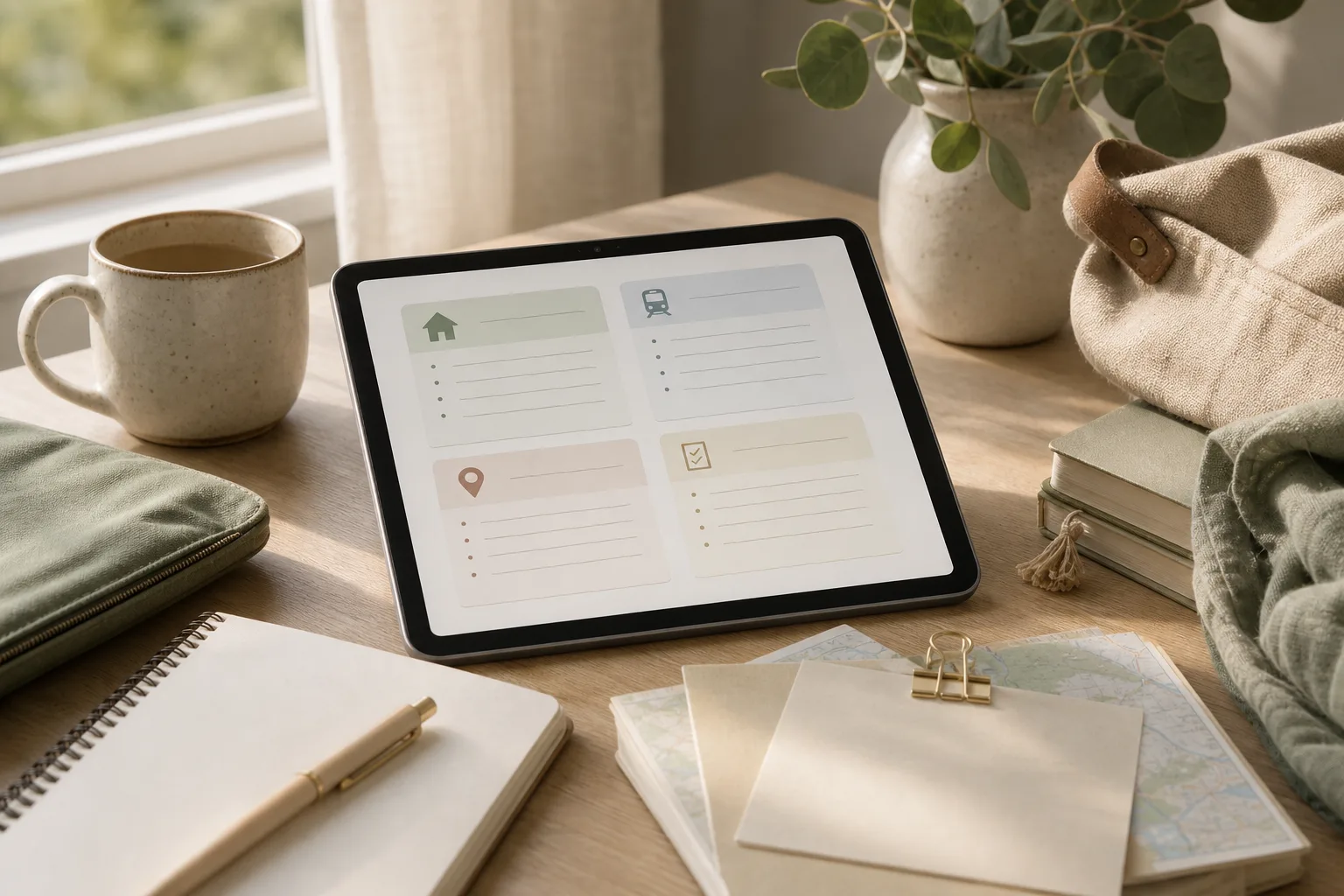
    여행 일정과 숙소·교통 정보를 정리하는 계획 도구

    이 글에서는 준비·분류·실행·점검의 4단계로 여행 일정 링크를 정리합니다. 특정 서비스나 유료 도구가 없어도 따라 할 수 있으며, 여행 전 정보가 바뀔 수 있다는 점을 고려해 마지막 확인 단계까지 포함했습니다.

    1. 먼저 한 페이지의 구조를 정합니다

    처음부터 예쁜 여행 일정표를 만들려고 하면 링크를 옮기는 데 시간이 오래 걸릴 수 있습니다. 먼저 한 페이지 안에 어떤 정보를 어디에 둘지 정하고, 빈칸을 채우는 방식으로 진행하세요.

    추천 기본 구조

    • 여행 개요: 여행 날짜, 지역, 동행자, 이번 여행의 우선순위
    • 날짜별 일정: 날짜 또는 이동 순서에 따른 방문 후보
    • 장소 목록: 장소명, 링크, 방문 이유, 확인할 내용
    • 예약·교통: 예약 페이지, 승차·탑승 정보, 결제 또는 취소 관련 메모
    • 출발 전 점검: 운영시간, 휴무일, 예약 상태, 이동 소요시간을 다시 볼 항목

    한 페이지는 반드시 하나의 앱이나 특정 제품일 필요가 없습니다. 평소 검색과 편집이 편한 문서, 메모, 스프레드시트 중 하나를 선택하면 됩니다. 중요한 것은 여행 중에도 같은 페이지를 다시 찾을 수 있도록 제목을 명확하게 붙이는 것입니다. 예를 들어 ‘6월 부산 여행 정보’처럼 지역과 기간을 함께 적으면 다른 메모와 구분하기 쉽습니다.

    2. 15분 실행표로 여행 정보를 모읍니다

    아래 순서대로 시간을 나누면 자료를 찾다가 계획 자체가 늘어지는 일을 줄일 수 있습니다. 각 단계가 끝날 때마다 완벽하게 정리하려 하지 말고, 다음 단계로 넘어갈 만큼만 입력하세요.

    시간 단계 실행할 일 완료 기준
    0~2분 준비 한 페이지를 만들고 여행 개요를 적습니다. 페이지 제목과 날짜 또는 지역이 보입니다.
    2~7분 수집 메신저, 브라우저, 메모에 흩어진 링크를 한곳에 붙여 넣습니다. 후보 링크가 빠짐없이 모여 있습니다.
    7~11분 분류 장소, 식사, 교통, 예약, 참고로 나눕니다. 각 링크에 최소 한 개의 분류가 붙어 있습니다.
    11~14분 실행 날짜별 또는 이동 순서별로 핵심 장소를 배치합니다. 하루의 우선 방문지와 후보지가 구분됩니다.
    14~15분 점검 빠진 링크와 다시 확인할 내용을 표시합니다. 확인 대기 항목이 눈에 보입니다.

    수집 단계에서는 판단을 미룹니다

    처음 5분에는 링크의 가치나 일정 적합성을 평가하지 말고 일단 모으세요. 검색 결과 링크, 장소 공식 페이지, 지도 위치, 예약 관련 페이지를 한 줄씩 붙여 넣습니다. 출처를 바로 확인하기 어려운 링크는 삭제하기보다 확인 필요라고 표시하는 편이 안전합니다.

    링크만 붙이면 나중에 무엇을 봐야 하는지 알기 어려우므로 짧은 메모를 덧붙입니다. 예를 들면 ‘아침 방문 후보’, ‘비 오는 날 대안’, ‘예약 여부 확인’처럼 행동과 연결된 표현이 좋습니다. 긴 감상문보다 다음에 할 일을 적는 방식이 일정 정리에 유용합니다.

    3. 장소 목록을 실제 일정으로 바꾸는 방법

    장소 목록이 많다고 해서 모두 일정에 넣을 필요는 없습니다. 각 장소에 우선순위를 붙이고, 같은 날 함께 검토할 항목을 묶어 이동 흐름을 확인하세요. 방문 순서를 확정하기 어려운 경우에는 확정 일정과 후보 일정을 분리하면 계획이 지나치게 빡빡해지는 것을 막을 수 있습니다.

    장소를 세 가지로 나누기

    • 우선 방문: 여행 목적과 직접 연결되거나 방문 시점을 먼저 검토해야 하는 곳
    • 조건부 방문: 날씨, 체력, 대기시간, 운영 여부에 따라 선택할 곳
    • 대체 장소: 일정 변경이나 휴무에 대비해 남겨 둘 곳

    각 장소를 배치할 때는 링크의 내용뿐 아니라 현실적인 조건도 함께 적습니다. 운영시간이나 휴무일은 변동될 수 있으므로 페이지를 저장한 시점과 재확인할 시점을 표시하세요. 지도에 표시된 위치만 보고 이동 가능하다고 판단하지 말고, 실제 출발 지점과 이동 방법은 여행 전에 별도로 확인하는 것이 좋습니다.

    복사해서 사용할 수 있는 일정 템플릿

    여행명: [지역 또는 여행 이름]
    기간: [날짜]
    이번 여행의 우선순위: [예: 산책 / 음식 / 전시]
    
    [날짜 또는 Day 1]
    - 우선 방문: [장소명] | 링크: [URL]
      메모: [방문 이유 / 확인할 시간]
    - 후보: [장소명] | 링크: [URL]
      메모: [조건 또는 대체 이유]
    - 이동·예약: [확인할 내용] | 링크: [URL]
    
    [출발 전 확인]
    - [ ] 운영시간과 휴무일 재확인
    - [ ] 예약 상태 또는 예약 필요 여부 확인
    - [ ] 장소 주소와 이동 방법 확인
    - [ ] 날씨나 일정 변경에 따른 대안 확인
    - [ ] 현장에서 다시 볼 링크가 열리는지 확인

    4. 출발 전 3분 점검으로 오류를 줄입니다

    여행 정보 정리에서 가장 중요한 부분은 저장 자체보다 재확인입니다. 장소의 운영 여부, 예약 조건, 교통 상황 등은 페이지를 저장한 뒤에도 달라질 수 있습니다. 따라서 한 페이지의 마지막에 점검 목록을 남기고, 출발 직전 또는 방문 당일에 확인할 항목을 구분하세요.

    점검 체크리스트

    • 링크: 페이지가 열리고 원하는 정보가 있는가?
    • 시간: 방문일 기준으로 운영시간과 휴무일을 확인했는가?
    • 예약: 예약 완료 여부와 변경·취소 조건을 확인했는가?
    • 위치: 장소명이 비슷한 다른 지점과 혼동하지 않았는가?
    • 순서: 이동 방향과 방문 순서가 무리하지 않은가?
    • 대안: 일정이 밀리거나 장소 이용이 어려울 때 바꿀 곳이 있는가?

    모든 정보를 한 번에 확정할 필요는 없습니다. 확인하지 못한 항목은 숨기지 말고 미확인 또는 현장 확인으로 표시하세요. 이렇게 하면 정리된 정보와 아직 판단하지 않은 정보를 구분할 수 있습니다.

    자주 묻는 질문

    링크가 너무 많을 때는 어떻게 하나요?

    처음에는 모두 한 페이지에 모은 뒤, 우선 방문·조건부 방문·대체 장소로 나누세요. 삭제부터 하기보다 분류를 먼저 하면 나중에 다시 찾을 가능성이 있는 자료를 놓칠 위험을 줄일 수 있습니다. 여행이 끝난 뒤에는 실제로 사용하지 않은 링크를 별도 보관하거나 정리할 수 있습니다.

    하루 일정에 장소를 몇 개 넣어야 하나요?

    정해진 개수보다 이동시간, 체류시간, 예약시간, 동행자의 상태를 함께 고려하는 것이 중요합니다. 이 글의 방법은 특정 장소 수를 권장하는 것이 아니라, 우선순위와 대체안을 구분하도록 돕는 방식입니다. 확정 일정과 후보 일정을 나누면 현장에서 조정하기도 쉽습니다.

    여행 중 인터넷이 불안정하면 어떻게 하나요?

    중요한 주소, 예약 정보, 운영시간은 링크만 남기지 말고 짧은 텍스트로도 기록하는 것이 좋습니다. 다만 저장한 정보가 최신인지 확인하기 어려울 수 있으므로, 출발 전 최신 내용을 다시 확인하고 필요한 화면이나 문서를 개인적으로 보관하세요.

    마무리: 한 페이지는 여행 계획의 출발점입니다

    여행 정보 정리는 자료를 많이 모으는 경쟁이 아니라, 필요한 정보를 빠르게 찾고 변경 사항을 알아보기 쉽게 만드는 작업입니다. 한 페이지를 만든 뒤 15분 동안 수집과 분류를 진행하고, 우선 방문지·후보지·대체 장소를 나누면 계획을 현실적인 일정으로 바꾸기 쉬워집니다.

    마지막으로 운영시간, 예약, 위치, 이동 순서를 다시 확인하세요. 정보는 바뀔 수 있으므로 저장 시점과 재확인 항목을 함께 남기는 것이 좋습니다. 오늘은 여행 개요와 링크 몇 개만 먼저 모은 뒤, 위 템플릿을 복사해 다음 단계로 이어가면 됩니다.


  • Travel Planning Organization: A 15-Minute One-Page Link Routine

    Travel Planning Organization: A 15-Minute One-Page Link Routine

    작성자: Kai Life Editorial Team

    For better travel planning organization, collect every useful trip link in one temporary page, then sort each link into a small set of practical sections. A 15-minute routine is enough to create a working travel hub for maps, reservations, places to visit, transport details, and trip notes. The goal is not to design a perfect itinerary. It is to make important information easier to find when you are deciding what to do next.

    Travel planning tools for organizing itinerary, lodging and transport information

    Why one planning page helps

    Travel details often arrive from different places: a booking message, a map result, a restaurant page, a local attraction, a transport website, or a note from a friend. Saving each item separately can make the trip feel more complicated because the information is scattered across browser tabs, messages, screenshots, and notebooks.

    A single planning page gives each link a temporary home. It can be short and imperfect. You can improve it later, but the first version should answer practical questions quickly:

    • Where is this place?
    • Why did I save it?
    • When might I need it?
    • Is there a booking, time restriction, or action attached to it?
    • Can I find the original information again?

    This approach also separates collecting from deciding. During the first pass, you gather useful material. Later, you choose what deserves a place in the itinerary.

    The four-part framework: prepare, sort, act, and review

    1. Prepare: make one temporary home

    Create one page with a clear title, such as “Lisbon trip links” or “Saturday local visit.” Use a tool you already understand: a plain notes page, document, or digital notebook. The specific tool matters less than having one visible place for the first collection.

    At the top of the page, add basic context:

    • Destination or local area
    • Travel dates, if known
    • People involved, if relevant
    • The main purpose of the trip
    • One open question that still needs an answer

    Keep this section brief. It is an orientation label, not a full itinerary.

    2. Sort: use categories that support decisions

    Next, divide the page into sections. A practical starting structure is:

    Section What belongs there Useful note to add
    Bookings Accommodation, tickets, reservations, confirmation pages Booking name, date, and any follow-up action
    Map and transport Map pins, route pages, stations, parking, transfer information Starting point and approximate travel context
    Places Attractions, restaurants, shops, parks, viewpoints Reason for saving the place
    Timing and rules Opening information, entry instructions, local guidance What should be checked before visiting
    Trip notes Questions, ideas, packing reminders, local observations Next action or decision needed

    Do not create a new category for every type of link. Too many sections make the page harder to scan. If an item could fit into two sections, place it where you would look for it later and add a short label if needed.

    3. Act: turn links into usable notes

    A saved URL without context is easy to forget. Add one short sentence beside each important link. For example, write “possible lunch near the station” rather than saving only a restaurant address. This small description helps you understand the link without reopening every page.

    Use this format:

    Name — why it matters — link — next action

    Example:

    • City museum — possible rainy-day visit — link — check entry information before the travel day.
    • Station map — useful for the arrival route — link — compare with the accommodation location.
    • Neighbourhood market — saved for a flexible morning — link — decide whether it fits the route.

    Notice that the wording records usefulness without pretending that every saved place will be visited. This keeps the place list flexible and reduces pressure to fit everything into one schedule.

    4. Review: remove friction before you need the page

    Use the final few minutes to scan the page as if you were already travelling. Can you tell which links relate to arrival, where the reservations are, and which places are only optional ideas?

    During review, mark items with simple labels such as:

    • Booked: a reservation or ticket is already recorded.
    • Decide: the place is interesting but not yet chosen.
    • Check: a detail may need confirmation closer to the visit.
    • Nearby: the place could fit if you are already in that area.

    These labels are more useful than trying to rank every idea immediately. They show what kind of attention each item needs.

    A 15-minute travel planning routine

    Set a timer and work in four short phases. Stop when the timer ends; the page can be refined during another session.

    1. Minutes 0–3: gather. Open the pages, messages, and notes that already contain trip information. Copy links into the temporary page without trying to arrange them.
    2. Minutes 3–7: sort. Move each link into Bookings, Map and transport, Places, Timing and rules, or Trip notes. Leave uncertain items in the closest section rather than pausing for a detailed decision.
    3. Minutes 7–12: add context. Give important links a name and one reason for saving them. Add a next action only where one is clear.
    4. Minutes 12–15: review. Mark items as Booked, Decide, Check, or Nearby. Identify one missing detail that would make the next planning session easier.

    The routine works best when it produces a useful first draft rather than a finished schedule. If you spend the whole session comparing destinations or rewriting descriptions, you have moved from organizing into itinerary design.

    Copyable one-page template

    Copy the following structure into your preferred notes tool:

    TRIP OR LOCAL VISIT:
    DATES:
    MAIN PURPOSE:
    OPEN QUESTION:
    
    BOOKINGS
    - Name — date or time — link — follow-up:
    
    MAP AND TRANSPORT
    - Place or route — why useful — link — starting point:
    
    PLACES
    - Name — why saved — link — label: Booked / Decide / Nearby:
    
    TIMING AND RULES
    - Place or activity — detail to check — link:
    
    TRIP NOTES
    - Question:
    - Flexible idea:
    - Packing or preparation reminder:
    
    NEXT REVIEW
    - One detail to confirm:
    - One decision to make:

    This template is intentionally small. Add a section only when a repeated planning problem justifies it. For example, a family trip might benefit from a separate “shared responsibilities” section, while a short solo visit may not need one.

    Checklist for a usable trip page

    • One page has a clear destination or visit title.
    • Bookings are separated from ideas.
    • Important links have a short description.
    • Map and transport links include enough context to identify their purpose.
    • Places are treated as options unless they are booked or deliberately selected.
    • Open questions are written down instead of being held in memory.
    • At least one next action is visible.
    • The page can be scanned without opening every link.

    Common problems and simple adjustments

    Saving too many links

    If the page becomes a long collection of possibilities, add a reason beside each place. Links without a reason are candidates for later review. You do not need to delete them immediately, but separating useful context from casual browsing makes the list easier to trust.

    Mixing fixed plans with flexible ideas

    A reservation and a possible café visit do not have the same planning status. Use labels or separate sections so fixed commitments stand out. This helps protect travel time from becoming overloaded.

    Writing notes that are too vague

    “Good place” may not be enough when you return to the page later. Try “near the afternoon route” or “possible option if the weather changes.” A short reason is usually more useful than a long description.

    Building the itinerary too early

    Collecting links is a preparation task. Choosing exact times, routes, and priorities is a separate task. Keeping those stages distinct can make the first planning session feel more manageable.

    FAQ

    Should every saved link go on the page?

    No. Put links there when they support a real travel question, possible visit, booking, route, or follow-up task. Casual inspiration can remain elsewhere until it becomes relevant.

    Do I need a dedicated travel-planning app?

    No dedicated app is required for this method. A simple page is enough to test whether the structure helps. If the page later needs collaboration, map views, or calendar connections, you can consider a different tool based on that specific need.

    When should I review the page again?

    Review it when a booking changes, a major decision is made, or you begin preparing for the visit. A short review is more useful than repeatedly reorganizing the page without a new planning question.

    What if I am planning a spontaneous day out?

    Use the same structure with fewer sections. Keep one map link, a short place list, any time-sensitive information, and one backup idea. The method can support a flexible visit without turning it into a rigid schedule.

    Conclusion

    Effective travel planning organization starts with a page that is easy to use, not a complicated system. In 15 minutes, gather scattered links, sort them by purpose, add a sentence of context, and mark the next decision. The result is a practical trip hub that supports itinerary organization while leaving room for changing plans. Start with one destination, use the template, and adjust the categories after you notice what you actually need to find.


  • 여행 일정 링크를 한 페이지에 모으는 방법: 15분 실행 루틴

    여행 일정 링크를 한 페이지에 모으는 방법: 15분 실행 루틴

    작성자: Kai Life 편집팀

    여행 정보 정리는 링크를 무작정 모으는 일이 아니라, 필요한 순간에 바로 찾을 수 있도록 한 페이지에 배치하는 일입니다. 사용하는 메모 앱이나 문서 도구에 여행 기간과 지역을 제목으로 만들고, 교통·숙소·일정·장소·비상 정보로 나눈 뒤 링크마다 짧은 설명을 붙이면 15분 안에도 기본 구조를 만들 수 있습니다.

    여행 일정과 숙소·교통 정보를 정리하는 계획 도구

    1. 먼저 한 페이지의 기본 구조를 정합니다

    여행 정보를 정리할 때 가장 흔한 문제는 링크가 여러 앱과 대화방에 흩어지는 것입니다. 처음부터 완벽한 일정표를 만들기보다, 여행 중 자주 확인할 항목을 위에서 아래로 배치하는 것이 좋습니다.

    추천 목차

    • 여행 개요: 지역, 여행 날짜, 동행자, 핵심 일정
    • 이동: 공항·역·터미널, 지도, 대중교통, 이동 메모
    • 숙소: 예약 페이지, 주소, 체크인·체크아웃 관련 메모
    • 날짜별 일정: 날짜와 시간대별로 방문할 장소
    • 장소 목록: 가고 싶은 곳, 식사 후보, 비 오는 날 대안
    • 확인할 정보: 운영 시간, 예약 여부, 준비물 등

    문서의 첫 화면에는 모든 세부 내용을 넣기보다, 자주 누를 링크와 중요한 메모를 우선 배치합니다. 세부 정보가 많다면 장소별 하위 목록을 만들되, 같은 링크를 여러 번 복사하기보다는 대표 위치에 한 번만 두고 필요한 곳에서는 장소 이름으로 연결하는 방식이 깔끔합니다.

    2. 링크를 네 가지 기준으로 분류합니다

    저장한 링크를 순서 없이 붙여 넣으면 한 페이지를 만들어도 찾는 시간이 길어집니다. 링크를 발견한 순서가 아니라 무엇을 위해 쓰는지를 기준으로 나누어 보세요.

    분류 넣을 내용 링크 옆에 적을 설명
    이동 지도, 교통 안내, 환승 정보 출발지와 목적지 또는 이용 상황
    예약 숙소, 교통편, 입장 관련 페이지 예약 상태와 확인할 날짜
    장소 관광지, 식당, 카페, 쇼핑 장소 방문 목적과 주변 일정
    참고 지역 안내, 날씨 확인, 준비물 메모 언제 확인할 자료인지

    링크 제목은 웹페이지의 긴 제목을 그대로 사용하지 않는 편이 좋습니다. 예를 들어 “저녁 식사 후보|역에서 도보 이동”, “첫날 숙소 지도|체크인 전 확인”처럼 클릭하기 전에 용도를 알 수 있게 바꿔 적습니다. 제목만 봐도 목적이 드러나면 이동 중에도 문서를 빠르게 훑을 수 있습니다.

    3. 15분 실행표로 실제 페이지를 만듭니다

    아래 순서는 새 도구를 배우는 시간이 아니라, 이미 가지고 있는 링크를 한곳에 옮기고 정리하는 데 초점을 둡니다. 메모 앱, 문서, 스프레드시트 등 현재 익숙한 도구를 사용하면 됩니다.

    1. 0~2분: 제목과 여행 개요 만들기
      문서 제목에 지역과 여행 날짜를 적습니다. 날짜가 정해지지 않았다면 여행 목적이나 방문 지역만 적어도 됩니다.
    2. 2~5분: 흩어진 링크를 한곳에 모으기
      메신저의 저장 메시지, 브라우저 북마크, 예약 확인 메일 등에서 필요한 링크만 임시 목록에 붙여 넣습니다. 이 단계에서는 순서를 완벽하게 맞추지 않습니다.
    3. 5~8분: 네 가지 분류로 나누기
      각 링크를 이동·예약·장소·참고 중 하나에 배치합니다. 어디에 넣을지 애매한 링크는 참고 영역에 두고 다음 점검 때 판단합니다.
    4. 8~11분: 링크 제목과 한 줄 메모 붙이기
      링크마다 “언제, 왜 보는지”를 짧게 씁니다. 장소 링크라면 방문 목적이나 주변 동선을 추가합니다.
    5. 11~13분: 날짜별 일정에 연결하기
      확정한 장소만 날짜별 일정에 넣고, 아직 정하지 않은 곳은 후보 목록에 남깁니다. 후보를 확정 일정처럼 표시하지 않는 것이 중요합니다.
    6. 13~15분: 모바일 화면에서 점검하기
      문서가 휴대전화에서 읽히는지 확인하고, 가장 자주 열 링크를 위쪽으로 옮깁니다. 링크가 열리는지와 설명이 충분한지도 함께 살핍니다.

    4. 복사해서 쓰는 여행 정보 정리 템플릿

    아래 틀을 문서에 복사한 뒤, 필요하지 않은 항목은 지우고 자신의 여행에 맞게 바꾸면 됩니다.

    여행 제목:
    여행 날짜:
    방문 지역:
    
    [가장 먼저 확인할 링크]
    - 숙소 지도:
    - 이동 경로:
    - 예약 확인:
    
    [날짜별 일정]
    1일차:
    - 오전:
    - 오후:
    - 저녁:
    - 이동 메모:
    
    2일차:
    - 오전:
    - 오후:
    - 저녁:
    - 이동 메모:
    
    [장소 목록]
    - 확정 장소:
      링크:
      방문 목적:
      확인할 내용:
    
    - 후보 장소:
      링크:
      우선순위:
      대체 일정:
    
    [출발 전 점검]
    - 예약 내용을 다시 확인했는가?
    - 주소와 이동 경로를 열어 보았는가?
    - 운영 시간이나 이용 조건을 확인할 필요가 있는가?
    - 오프라인에서 볼 수 있도록 필요한 정보를 별도로 남겼는가?

    5. 출발 전과 여행 중에 점검하는 방법

    페이지를 만든 뒤에는 정보가 많아지는 것을 막는 관리 규칙이 필요합니다. 새로운 링크를 발견할 때마다 일정에 바로 끼워 넣기보다 먼저 장소 목록의 후보 영역에 저장하세요. 실제로 방문할 때 확정 일정으로 옮기면 일정표가 지나치게 복잡해지는 것을 줄일 수 있습니다.

    출발 전 체크리스트

    • 예약 관련 링크와 지도 링크가 각각 구분되어 있는가?
    • 날짜별 일정에 이동 시간을 고려할 메모가 있는가?
    • 장소 링크만 있고 주소나 방문 목적이 빠져 있지는 않은가?
    • 확정 일정과 후보 장소가 시각적으로 구분되는가?
    • 페이지를 휴대전화에서 열었을 때 제목과 링크가 잘 보이는가?
    • 인터넷 연결이 불안정할 때 필요한 주소나 예약 정보가 따로 적혀 있는가?

    여행 중 유지 규칙

    여행 중에는 새로운 장소를 발견할 때마다 세 가지만 적습니다. 장소 이름, 링크, 방문 후보인 이유입니다. 바로 일정에 넣지 않고 후보 목록에 두면 계획을 바꾸더라도 원래 일정과 자료가 뒤섞이지 않습니다. 방문을 마친 장소에는 완료 표시를 추가하면 같은 곳을 다시 찾는 일도 줄일 수 있습니다.

    결론: 링크 수보다 찾는 순서가 중요합니다

    여행 정보 정리의 핵심은 모든 자료를 저장하는 데 있지 않습니다. 이동과 예약처럼 먼저 확인할 정보, 날짜별 일정처럼 실행할 정보, 장소 목록처럼 선택할 정보를 나누고, 각 링크에 짧은 설명을 붙이는 것이 핵심입니다. 오늘 15분 동안 기본 틀을 만든 뒤 새 자료는 후보 영역에만 추가하는 규칙을 정하면 한 페이지를 계속 유지하기 쉬워집니다.

    자주 묻는 질문

    여행 링크를 어떤 도구에 모아야 하나요?

    특정 도구보다 여행 중 직접 열기 쉽고 수정이 편한지가 중요합니다. 평소 사용하는 메모 앱이나 문서 도구로 시작하고, 링크 제목·분류·모바일 확인이 가능한지 먼저 살펴보세요.

    일정이 아직 정해지지 않은 장소는 어디에 넣나요?

    날짜별 확정 일정과 분리된 후보 목록에 넣는 것이 좋습니다. 후보에는 방문 목적이나 우선순위를 함께 적으면 나중에 선택하기 쉽습니다.

    링크만 저장하고 설명은 생략해도 되나요?

    링크가 적을 때는 가능하지만, 시간이 지나거나 비슷한 장소가 많아지면 구분이 어려워집니다. “언제 무엇을 확인할 링크인지”를 한 줄로 남기는 편이 실용적입니다.

    여행 중 일정이 바뀌면 어떻게 수정하나요?

    기존 일정을 지우기보다 완료·취소·후보 같은 상태를 표시하고 새 계획을 아래에 적어 보세요. 변경 흐름을 남기면 예약이나 이동 정보를 다시 확인할 때 혼동을 줄일 수 있습니다.


THANKS KAI CONTACT

WeChat

위챗에서 QR코드를 스캔해 주세요.
Scan the QR code in WeChat.

Thanks Kai WeChat contact QR code위챗 열기 / Open WeChat