Food & Cooking

매일 활용할 수 있는 식재료·조리·주방 루틴
Everyday guides to ingredients, cooking, and kitchen routines.

  • A 15-Minute Shopping List by Store Route

    A 15-Minute Shopping List by Store Route

    작성자: Kai Life Editorial Team

    The simplest way to arrange a shopping list by store route is to begin with your meal notes, remove items you do not need, and then sort the remaining items in the order you normally move through the store. A 15-minute routine can be divided into four parts: prepare the notes, sort items by route, act on the finished list, and review what should carry forward.
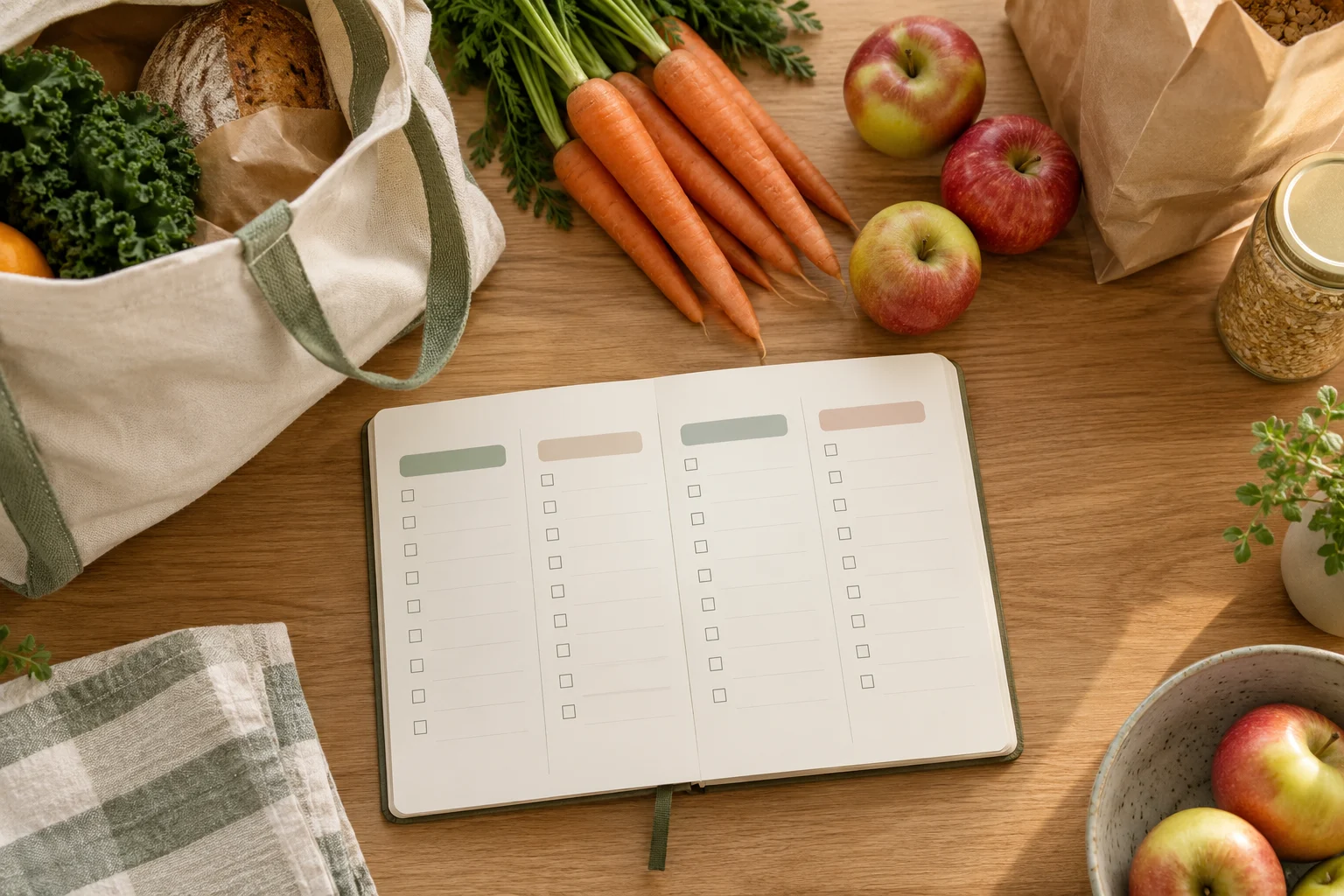
    A grocery list grouped by store section alongside ingredients

    This approach is useful when your shopping list contains a mixture of meal ingredients, household items, and reminders. Instead of grouping everything only by recipe or food type, you create a list that matches the physical sequence of your shopping trip.

    Why a store-route list can simplify kitchen organization

    A meal-based list answers the question, “Which recipe uses this item?” A route-based list answers a different question: “What do I need to pick up next?” Both views can be useful, but the route view is often easier to follow while you are moving through a familiar store.

    For example, your notes may contain ingredients for two meals, breakfast items, cleaning supplies, and a reminder to check the freezer section. If these notes remain in the order they were written, you may need to scan the whole list repeatedly. Sorting them into route sections creates a short sequence of decisions.

    The goal is not to build a detailed inventory system. It is to create a usable bridge between three kinds of notes:

    • Meal notes: dishes, ingredients, or portions you are considering.
    • Shopping items: things you actually need to look for.
    • Route cues: the sections or stops where those items are usually found.

    The prepare, sort, act, and review framework

    1. Prepare: collect the notes in one place

    Set a timer for three minutes. Gather the notes you are using for this trip, such as a phone note, paper list, recipe reminder, or message to yourself. Do not try to organize each item yet. The first aim is to create one working list.

    As you collect items, write them in plain language. “Ingredients for soup” is less useful during a trip than the individual items you expect to buy. If a meal note is still undecided, mark it with a question rather than treating it as a confirmed purchase.

    Use a quick decision label beside each item:

    • Buy: needed for the current plan.
    • Check: confirm whether you already have it.
    • Optional: useful if convenient, but not central to the plan.
    • Skip: an old note or an item that no longer fits the plan.

    2. Sort: arrange items by your actual route

    Spend about five minutes sorting the confirmed items. Use the route you usually take, not a generic store layout. One person may begin with produce, while another may enter near pantry goods or household supplies.

    Create broad route sections such as:

    • First section after entering
    • Produce or fresh items
    • Pantry and dry goods
    • Refrigerated section
    • Frozen section
    • Household or non-food items
    • Checkout-area reminders or items from another stop

    Keep the sections broad enough to scan quickly. A list with too many tiny categories can become another form of clutter. If two items are usually close together, place them in the same section even when they belong to different meal notes.

    3. Act: turn the sorted list into shopping instructions

    Spend four minutes making the list easy to use while walking. Put a square or other simple marker beside each item. Add a quantity only when it helps distinguish what you need. You can also add a short meal tag, such as “breakfast” or “Tuesday dinner,” if the purpose of the item is easy to forget.

    Keep extra information out of the main line when it slows scanning. For example, write “tomatoes — dinner” rather than adding a long explanation. If an item has a specific requirement, use one short note below it.

    Separate optional items from the main list. This protects the essential route while leaving room for flexible choices. A small “if convenient” section at the bottom can be useful for items that do not justify backtracking.

    4. Review: close the loop after the trip

    Use the final three minutes after shopping, or before your next planning session, to review the list. Mark items that were unavailable, unnecessary, or difficult to place on the route. This is not a performance score. It is a way to improve the next version of the routine.

    Ask three questions:

    • Which item was hard to find because its section was unclear?
    • Which note was not specific enough to act on?
    • Which item should be moved to an optional or recurring reminder?

    A copyable 15-minute action plan

    Use the following sequence when you want a repeatable kitchen organization routine. Adjust the time blocks if your notes are unusually long.

    Time Task Result
    0–3 minutes Collect meal notes and shopping reminders One rough list
    3–5 minutes Remove old notes and label uncertain items Buy, check, optional, and skip decisions
    5–10 minutes Group confirmed items by store route Route-based sections
    10–12 minutes Add quantities, meal tags, or short clarifications Action-ready list
    12–15 minutes Check for duplicates and create a small optional section Compact final list

    Reusable shopping-list template

    Copy this structure into a note or write it on paper. Replace the section names with the route you actually use.

    SHOPPING TRIP: __________    DATE: __________
    
    FIRST SECTION
    [ ] ____________________
    [ ] ____________________
    
    PRODUCE OR FRESH ITEMS
    [ ] ____________________   meal: __________
    [ ] ____________________   meal: __________
    
    PANTRY OR DRY GOODS
    [ ] ____________________
    [ ] ____________________
    
    REFRIGERATED
    [ ] ____________________
    [ ] ____________________
    
    FROZEN
    [ ] ____________________
    
    HOUSEHOLD OR OTHER STOP
    [ ] ____________________
    
    CHECK BEFORE BUYING
    [ ] ____________________
    
    OPTIONAL IF CONVENIENT
    [ ] ____________________
    
    AFTER THE TRIP
    Unavailable: ____________________
    Move or remove next time: ____________________

    Small adjustments for different shopping styles

    If you shop for several meals at once

    Keep the route as the main structure and add a short meal label after each item. This preserves the movement order while helping you remember why an item is on the list. A separate meal section can be added only for ingredients that require a decision before buying.

    If your shopping trip includes more than one store

    Separate the list by stop before sorting each store internally. Use headings such as “Store A,” “market,” or “household stop.” Within each heading, keep the route order that matches that location. This prevents items from different stops from blending into one long list.

    If you often change your plan while shopping

    Leave space for substitutions or optional choices. The main list can contain the planned items, while a small flexible section holds alternatives. This keeps a change from forcing you to rewrite the whole list.

    Quick checklist before you leave

    • Have all current meal notes been collected?
    • Have old or duplicate items been removed?
    • Are uncertain items marked for checking?
    • Do the headings follow your usual store route?
    • Are optional items separated from the main list?
    • Can each line be understood at a quick glance?
    • Is there a short space for unavailable items or next-trip notes?

    FAQ

    Should I organize the list by recipe or by store section?

    Use the structure that supports the task in front of you. Recipe grouping helps during meal planning, while store-route grouping helps during shopping. A practical compromise is to use store sections as the main headings and add a brief meal label beside items that need context.

    What if I do not know the store layout?

    Start with broad areas rather than exact aisles. After the trip, note where misplaced items were found and adjust the headings gradually. The route can become more specific as you learn what is useful to you.

    Do I need a shopping-list app?

    No special tool is required for this method. A paper list, phone note, or other simple format can work if it lets you group items and mark them as you go. Choose the format that is easiest to update before and during the trip.

    Conclusion

    A route-based shopping list is a small kitchen organization system: prepare the notes, sort items by movement, act on a concise list, and review what to change next time. The 15-minute routine works best when it stays lightweight. Use broad route sections, separate optional items, and keep meal context short so the list remains easy to scan when your attention is divided.


  • 일주일 메뉴 후보를 15분 만에 고르는 메모법

    일주일 메뉴 후보를 15분 만에 고르는 메모법

    작성자: Kai Life 편집팀

    일주일 메뉴 후보를 빠르게 고르려면 처음부터 완벽한 식단을 만들기보다, 떠오르는 메뉴를 모은 뒤 준비 부담과 재료 겹침을 기준으로 줄여 가면 됩니다. 핵심은 준비 3분, 분류 4분, 실행 5분, 점검 3분으로 나누어 총 15분 안에 메모를 끝내는 것입니다. 메뉴를 모두 확정하지 않아도 후보와 장보기 항목의 뼈대를 만들 수 있습니다.

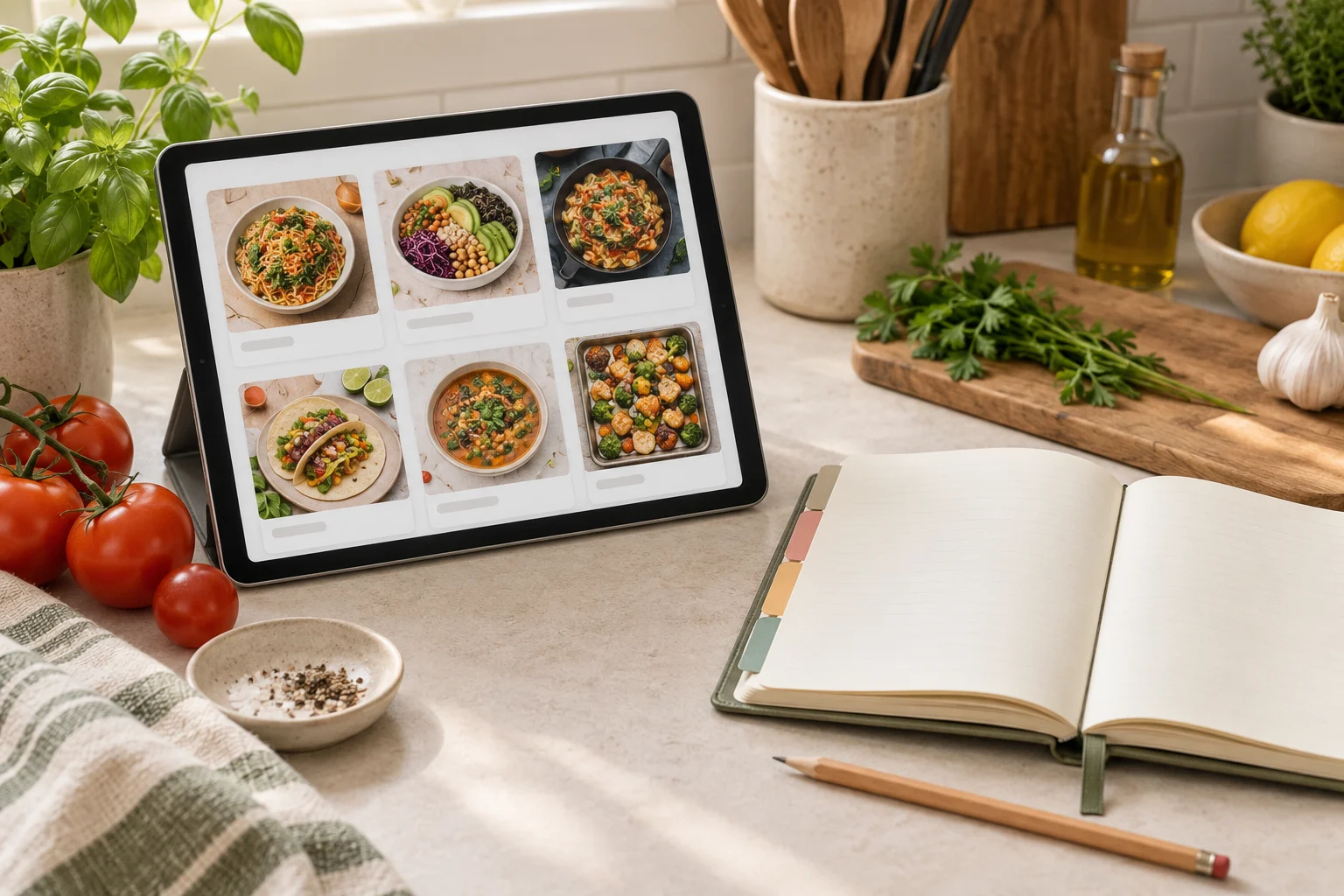
    레시피 카드를 보여 주는 태블릿과 메뉴 계획용 노트

    왜 메뉴 메모를 따로 정리해야 할까

    바쁜 생활에서는 요리 자체보다 ‘무엇을 먹을지’ 결정하는 과정이 더 큰 부담이 될 수 있습니다. 냉장고에 있는 재료를 떠올리고, 필요한 재료를 확인하고, 비슷한 메뉴를 비교하는 일을 매일 반복하면 장보기 목록도 자주 바뀝니다.

    메뉴 메모의 목적은 매일 새로운 요리를 찾는 데 있지 않습니다. 이번 주에 고려할 후보를 한곳에 모아 선택의 범위를 줄이고, 장보기와 주방 정리를 연결하는 데 있습니다. 따라서 처음부터 정확한 순서나 완성된 식단을 정하지 않아도 됩니다.

    • 생각나는 메뉴를 임시 후보로 적습니다.
    • 조리 부담과 재료 겹침을 기준으로 후보를 나눕니다.
    • 실제로 실행할 메뉴와 보류할 메뉴를 구분합니다.
    • 빠진 재료만 장보기 목록으로 옮깁니다.

    이 방식은 식품 보관 기간이나 조리 안전 기준을 판단하는 방법이 아닙니다. 그런 판단이 필요한 재료는 별도의 공식 안내와 제품 표시를 확인해야 하며, 여기서는 메뉴를 정리하는 과정만 다룹니다.

    15분 실행 루틴: 준비·분류·실행·점검

    1단계 준비: 메모 공간과 기준을 먼저 정하기

    타이머를 15분으로 맞추고 메모 앱이나 종이 한 장을 준비합니다. 메뉴를 찾기 전에 이번 주에 고려할 기준을 간단히 정하면 검색이나 고민이 길어지는 것을 막을 수 있습니다.

    • 집에 이미 있는 재료를 먼저 쓸 것인지
    • 조리가 간단한 메뉴를 몇 개 넣을 것인지
    • 비슷한 재료를 여러 메뉴에 활용할 것인지
    • 외식이나 남은 음식처럼 직접 준비하지 않는 끼니를 표시할 것인지

    기준은 많을수록 좋은 것이 아닙니다. 이번 주에 가장 중요한 기준 하나 또는 두 개만 고릅니다. 예를 들어 ‘평일에는 준비가 짧은 메뉴 우선’, ‘한 번 산 재료를 여러 번 활용’처럼 적습니다.

    2단계 분류: 메뉴 후보를 세 칸으로 나누기

    다음 4분 동안 메뉴를 떠올리되, 각 메뉴의 세부 레시피를 확인하지 말고 이름만 적습니다. 후보를 바로 가능, 재료 확인, 보류 세 칸으로 나누면 결정 피로를 줄일 수 있습니다.

    분류 판단 기준 메모 예시
    바로 가능 현재 재료와 시간 조건에 잘 맞는 후보 집에 있는 재료로 구성할 수 있는 메뉴
    재료 확인 몇 가지 항목을 사면 실행할 수 있는 후보 공통 재료가 포함된 메뉴
    보류 이번 주 일정이나 준비 부담과 맞지 않는 후보 시간이 많이 필요하거나 재료가 겹치지 않는 메뉴

    여기서 중요한 점은 보류를 실패로 보지 않는 것입니다. 보류 칸은 다음 주에 다시 검토할 후보를 보관하는 공간입니다. 이번 주에 억지로 넣지 않으면 장보기 목록이 불필요하게 커지는 것을 막을 수 있습니다.

    3단계 실행: 메뉴 후보를 실제 끼니에 배치하기

    다음 5분에는 후보를 요일이나 끼니에 배치합니다. 모든 칸을 채우기보다 실제로 준비할 가능성이 높은 메뉴부터 배치하고, 비워 둔 칸은 대체 선택지로 남겨 둡니다.

    1. 일정이 바쁜 날에는 준비 부담이 낮은 후보를 먼저 적습니다.
    2. 시간을 낼 수 있는 날에는 상대적으로 손이 가는 후보를 검토합니다.
    3. 한 재료를 여러 메뉴에서 활용할 수 있는지 표시합니다.
    4. 아직 결정하기 어려운 칸에는 ‘미정’이라고 적습니다.
    5. 미정 칸을 채우기 위해 새로운 메뉴를 계속 찾지는 않습니다.

    메뉴를 배치할 때는 ‘먹고 싶은 메뉴’와 ‘실제로 준비할 수 있는 메뉴’를 따로 적어도 좋습니다. 두 목록이 항상 같을 필요는 없습니다. 중요한 것은 선택 기준이 보이도록 만드는 것입니다.

    4단계 점검: 장보기 목록과 연결하기

    마지막 3분에는 확정 또는 유력 후보에 필요한 재료만 장보기 목록으로 옮깁니다. 메뉴별로 재료를 반복해서 적기보다 공통 항목을 한 번으로 합치고, 이미 집에 있는 것은 제외 표시를 합니다.

    확인 항목 체크
    집에 있는 재료를 먼저 표시했는가 □
    여러 메뉴에 쓰이는 공통 재료를 묶었는가 □
    미정 메뉴의 재료를 과하게 추가하지 않았는가 □
    이번 주에 실제로 준비할 후보만 남겼는가 □
    보류 메뉴를 별도 메모로 옮겼는가 □

    복사해서 쓰는 15분 메뉴 메모 양식

    아래 양식은 메모 앱에 그대로 붙여 넣어 사용할 수 있습니다. 메뉴를 확정하지 못한 칸도 그대로 남겨 두고, 다음 점검 때 수정하면 됩니다.

    이번 주 메뉴 메모
    
    이번 주 기준:
    - 
    - 
    
    1. 바로 가능
    - 
    - 
    - 
    
    2. 재료 확인
    - 
    - 
    - 
    
    3. 보류
    - 
    - 
    
    요일별 후보
    - 월: 
    - 화: 
    - 수: 
    - 목: 
    - 금: 
    - 주말: 
    
    공통으로 필요한 재료
    - 
    - 
    
    집에 있는 재료
    - 
    - 
    
    이번 장보기 목록
    - [ ] 
    - [ ] 
    - [ ] 
    
    다음 점검 때 바꿀 점:
    - 

    이 양식에서 ‘요일별 후보’는 확정 식단이 아니라 현재 기준의 임시 배치입니다. 일정이 바뀌거나 재료를 구하지 못하면 후보 칸을 바꾸면 됩니다. 메모의 목적은 계획을 고정하는 것이 아니라 변경 사항을 한눈에 보이게 하는 데 있습니다.

    메뉴 후보를 고를 때 유용한 세 가지 기준

    재료 겹침을 확인하기

    한 메뉴에만 쓰이는 재료가 많으면 장보기 목록이 길어질 수 있습니다. 후보를 비교할 때 ‘이 재료가 다른 메뉴에도 쓰이는가’를 표시하면 선택 기준이 선명해집니다. 다만 재료를 겹치게 하는 것이 언제나 적절한 것은 아니므로, 실제로 활용할 수 있는지 함께 확인해야 합니다.

    준비 부담을 단계로 나누기

    메뉴를 어렵고 쉬운 두 종류로만 나누기보다 ‘짧게 준비’, ‘일반적인 준비’, ‘시간을 따로 내야 함’처럼 세 단계로 나누어 보세요. 한 주의 모든 메뉴를 같은 부담으로 구성하지 않고, 일정에 맞춰 분산하는 데 도움이 됩니다.

    미정 칸을 허용하기

    모든 끼니를 미리 결정해야 한다는 압박은 메모 루틴을 오래 유지하기 어렵게 만들 수 있습니다. 미정 칸을 남겨 두고, 그 칸을 채울 때 사용할 후보 두 개만 적어 두는 방식도 괜찮습니다. 선택지를 무한히 늘리는 대신 제한된 후보 안에서 고르는 구조를 만드는 것이 핵심입니다.

    주방 생활 정리를 이어 가는 점검 방법

    15분 루틴을 반복할 때는 결과보다 메모가 실제 생활과 맞았는지를 확인합니다. 한 번의 계획이 잘 맞지 않았더라도 기준을 바꾸면 다음 메모를 조정할 수 있습니다.

    • 실행하지 못한 메뉴는 왜 남았는지 한 단어로 적습니다.
    • 장보기 목록에 있었지만 사용하지 않은 항목을 표시합니다.
    • 재료가 겹친 메뉴가 실제로 편했는지 확인합니다.
    • 다음 주에도 참고할 후보는 보류 목록으로 옮깁니다.
    • 자주 바뀌는 기준은 메모 상단에 고정합니다.

    예를 들어 ‘메뉴가 너무 많았다’, ‘평일 후보가 부족했다’, ‘공통 재료를 활용하지 못했다’처럼 짧게 기록하면 됩니다. 긴 후기를 쓸 필요는 없습니다. 다음 선택에 영향을 주는 정보만 남기는 것이 주방 정리와 생활 루틴을 가볍게 유지하는 방법입니다.

    자주 묻는 질문

    일주일 메뉴를 모두 확정해야 하나요?

    그럴 필요는 없습니다. 실행 가능성이 높은 메뉴를 먼저 배치하고, 나머지는 후보나 미정으로 남겨도 됩니다. 일정이 자주 바뀌는 생활이라면 일부만 확정하는 방식이 더 현실적일 수 있습니다.

    메뉴가 잘 떠오르지 않을 때는 어떻게 하나요?

    새로운 메뉴를 찾기 전에 최근에 자주 먹었던 메뉴, 집에 있는 재료와 연결되는 메뉴, 준비 부담이 낮은 메뉴를 각각 한두 개씩 적어 보세요. 처음부터 많은 후보를 만들기보다 분류 기준에 맞는 최소 후보를 확보하는 것이 좋습니다.

    장보기 목록은 언제 작성해야 하나요?

    메뉴 후보를 어느 정도 줄인 뒤 마지막 점검 단계에서 작성하는 편이 좋습니다. 후보가 확정되기 전에 필요한 재료를 모두 적으면 실제로 사용하지 않을 항목이 늘어날 수 있습니다.

    메모를 종이와 앱 중 무엇으로 해야 하나요?

    더 자주 확인할 수 있는 도구를 선택하면 됩니다. 종이는 한눈에 보기 쉽고, 앱은 수정과 복사가 편리합니다. 도구를 바꾸는 것보다 준비·분류·실행·점검의 순서를 유지하는 것이 중요합니다.

    결론: 메뉴를 완성하기보다 선택 과정을 줄이기

    일주일 메뉴 후보를 고르는 15분 루틴은 완벽한 식단표를 만드는 작업이 아닙니다. 먼저 기준을 정하고, 후보를 세 칸으로 나누고, 실행 가능성이 높은 메뉴를 배치한 뒤, 필요한 재료만 장보기 목록으로 옮기는 주방 생활 정리 방법입니다.

    처음에는 메뉴 후보가 적거나 미정 칸이 남아도 괜찮습니다. 다음 점검에서 실제 생활과 맞지 않았던 부분만 고치면 됩니다. 오늘은 메모 공간을 만들고 후보 세 개만 적는 것부터 시작해 보세요. 작은 기록이 쌓이면 메뉴 선택과 장보기 준비를 한곳에서 관리하기 쉬워집니다.


  • A 15-Minute Kitchen Organization Routine for Choosing Weekly Meal Ideas

    A 15-Minute Kitchen Organization Routine for Choosing Weekly Meal Ideas

    작성자: Kai Life Editorial Team

    If weekly meal planning feels scattered, use a short kitchen organization routine built around four steps: prepare your notes, sort the ideas, act on a small selection, and review what remains. In about 15 minutes, you can turn loose meal ideas into a practical list for the week without creating a detailed cooking schedule.

    Tablet recipe cards beside a notebook for organizing recipes and meal ideas

    Why a Short Meal-Note Routine Helps

    Meal ideas often live in several places: a phone note, a saved recipe, a paper list, or a thought that comes to mind while looking through the kitchen. The problem is not necessarily a lack of ideas. It is the effort required to decide what to do with them.

    A short routine gives each note a simple next step. An idea can become a meal to consider, an item to add to a shopping list, a note to keep for later, or something to remove. This makes kitchen organization less about arranging objects and more about reducing small decisions.

    The aim is not to create a strict menu. It is to make the next few food-related decisions easier to see.

    The Four-Part Framework

    1. Prepare

    Set up one place for the current session. This can be a notebook, a single digital note, or a document that contains three sections:

    • Meal ideas: dishes or meal combinations you may want to make.
    • Shopping list: ingredients or household items to check before buying.
    • Review later: ideas that are not useful for the current week but may be worth keeping.

    Keep the setup simple. A system with too many folders, labels, or planning fields can turn a quick routine into another task to maintain.

    2. Sort

    Look at the meal ideas without trying to plan every day. Sort each idea by its current usefulness. You can use four labels:

    • Now: an idea that fits the coming week.
    • Maybe: an idea that could work but needs another decision.
    • Later: an idea to save without acting on it today.
    • Remove: a note that no longer helps or is too vague to use.

    Sorting is useful because it separates choosing from collecting. You do not need to judge every idea in detail. You only need to decide which notes deserve attention now.

    3. Act

    Choose a small group of meal ideas for the coming period. The group can be as short as two or three ideas if that is enough for your schedule. For each selected idea, write down the ingredients that need checking.

    Use broad notes when exact quantities are not yet known. For example, write “vegetables for soup” or “ingredients for a simple rice dish” rather than filling the list with details that may change. The goal at this stage is to support a shopping decision, not to write a complete recipe.

    Then compare the list with what is already available. Cross out anything already on hand, combine duplicate items, and move uncertain items to a small “check first” section. This keeps the shopping list connected to kitchen organization instead of treating it as a separate document.

    4. Review

    Use the final few minutes to review the plan. Ask three practical questions:

    • Does each selected meal idea have a clear next action?
    • Are any shopping-list items duplicates or unclear?
    • Which unused notes should be saved, rewritten, or removed?

    A review prevents the note from becoming another collection of unfinished decisions. It also creates a natural starting point for the next session.

    A 15-Minute Action Plan

    The following schedule is a flexible guide. Adjust the timing if your notes are especially short or crowded.

    Time Action Output
    Minutes 0–2 Open one note or notebook and remove unrelated items. A focused planning space
    Minutes 2–5 Collect meal ideas from your current notes. A short list of possible ideas
    Minutes 5–8 Sort ideas into now, maybe, later, or remove. A smaller group for consideration
    Minutes 8–12 Select a few ideas and draft the shopping list. A working meal list and shopping list
    Minutes 12–15 Check what is already available and clarify the remaining notes. A cleaner plan for the week

    This schedule is intentionally limited. If a meal idea requires extensive research, move it to “later” rather than allowing one item to use the entire session.

    How to Write Better Meal Notes

    A meal note should be easy to understand when you see it again. Short notes can work well when they answer one of these questions:

    • What kind of meal is this?
    • What is the main ingredient or combination?
    • Why is this idea useful for the current week?
    • What needs to be checked before buying anything?

    Compare a vague note such as “try something different” with a more useful note such as “simple noodle meal with vegetables.” The second note does not prescribe a recipe, but it gives the next planning step more shape.

    You can also add a small context word to an idea, such as “quick,” “use pantry items,” “leftover option,” or “weekend project.” These labels help you sort ideas according to your available time without creating a complicated scoring system.

    Connecting the Shopping List to Kitchen Organization

    A shopping list becomes easier to use when it reflects how you check the kitchen. Instead of writing items in the order they occur to you, group them in a way that supports your routine. For example, you could use sections such as:

    • Check at home
    • Fresh items
    • Dry goods
    • Refrigerated items
    • Household items

    The categories can be different. The important point is to choose labels that help you notice what is missing and what is already available.

    Before finalizing the list, look for three common sources of clutter:

    • Duplicates: the same ingredient appears more than once.
    • Unclear descriptions: a note does not identify what decision is needed.
    • Uncommitted ideas: an ingredient is listed even though no meal idea uses it.

    Removing these items can make the list shorter and easier to review.

    Copyable Weekly Meal Notes Template

    Copy the following structure into a note and adjust the headings to fit your routine.

    WEEKLY MEAL NOTES
    
    Ideas to consider:
    - 
    - 
    - 
    
    Selected ideas:
    - 
    - 
    - 
    
    Check at home:
    - 
    - 
    
    Shopping list:
    - Fresh items:
    - Dry goods:
    - Refrigerated items:
    - Other:
    
    Review later:
    - 
    
    Next review date or reminder:
    - 

    Leaving blank lines is useful. It keeps the template ready for the next session without requiring you to fill every field.

    Quick Checklist

    • Prepare: Did I collect the meal notes in one place?
    • Sort: Did I separate current ideas from ideas for later?
    • Act: Did I select only the ideas I can reasonably consider now?
    • Check: Did I compare the shopping list with what is already available?
    • Clarify: Does each remaining item have a clear meaning?
    • Review: Did I save, rewrite, or remove unused notes?

    Common Problems and Simple Adjustments

    Too many saved ideas

    Create a “later” section and move older ideas there. Keeping them separate from current choices reduces visual clutter.

    The shopping list keeps growing

    Return to the selected meal ideas and remove items that do not support one of them. An item can remain in a separate idea note if it may be useful later.

    The routine takes longer than 15 minutes

    Reduce the scope of the session. Work only with the meal notes already collected instead of searching for new recipes or reorganizing every kitchen note at once.

    The notes are too vague

    Add one detail that gives the idea direction: a main ingredient, a meal type, a time context, or a reason to consider it.

    FAQ

    Do I need to plan meals for every day?

    No. This routine is designed to help you choose a manageable set of ideas. You can decide how many meal notes are useful for your schedule.

    Should I use paper or a digital note?

    Either can work. Choose the format that makes it easy for you to capture, sort, and review information without adding extra setup.

    What should I do with recipes I want to try later?

    Move them to the “review later” section and add a short description if the original note is unclear. Keeping them separate protects the current shopping list from unrelated ideas.

    How often should I use the routine?

    Use it when your meal notes or shopping list begin to feel difficult to review. A repeatable trigger, such as a regular planning moment, can make the routine easier to remember.

    Conclusion

    A useful kitchen organization system does not need a large database or a detailed weekly schedule. A focused 15-minute routine can help you prepare your notes, sort meal ideas, act on a small selection, and review the result. By connecting meal notes with the shopping list and the items already in your kitchen, you create one clearer place for the next decision.


  • 레시피 링크 정리: 저장한 요리를 찾기 쉬운 5칸 메모법

    레시피 링크 정리: 저장한 요리를 찾기 쉬운 5칸 메모법

    작성자: Kai Life 편집팀

    저장한 레시피 링크를 다섯 칸으로 나누면 필요한 자료를 빠르게 찾을 수 있습니다. 링크를 저장할 때 요리명, 핵심 재료, 예상 시간, 원문 링크, 다음 행동만 같은 형식으로 적어두면 나중에 메뉴를 고를 때마다 여러 앱과 브라우저 탭을 다시 뒤질 필요가 줄어듭니다.

    레시피 카드를 보여 주는 태블릿과 메뉴 계획용 노트

    레시피 링크가 쌓일수록 찾기 어려운 이유

    레시피를 저장하는 순간에는 제목과 사진만 봐도 어떤 요리인지 기억하기 쉽습니다. 하지만 시간이 지나면 비슷한 메뉴가 여러 개 쌓이고, 어느 링크에 원하는 조리법이 있는지 구분하기 어려워집니다. 저장 위치가 메신저, 브라우저 북마크, 메모 앱, 소셜 미디어로 나뉘어 있다면 검색에 필요한 단서도 흩어집니다.

    이때 중요한 것은 처음부터 완벽한 요리 데이터베이스를 만드는 일이 아닙니다. 저장한 링크를 열기 전에 어떤 요리인지, 무엇이 필요한지, 얼마나 시간이 걸리는지, 다음에 무엇을 할지 한눈에 볼 수 있도록 최소한의 정보를 붙이는 것입니다.

    5칸 메모법은 레시피마다 같은 순서로 정보를 적는 방식입니다. 기록 항목이 고정되어 있으면 새 링크를 추가할 때 고민할 부분이 줄고, 나중에 목록을 훑을 때도 비교가 쉬워집니다.

    레시피 메모 5칸 템플릿

    1. 요리명

    원문 제목을 그대로 복사해도 좋지만, 목록에서 알아보기 쉬운 이름으로 짧게 정리하는 편이 편리합니다. 예를 들어 제목이 길거나 수식어가 많다면 핵심 메뉴명만 남깁니다.

    • 예시: 토마토 달걀볶음
    • 예시: 20분 닭고기 카레
    • 예시: 주말용 채소 파스타

    비슷한 레시피가 여러 개라면 요리명 뒤에 구분 단어를 붙일 수 있습니다. 다만 실제로 확인하지 않은 재료나 조리 특징을 제목에 추가하지 않도록 합니다.

    2. 핵심 재료

    모든 재료를 옮겨 적는 칸이 아니라, 메뉴를 선택할 때 먼저 확인할 재료를 적는 칸입니다. 집에 있는지 확인하고 싶은 재료나 장보기 여부를 결정하는 데 필요한 재료를 중심으로 씁니다.

    예를 들어 ‘토마토, 달걀, 대파’처럼 짧게 적습니다. 양이나 대체 재료까지 자세히 정리해야 하는 링크라면 원문을 열어 확인하고, 메모에는 확인이 필요한 항목만 남겨도 됩니다.

    3. 예상 시간

    레시피 원문에 표시된 시간이나 본인이 계획할 때 참고할 시간대를 적습니다. 정확한 소요 시간을 새로 계산하려 하기보다 ‘10분’, ‘20~30분’, ‘주말에 확인’처럼 메뉴를 고를 때 도움이 되는 수준으로 기록합니다.

    시간 정보가 원문에 없거나 직접 확인하지 않았다면 임의로 숫자를 만들지 말고 ‘시간 확인’이라고 적습니다. 이 칸의 목적은 조리 시간을 단정하는 것이 아니라, 오늘 시도할 메뉴인지 나중에 볼 메뉴인지 구분하는 데 있습니다.

    4. 원문 링크

    레시피가 있는 페이지의 주소를 그대로 넣습니다. 짧은 제목만 저장하면 나중에 같은 이름의 다른 글과 구분하기 어려울 수 있으므로, 가능한 한 원문 링크를 함께 보관합니다.

    링크가 열리지 않거나 로그인 등 추가 확인이 필요한 경우에는 링크 옆에 ‘접속 확인 필요’라고 표시합니다. 주소를 별도 칸에 두면 메모를 검색할 때 요리명과 재료를 먼저 볼 수 있어 목록이 덜 복잡해집니다.

    5. 다음 행동

    이 칸은 레시피를 저장만 해두지 않기 위한 부분입니다. 현재 필요한 한 가지 행동을 짧게 적습니다.

    • 이번 주 후보
    • 재료 확인
    • 원문 다시 읽기
    • 비슷한 링크와 비교
    • 나중에 보기
    • 삭제 검토

    ‘언젠가 해보기’처럼 범위가 넓은 표현보다 다음에 할 일을 하나로 좁히는 것이 좋습니다. 아직 메뉴를 선택하지 않았다면 ‘이번 주 후보’처럼 상태만 표시해도 충분합니다.

    복사해서 쓰는 5칸 레시피 메모

    아래 형식을 메모 앱이나 문서에 복사한 뒤, 새 레시피를 저장할 때마다 한 묶음씩 추가하면 됩니다.

    요리명:
    핵심 재료:
    예상 시간:
    원문 링크:
    다음 행동:

    여러 링크를 한 번에 정리할 때는 각 레시피 사이에 빈 줄을 넣습니다. 표 형식을 선호한다면 다음처럼 열을 고정할 수 있습니다.

    요리명 핵심 재료 예상 시간 원문 링크 다음 행동
    메뉴 이름 확인할 재료 시간 또는 확인 필요 원문 주소 다음 한 단계

    15분으로 끝내는 레시피 링크 정리 루틴

    정리할 링크가 많다면 처음부터 전체 목록을 완성하려 하지 말고 15분만 범위를 정합니다. 이 루틴은 기존 링크를 새 앱으로 모두 옮기는 작업이 아니라, 흩어진 자료 가운데 지금 확인할 후보를 골라내는 과정입니다.

    0~3분: 링크 모으기

    메신저, 브라우저 북마크, 메모 앱 등 여러 곳에 흩어진 레시피 링크를 한 임시 메모에 모읍니다. 이 단계에서는 내용을 자세히 읽지 않고 주소와 짧은 제목만 옮깁니다.

    3~7분: 중복 지우기

    같은 링크가 반복되었거나 거의 같은 메뉴를 여러 번 저장했다면 하나만 남깁니다. 어떤 레시피가 더 좋은지 판단하기 어렵다면 임시로 모두 남기되, 제목 뒤에 ‘비교 필요’라고 표시합니다.

    7~12분: 다섯 칸 채우기

    각 링크에 5칸을 적용합니다. 원문을 전부 정독하기보다 제목, 재료 목록, 시간 표시를 확인해 짧게 적습니다. 확인하지 못한 정보는 빈칸으로 두거나 ‘확인 필요’라고 표시합니다. 추측으로 채우면 나중에 메모와 원문이 달라질 수 있습니다.

    12~15분: 이번 주 후보 세 개 표시하기

    정리한 목록에서 이번 주에 다시 볼 후보를 세 개 표시합니다. 세 메뉴를 모두 조리하겠다는 약속이 아니라, 다음에 우선 확인할 목록을 좁히는 단계입니다. 후보를 고를 때는 핵심 재료와 예상 시간을 함께 보고 현재 일정에 맞는지 판단합니다.

    목록을 오래 유지하기 위한 간단한 규칙

    • 저장 즉시 다섯 칸을 모두 완성하려 하지 않기: 시간이 부족하면 요리명과 원문 링크만 먼저 적고, 나중에 나머지를 채웁니다.
    • 다음 행동은 하나만 적기: ‘장보기, 비교, 조리하기’를 모두 적기보다 가장 먼저 할 일을 고릅니다.
    • 상태 표현을 통일하기: ‘이번 주 후보’, ‘재료 확인’, ‘나중에 보기’, ‘삭제 검토’처럼 반복해서 사용할 표현을 정합니다.
    • 중복 링크는 별도 보관하지 않기: 같은 메뉴를 여러 버전으로 비교할 이유가 없다면 대표 링크 하나만 남깁니다.
    • 정리 범위를 제한하기: 한 번에 전체 레시피를 완성하려 하지 않고, 최근 저장 목록이나 특정 메뉴군부터 시작합니다.

    정리 전에 확인하는 체크리스트

    1. 레시피마다 요리명이 있는가?
    2. 메뉴 선택에 필요한 핵심 재료가 짧게 적혀 있는가?
    3. 예상 시간이 없으면 임의의 숫자를 넣지 않았는가?
    4. 원문 링크를 다시 열 수 있는가?
    5. 다음 행동이 한 가지로 정리되어 있는가?
    6. 이번 주에 다시 볼 후보를 세 개 표시했는가?

    자주 묻는 질문

    레시피를 어디에 정리하면 좋나요?

    자주 확인하는 메모 앱이나 문서처럼 본인이 꾸준히 열 수 있는 곳이 적합합니다. 중요한 것은 특정 도구보다 5칸의 순서를 유지하는 것입니다. 도구를 바꾸더라도 같은 항목을 사용하면 기존 메모를 옮기기 쉽습니다.

    5칸을 모두 채우기 어렵다면 어떻게 하나요?

    처음에는 요리명, 원문 링크, 다음 행동 세 칸만 적고 시작할 수 있습니다. 이후 실제로 다시 볼 메뉴만 핵심 재료와 예상 시간을 보완합니다. 모든 링크를 같은 날 완성해야 한다고 정하면 정리 자체가 부담이 될 수 있습니다.

    비슷한 레시피 링크가 여러 개면 모두 남겨야 하나요?

    비교할 목적이 없다면 대표 링크 하나만 남기고 나머지는 삭제 검토 대상으로 표시할 수 있습니다. 아직 비교가 필요하다면 각 링크의 다음 행동을 ‘비교 필요’로 통일해 두면 나중에 판단할 목록을 따로 볼 수 있습니다.

    결론

    레시피 링크 정리는 많이 저장하는 것보다 다시 찾을 수 있게 만드는 데 의미가 있습니다. 요리명, 핵심 재료, 예상 시간, 원문 링크, 다음 행동의 5칸을 고정하고, 15분 동안 링크를 모으고 중복을 줄인 뒤 이번 주 후보 세 개를 표시해 보세요. 모든 자료를 완벽하게 정리하려 하기보다 다음에 확인할 메뉴가 보이는 상태를 만드는 것부터 시작하면 됩니다.


THANKS KAI CONTACT

WeChat

위챗에서 QR코드를 스캔해 주세요.
Scan the QR code in WeChat.

Thanks Kai WeChat contact QR code위챗 열기 / Open WeChat