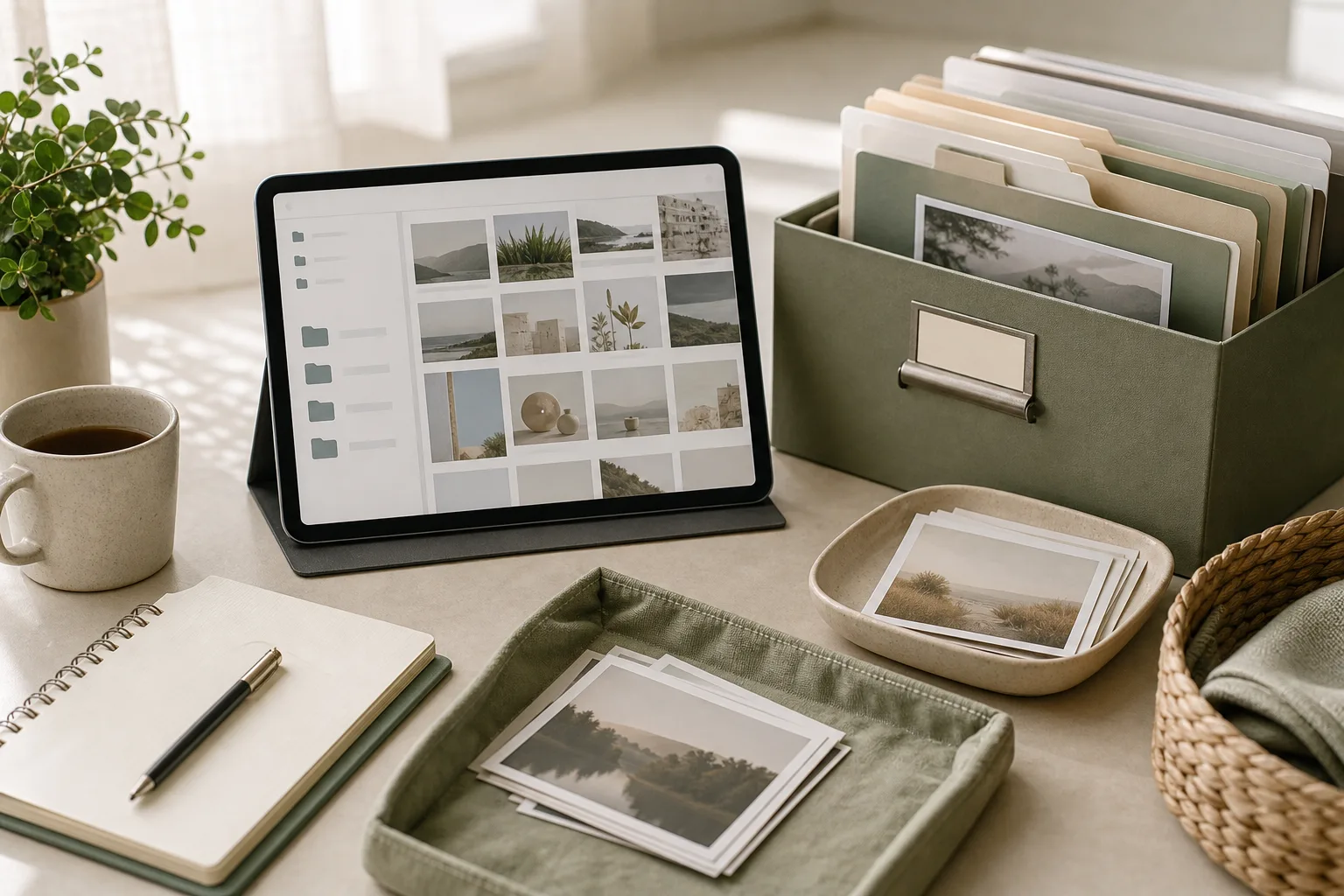
If your photo folders are difficult to search, use a two-part system: place photos in date-based folders and add a short subject label to the folder or file name when the subject matters. In 15 minutes, prepare one working location, sort only the photos you can identify quickly, act on uncertain items with a temporary holding folder, and review the result before stopping.
Why date and subject work well together
Date gives you a predictable order. Subject gives you context. A folder named 2025-04-12_Client-Workshop is easier to scan than a folder named Workshop, especially when you have attended several workshops or saved images from different projects.
The goal is not to create a detailed archive for every image. The goal is to make common retrieval tasks less frustrating. A useful structure should help you answer questions such as:
When was this image created or received?
What project, client, event, or personal topic does it belong to?
Where should a new photo go if I have only a minute?
Keep the number of categories small enough to remember. For example, you might use subject labels such as Client, Admin, Product, Travel, and Personal. Adjust them to your work and life rather than copying a generic taxonomy.
The prepare step: set up a small working area
Begin with one photo source or one folder. Mixing a phone library, cloud drive, messaging app, and desktop at the same time can make a short routine feel larger than it is. Choose the location where you most often look for images.
Create a temporary folder called 00_To-Sort if you need a safe holding area.
Choose a date format and use it consistently. A practical format is YYYY-MM-DD, such as 2025-04-12.
Choose a small set of subject labels. Write them in a note if you are likely to forget them.
Set a timer for 15 minutes. The timer is a boundary, not a promise that the entire library will be finished.
If your device already groups images by date, do not rebuild information that the device provides. You can focus on adding useful subject context and moving only the images that need attention.
The sort step: make quick decisions first
Sort in passes rather than trying to solve every detail at once. Look at the first image and ask which of three groups it belongs to:
Keep and identify: You know the date and subject, so it can move to a named folder.
Keep but unclear: The image may matter, but the date or subject is uncertain. Place it in 00_To-Sort.
Review later: The image is a duplicate, blurry, unnecessary screenshot, or possible deletion candidate. Do not spend the routine debating it.
For a known photo, use a folder or filename pattern such as:
Use the subject label only when it adds retrieval value. A personal snapshot may need only a date and a broad event name. A work image may benefit from a project or client label. Avoid putting long descriptions into every filename because the extra effort can make the routine difficult to repeat.
The act step: use a repeatable 15-minute plan
The following schedule provides a practical starting point. You can change the time blocks when your library or device behaves differently.
Time
Action
Decision rule
Minutes 0–2
Choose one source and open the working folder.
Do not add another source during this session.
Minutes 2–5
Create or confirm the date and subject naming pattern.
Use labels you can recognize without a reference guide.
Minutes 5–11
Move obvious photos into named folders.
Decide quickly; place uncertain items in 00_To-Sort.
Minutes 11–13
Rename a small number of high-value files.
Prioritize images linked to current work or frequent searches.
Minutes 13–15
Review the folders and note the next action.
Stop at the timer and leave a clear starting point for next time.
A useful rule is “one decision, one destination.” Each photo should either go into a named folder, remain in the temporary holding folder, or join a later review list. This prevents the same file from being reconsidered repeatedly during one session.
The review step: keep the system easy to continue
Before finishing, check whether your new folders can be understood at a glance. Look for inconsistent dates, labels that mean the same thing, and folders that are too broad or too detailed.
Are dates written in the same order?
Are subject labels short and distinct?
Can you identify the location of a recent work photo?
Does 00_To-Sort contain a manageable number of items?
What single folder or date range should you handle next?
If the temporary folder grows, give it a separate short session. Do not treat uncertainty as a failure. Some files require context, and forcing a guess can make later searches harder.
Copyable photo-folder checklist
Copy this checklist into a note or task app:
[ ] Choose one photo source.
[ ] Create or open 00_To-Sort.
[ ] Use the date format YYYY-MM-DD.
[ ] Select a small set of subject labels.
[ ] Start a 15-minute timer.
[ ] Move obvious photos to date-and-subject folders.
[ ] Put uncertain photos in 00_To-Sort.
[ ] Rename only high-value files during this session.
[ ] Check for inconsistent names.
[ ] Write down the next folder or date range to review.
How this routine connects with wider digital organization
Photo folders are only one part of digital organization. The same logic can support documents, apps, and links. Use a predictable primary order, add a small amount of context, and create a temporary place for items that need more thought.
Files: Use a date or project folder first, then add a concise subject label.
Apps: Group them by activity, such as communication, finance, design, or travel, rather than by download date.
Links: Save pages with a short purpose label, such as Read-Later_Client-Research.
Digital routines: Schedule a brief review when a folder becomes difficult to scan, instead of waiting for a large cleanup.
Keep each system separate enough that you can understand it quickly, but use similar principles across systems. Consistency reduces the number of decisions required when you are busy.
FAQ
Should I sort by date taken or date downloaded?
Use the date that best matches how you search. Date taken is useful for events and original photos. Date downloaded can be useful for work assets received during a project. If the two dates differ significantly, include a short subject label so the folder context remains clear.
What should I do with screenshots?
Keep screenshots that support a task, record a decision, or contain information you may need. Move them into a subject folder or a temporary review folder. Screenshots with no clear future use can remain on a later review list rather than interrupting the 15-minute routine.
How many subject labels should I create?
Start with only the labels you can apply confidently. Add a label when an existing category repeatedly makes searching difficult. Too many labels can create extra decisions and reduce consistency.
What if I cannot identify the date?
Use the available metadata if it is reliable. Otherwise, place the file in a folder such as Unknown-Date_To-Review and add a subject label when possible. Avoid guessing a precise date when you do not have evidence.
Conclusion
A manageable photo system does not require a complete library overhaul. Start with one source, use a consistent date format, add a short subject label, and give uncertain files a temporary home. The prepare, sort, act, and review cycle creates a small repeatable routine for photo folders and can also inform broader file organization, app organization, and link management.
LOUIS VUITTON LV Driver Mocassin brings the relaxed ease of a driving shoe into a distinctly considered Louis Vuitton design. Created as Virgil Abloh’s first driving shoe, this model is reinterpreted in embossed grained cowhide leather with the house’s signature Monogram pattern. Its character comes from the balance of tactile detail and understated structure: a hand-stitched vamp, lightweight tubular construction, flexible rubber-pad outsole and tonal LV Initials lace tips.
Presented within a collection of loafers for women, it is a versatile choice for wardrobes that move between polished daytime dressing and quieter, refined off-duty looks. The low 1 cm heel height and flexible construction support its visual lightness, while the Monogram detailing gives even simple outfits a recognisable finish. Rather than relying on excess ornament, the design makes craftsmanship, texture and proportion the focus.
Design Details Worth Noticing
The appeal of LOUIS VUITTON LV Driver Mocassin lies in how its functional driving-shoe language is translated into a luxury wardrobe piece. Each design element contributes to an easy, composed appearance.
Embossed grained cowhide leather: The leather surface is embossed with the Louis Vuitton Monogram pattern, giving the upper texture and a subtle branded rhythm rather than a flat finish.
Hand-stitched vamp: The vamp is hand-stitched, with the product description noting one hour of work per pair. This detail brings a crafted, visible definition to the front of the shoe.
Lightweight tubular construction: The construction keeps the silhouette visually streamlined and supports the flexible character associated with a moccasin.
Flexible rubber-pad outsole: Large rubber pads and the Monogram pattern on the tread add a considered finishing detail beneath the shoe.
Tonal LV Initials lace tips: The lace tips provide a restrained signature accent, maintaining tonal harmony with the rest of the design.
Low-profile proportion: With a listed heel height of 1 cm / 0.39 inches, the shoe retains a close-to-the-ground profile that works naturally with casual and tailored styling alike.
The colour is listed as 1ABZ7, and the country of manufacture is Italy. For fit decisions, consult the available size guide and compare the product details with your usual preferences before purchase.
How to Style and Wear It
This moccasin is especially effective when the rest of the outfit is clean, relaxed and proportion-conscious. Its textured Monogram leather can act as the defining detail in an otherwise quiet look, or it can be coordinated with accessories that echo its refined finish.
Polished everyday dressing: Pair it with straight-leg trousers and a neat knit for an understated daily look. Keep the trouser break clean enough to reveal the hand-stitched vamp and the low profile of the shoe.
Soft tailoring: Use the moccasin to temper a tailored jacket and trousers. The driving-shoe construction introduces ease, while the embossed leather preserves a composed, elevated impression.
Denim with intention: A simple denim look benefits from the shoe’s tactile surface. Choose a clean silhouette and let the Monogram texture provide the visual interest at ground level.
Warm-weather coordination: With lighter separates, the flexible tubular shape can create a relaxed transition between casual and polished dressing. Echo the shoe’s tonal details with a restrained belt or bag rather than adding competing patterns.
Travel and daytime plans: The design is suited to occasions where a refined appearance is desired without the visual formality of a structured dress shoe. Coordinate it with practical, well-edited layers and keep the overall palette controlled.
For care, handle the embossed grained leather thoughtfully and protect the shoe from unnecessary abrasion. Store it so the upper and lace details are not pressed against sharp or rough surfaces. Pay attention to the rubber-pad outsole and tread after wear, and follow appropriate product-specific leather-care guidance where available. Before using any cleaning or conditioning product, confirm that it is suitable for embossed cowhide leather and test it according to the care instructions.
What to Consider Before Choosing
Start with the role you want the shoe to play in your wardrobe. LOUIS VUITTON LV Driver Mocassin is a strong option if you value a low-profile moccasin with visible craftsmanship, a flexible construction and a distinctive Monogram leather surface. It can work as an everyday anchor, but its detailing also gives it enough presence for more carefully styled occasions.
Check the fit information: Review the size guide and product measurements before ordering. A moccasin should be assessed not only by length but also by how its shape feels across the foot.
Consider texture: The embossed grained leather is a central part of the design. Choose it if you enjoy tactile surfaces and a patterned finish that remains integrated with the shoe.
Assess wardrobe compatibility: The tonal lace tips and low heel height make coordination straightforward with trousers, denim and relaxed tailoring. Consider whether these are silhouettes you regularly wear.
Review the product reference: The product code is LVUN3K5NBL1U711A01. Keep this information with the current listing details when checking the item before purchase.
Think about maintenance: Leather footwear rewards careful handling. If you prefer pieces that can be worn without attention to surface care, consider whether the embossed cowhide construction suits your routine.
The strongest styling approach is selective rather than crowded: allow the Monogram texture, crafted vamp and tonal finishing details to remain visible. A pared-back outfit will make the shoe feel intentional, while accessories in related tones can create cohesion without duplicating every design element.
Frequently Asked Questions
What kind of shoe is LOUIS VUITTON LV Driver Mocassin? It is a driving moccasin with a hand-stitched vamp, lightweight tubular construction and a flexible rubber-pad outsole.
What material is used? The product is described as embossed grained cowhide leather with a Monogram pattern.
What is the heel height? The listed heel height is 1 cm / 0.39 inches.
Where is it manufactured? The product details list Italy as the country of manufacture.
How should I choose a size? Review the available size guide and current product measurements before purchase, then compare them with your usual fit preferences.
Product details may change. Please verify the current specifications, size information, condition, price and purchase information on the product page before purchase.
If your kitchen feels disorganized because frequently used tools, occasional equipment, meal notes, and shopping reminders are mixed together, try organizing by frequency of use. In a 15-minute session, prepare one work area, sort items into three use levels, act on the most important changes, and review the result before stopping. This approach keeps the system practical for busy people without requiring a full kitchen reset.
Why frequency can be a useful kitchen organization rule
Many kitchen organization systems begin with item type: utensils together, containers together, and notes in one place. Categories can help, but they do not answer a daily question: “What should be easiest to reach right now?” A frequency-based rule adds that missing layer.
Items used often can stay in the most convenient locations. Items used sometimes can move to a nearby drawer, shelf, or cabinet. Items used rarely can be placed farther away, provided you can still identify and retrieve them when needed. The same idea can apply to meal notes and shopping lists: information that guides today’s decisions should be easier to find than information kept for occasional reference.
This is not a rule about discarding useful tools. It is a way to reduce the number of decisions made during ordinary meal preparation and shopping planning. The arrangement can change as your schedule, cooking habits, or household needs change.
The three frequency levels
Use simple labels rather than trying to estimate exact numbers of uses. The goal is a workable decision, not a precise measurement.
Level
Use pattern
Suggested location
Examples of information
Frequent
Used as part of ordinary meal or cleanup routines
Visible, frontmost, or easiest to reach
This week’s meal notes, current shopping list
Occasional
Useful for selected meals or periodic tasks
Nearby drawer, shelf, or cabinet
Recipe ideas, special-purpose tools
Rare
Used infrequently or kept for a specific situation
Higher, lower, or less central storage
Seasonal notes, infrequently used equipment
These labels describe use, not value. A rarely used item may still deserve a clear storage place. The important distinction is that its location does not need to compete with items used during ordinary routines.
The 15-minute prepare, sort, act, and review routine
1. Prepare: choose one small zone
Set a timer for 15 minutes and choose one limited area: a utensil drawer, one shelf, a counter corner, or the place where meal and shopping notes collect. A small zone is easier to finish than an entire kitchen, and it gives you a clear boundary for the session.
Gather a few temporary labels or pieces of paper marked “frequent,” “occasional,” and “rare.” You can also use three spaces on the counter. Keep a recycling or discard container nearby only if you already know there are papers or packaging materials that no longer serve a purpose. The routine does not require you to make disposal decisions about every item.
2. Sort: assign items by current use
Move through the selected zone one item at a time. Ask, “How often do I reach for this during my current routine?” Place the item in one of the three frequency groups. For notes, ask a similar question: “Does this help me decide a meal or shopping action soon, or is it reference material for later?”
Try not to solve every storage problem while sorting. If an item belongs somewhere else, place it in a temporary “relocate” group and continue. This keeps the first part of the routine from turning into a tour of the whole kitchen.
Frequent: items and notes that support repeated daily or weekly actions.
Occasional: items and notes that are useful but not part of the current default routine.
Rare: items and notes that are kept for less common situations.
Relocate: items that belong outside the selected zone.
3. Act: change access before changing ownership
Use the next few minutes to move frequent items closer to the point of use. For example, a frequently used tool can move to the front of a drawer, while an occasional tool can move behind it or to a nearby shelf. If the zone contains meal notes and shopping lists, give the current list one clearly defined location instead of allowing several active lists to spread across the kitchen.
For paper notes, choose one current working area and one reference area. A current working area might hold the meal ideas and shopping items you are actively considering. A reference area can hold notes you may revisit later. If you use digital notes, apply the same distinction with a current list and a reference folder or note.
When two items are used with the same frequency, place the one used at the point of greatest inconvenience in the easier location. This keeps the system connected to actual movement rather than to an abstract category.
4. Review: check whether the arrangement is obvious
Use the final minutes to look at the zone as if you were starting a normal kitchen task. Can you identify the current shopping list? Can you find the tool needed for a common meal without moving several unrelated items? Is anything in the zone clearly waiting to be relocated?
Write down one adjustment for the next session if you find a problem. Avoid expanding the session simply because you noticed other areas. A short review protects the boundary of the routine and creates a useful starting point for the next 15 minutes.
A copyable 15-minute action plan
Time
Action
Question to answer
0–2 minutes
Choose one zone and gather temporary labels
What small area will I finish reviewing?
2–7 minutes
Sort tools and notes by frequency
How often is this used in my current routine?
7–12 minutes
Move frequent items closer and group current notes
What should be easiest to reach or read?
12–15 minutes
Review the zone and record one follow-up
What still feels unclear or out of place?
How to connect tools, meal notes, and shopping lists
Kitchen organization becomes easier to maintain when physical items and planning information support the same routine. Start by identifying the action that connects them. A meal note may lead to a shopping-list entry. A shopping-list entry may lead to a tool being used during preparation. Keeping these related steps visible can reduce the need to search in several places.
Current planning: keep the meal notes and shopping items under active consideration together.
Preparation: place frequently used tools in the easiest-to-reach part of the selected zone.
Reference: move older ideas, occasional recipes, and less-used tools to a nearby but separate location.
Review: remove completed planning notes from the current area so the active list remains readable.
“Remove” here can mean archive, recycle, file, or simply move the note to its proper reference location. The choice depends on how you keep records. The useful principle is to separate active decisions from information that is not currently guiding an action.
Checklist for the next session
Choose one drawer, shelf, counter area, or note location.
Set a 15-minute timer.
Label three groups: frequent, occasional, and rare.
Place misplaced items in a separate relocate group.
Move frequently used tools to the most convenient available location.
Keep the current meal notes and shopping list in one defined working place.
Separate active notes from reference notes.
Review the zone before the timer ends.
Write down one follow-up adjustment instead of expanding the task.
Common mistakes to avoid
Organizing by category only
Keeping similar items together can still leave the most-used item buried. After grouping by type, apply the frequency rule to decide which items should be closest.
Making every item visible
Visibility is useful for active items, but displaying everything can make the work area harder to read. Use convenient access for frequent items and defined storage for occasional and rare items.
Creating several active lists
Multiple shopping lists or scattered meal notes can make it unclear which information is current. Choose one active location or note and treat the others as reference material until they are reviewed.
Trying to finish the whole kitchen
A 15-minute routine works best when its scope remains small. Stop at the boundary you selected, even if another area needs attention. You can record it as the next zone rather than interrupting the current review.
FAQ
What if my use pattern changes from week to week?
Use your current routine as the reference point. A tool can move from occasional to frequent during a particular period and move back later. Frequency-based organization is intended to be adjusted rather than treated as a permanent classification.
Should rare items be removed?
Not necessarily. The rule concerns access and location, not automatic disposal. Keep a rare item if it has a useful role for your household, and give it a storage place that does not interfere with frequent tasks.
Can this routine work with digital meal notes?
Yes. Create a distinction between an active meal or shopping note and a reference area. The exact app or format matters less than having a clear current location and a review step.
What should I do when I cannot decide an item’s frequency?
Place it in an undecided or occasional group and note the question for later. You can observe whether you reach for it during ordinary routines before changing its location again.
Conclusion
A frequency-based kitchen organization routine gives priority to the actions that happen most often. In 15 minutes, you can prepare one small zone, sort tools and notes, act on access, and review the result. The system does not depend on a specific kitchen layout or storage product. It depends on making current tools and planning information easier to identify while giving occasional and rare items a defined place. Repeat the routine on another small zone when the next adjustment becomes useful.
LOUIS VUITTON LV Discovery Lace Up은 테크니컬 메시와 합성 소재를 조합한 레이스업 스니커즈입니다. 블랙 컬러의 간결한 바탕에 메탈릭 마감과 브랜드 시그니처 디테일을 더해, 일상적인 남성 스니커즈 스타일에 선명한 포인트를 줄 수 있는 디자인으로 소개됩니다.
스트림라인 실루엣과 테크니컬 레이스가 특징이며, 갑피 곳곳과 가볍게 설계된 러버 아웃솔에 루이 비통의 상징적인 요소가 배치되어 있습니다. 텅의 LV 이니셜, 측면과 뒤쪽 및 아웃솔 트레드의 Vuitton 시그니처, 아웃솔의 LV 이니셜과 모노그램 플라워가 제품의 정체성을 보여줍니다.
블랙 컬러를 중심으로 코디하기 쉬운 스니커즈를 찾으면서도 평범한 데일리 슈즈와는 다른 질감과 장식성을 원한다면 살펴볼 만합니다. 아래에서는 디자인 포인트, 활용 장면, 사이즈와 관리 시 확인할 기준을 차분히 정리합니다.
디자인과 사양에서 확인할 포인트
소재 조합: 갑피는 테크니컬 메시와 합성 소재를 믹스했으며, 아웃솔은 TPU 인서트가 포함된 러버 소재입니다. 소재가 한 가지로만 구성되지 않아 시각적으로 여러 질감이 함께 드러나는 구성이 특징입니다.
시그니처 디테일: 텅의 LV 이니셜, 측면·뒤쪽·트레드의 Vuitton 시그니처, 아웃솔의 LV 이니셜과 모노그램 플라워가 곳곳에 배치되어 있습니다. 가까이에서 볼수록 브랜드 디테일을 확인하기 좋은 디자인입니다.
레이스업 구성: 테크니컬 레이스가 전체적인 분위기를 완성합니다. 끈을 묶는 방식에 따라 발등의 인상과 코디의 정돈감을 조절할 수 있으므로, 착용 시에는 양쪽을 균형 있게 맞추는 것이 좋습니다.
굽 높이와 컬러: 힐 높이는 1cm이며 컬러는 NOIR입니다. 과장된 플랫폼보다 낮은 높이의 스니커즈를 선호하고, 의류와 자연스럽게 연결되는 블랙 슈즈를 찾는 경우 선택 기준으로 참고할 수 있습니다.
제조 및 사이즈: 제조 국가는 이탈리아이며, 정사이즈에 맞는 핏으로 안내됩니다. 평소 신는 사이즈를 선택하도록 제시되어 있지만, 발볼이나 양말 두께 등 개인적인 착화 조건은 구매 전 함께 확인하는 편이 좋습니다.
데일리 코디와 활용 아이디어
모노톤 데일리룩: 블랙 팬츠와 그레이 또는 화이트 상의를 매치하면 슈즈의 메탈릭 마감과 시그니처 디테일이 과하지 않게 드러납니다. 상·하의를 단순하게 구성할수록 신발의 소재 대비가 중심 포인트가 됩니다.
캐주얼한 주말 스타일: 데님과 스웨트셔츠처럼 편안한 아이템에 레이스업 스니커즈를 더해 실용적인 분위기를 연출할 수 있습니다. 상의나 액세서리의 색을 제한하고, 블랙 슈즈로 전체 색감을 정리하면 균형을 맞추기 쉽습니다.
테크니컬 무드: 나일론이나 기능성 소재처럼 표면감이 있는 아우터와 함께 착용하면 메시와 합성 소재의 조합이 자연스럽게 이어집니다. 이때 로고가 큰 아이템을 여러 개 겹치기보다 한두 가지 시그니처만 남기는 편이 제품의 디테일을 살리기 좋습니다.
선택 시 체크할 점:
블랙 컬러와 메탈릭 마감이 현재 보유한 팬츠와 아우터에 어울리는지 확인합니다.
낮은 1cm 힐 높이와 스트림라인 디자인이 원하는 실루엣인지 살펴봅니다.
메시와 합성 소재의 믹스가 취향에 맞는지 제품 이미지를 여러 각도에서 비교합니다.
평소 사이즈를 기준으로 보되, 발볼과 양말을 고려해 사이즈 가이드를 함께 확인합니다.
보관할 때는 오염이나 습기에 노출되지 않도록 주의하고, 소재별 관리 방법은 제품 페이지의 안내를 우선으로 확인하는 것이 좋습니다. 착용 후에는 표면 상태를 살핀 뒤 통풍이 가능한 환경에서 정돈해 두면 제품을 깔끔하게 관리하는 데 도움이 됩니다.
구매 전 확인하면 좋은 기준
첫째, 정확한 사이즈 선택을 위해 상품에 안내된 “Fits true to size, take your normal size” 내용을 확인하세요. 기본 안내는 평소 사이즈이지만, 발볼의 여유나 착용할 양말에 따라 느낌이 달라질 수 있으므로 자신의 착화 습관을 함께 고려해야 합니다.
둘째, 소재와 디테일을 우선순위에 두고 살펴보세요. 테크니컬 메시와 합성 소재의 조합, 메탈릭 마감, 러버 아웃솔과 TPU 인서트가 이 모델의 주요 구성입니다. 부드러운 단일 소재의 슈즈를 기대하는지, 여러 소재가 섞인 구조적인 외관을 원하는지 비교하면 선택이 쉬워집니다.
셋째, 코디 활용도를 점검하세요. NOIR 컬러는 다양한 색상의 의류와 연결하기 좋지만, 제품의 시그니처 장식과 메탈릭 포인트가 스타일의 중심이 될 수 있습니다. 보유한 팬츠의 길이와 밑단 폭, 주로 입는 아우터의 분위기를 함께 떠올리면 실제 활용 장면을 구체적으로 판단할 수 있습니다.
마지막으로 제품 코드 LVU8K2T9BCK59ZAA00, 제조 국가 Italy, 힐 높이 1cm 등의 상세 정보를 상품 페이지에서 다시 확인하세요. 특히 사진으로 확인하기 어려운 상태와 구성, 구매 관련 조건은 주문 전 최신 안내를 기준으로 살펴보는 것이 안전합니다.
자주 묻는 질문
Q. 정사이즈로 선택하면 되나요? A. 상품 안내상 정사이즈 핏이며 평소 사이즈를 선택하도록 제시되어 있습니다. 발볼, 양말 두께, 개인적인 착화 선호를 고려해 사이즈 가이드를 함께 확인하세요.
Q. 어떤 소재로 구성되어 있나요? A. 테크니컬 메시와 합성 소재를 믹스한 갑피이며, 아웃솔은 TPU 인서트가 포함된 러버 소재입니다.
Q. 주요 디자인 포인트는 무엇인가요? A. 메탈릭 마감, 테크니컬 레이스, 텅의 LV 이니셜, 측면·뒤쪽·트레드의 Vuitton 시그니처, 아웃솔의 LV 이니셜과 모노그램 플라워입니다.
Q. 굽 높이와 제조 국가는 어떻게 되나요? A. 힐 높이는 1cm이며 제조 국가는 Italy로 안내되어 있습니다.
구매 전 상품 페이지에서 현재의 제품 상세, 사이즈 안내, 구성 및 구매 관련 정보를 반드시 확인해 주세요.
If you have only 15 minutes, begin with the room that affects your next useful activity, not necessarily the room that looks worst. Use this order: prepare your collection points, sort visible items, act on one category, and review what should happen next. A short room-by-room routine can reduce decision fatigue and give your home organization efforts a clear direction without turning the session into a full-house cleaning project.
The four-part method: prepare, sort, act, review
A tidy-up becomes easier to start when each stage has a narrow purpose. The aim is not to finish every room in one session. The aim is to create a small, visible improvement and leave a clear next action.
1. Prepare
Choose a 15-minute window and collect three temporary destinations:
Return: items that belong in another room or another area.
Decide: items that need a later decision, such as whether to keep, donate, recycle, or discard them.
Action: items that need a simple next step, such as laundry, washing, filing, or charging.
You can use bags, boxes, or clearly marked floor areas. These containers are temporary sorting tools, not new storage. Keep the number of categories small so that sorting does not become a separate organizing project.
2. Sort
Work from visible surfaces and walkways. Pick up one item at a time and give it a destination. If you are uncertain, place it in the Decide group rather than interrupting the routine with a long judgment.
For a short session, avoid opening every drawer or cupboard. Hidden storage can wait until the visible flow of the room is easier to use.
3. Act
Choose one category that will make the next part of the day easier. Return items to their homes, take rubbish or recycling to the appropriate place, start a small laundry action, or clear one useful surface. Acting on one category creates a concrete finish line for the session.
4. Review
Use the last minute to return containers, identify items that need a later decision, and write down the next starting point. A review prevents temporary piles from becoming permanent features of the room.
Which room should you start with?
Use the following room order when you do not know where to begin. It follows daily function rather than visual drama.
Order
Room or area
Reason to begin there
Useful first target
1
Entryway
It controls the movement of items into and out of the home.
Shoes, bags, keys, mail, and outerwear
2
Kitchen
It supports frequent daily tasks and benefits from clear working space.
One counter section or the sink area
3
Living area
It often collects items from several activities.
One table, sofa zone, or walking path
4
Bathroom
Small visible surfaces can be sorted quickly.
Countertop items or used towels
5
Bedroom
It supports the next rest period and often has recurring clothing clutter.
Floor, bedside area, or one clothing group
This is a starting order, not a rule for every home. If your next important task happens in the kitchen, begin there. If the entryway is blocked, clearing it may improve the home flow before you work elsewhere.
The 15-minute action plan
Use a timer if it helps you keep the session contained. The following plan gives each stage a defined role.
Minutes 0–2: Prepare. Choose one room or one zone. Place three bags, boxes, or baskets nearby and remove obvious rubbish if doing so is quick.
Minutes 2–7: Sort. Move through visible surfaces and walkways. Sort items into Return, Decide, and Action. Do not reorganize closed storage during this stage.
Minutes 7–13: Act. Complete one practical category. For example, return items to their homes, clear one counter, or take a collection to its next destination.
Minutes 13–15: Review. Empty the temporary containers where possible, label unresolved items mentally or on a note, and choose the next zone.
If one category is larger than expected, stop at the end of the time block rather than expanding the session by default. You can record the unfinished category as the next starting point.
Storage rules that support home flow
Storage works best when it reflects how people use an item. Consider these simple rules while returning belongings:
Store frequent-use items near the point of use. Keep daily entry items near the entrance and cooking tools near the preparation area.
Give recurring items a visible home. If keys, chargers, or bags regularly land in the same place, consider whether that location can become their designated home.
Group by activity. Keep items used together together where practical, such as a small set of cleaning supplies or a work-from-home group.
Protect useful surfaces. A clear section of a counter, table, or bedside surface can serve as a landing area for the next activity.
Use temporary containers only for sorting. If a basket repeatedly holds unresolved items, schedule a separate decision session or reduce the number of items entering it.
These rules do not require new products. They are ways to test whether an existing home can support the actions you already perform.
A copyable 15-minute tidy-up checklist
Copy this checklist into a note, print it, or adapt it for your home:
Choose one room or zone.
Set a 15-minute limit.
Prepare Return, Decide, and Action containers.
Clear visible rubbish or recycling.
Sort items from one surface or walkway.
Return items that already have a home.
Complete one Action category.
Keep uncertain items in Decide instead of stopping to research or debate.
Remove temporary containers from the active area.
Write down the next room, surface, or category.
How to handle common sticking points
When every room needs attention
Choose the room connected to the next activity or the main movement path. A small improvement in a functional area can be more useful than a larger change in a room you will not use soon.
When an item has no home
Place it in Decide and continue. During a later session, ask where the item is used, how often it is used, and whether its current storage location makes retrieval and return reasonably easy. If no location supports those actions, the item may need a separate keep, move, donate, recycle, or discard decision.
When sorting creates more piles
Reduce the number of categories. Return, Action, and Decide are enough for a short session. More detailed categories can be useful during a dedicated organizing project, but they may slow down a quick tidy-up.
When another person shares the home
Start with shared surfaces and common paths rather than personal storage. If an item belongs to someone else, place it in a clearly identified Return area instead of deciding on that person’s behalf.
FAQ
Should I clean or organize first?
For a 15-minute tidy-up, begin with basic sorting and movement. Once items are off the chosen surface, you can decide whether a quick wipe or another cleaning task fits the remaining time. Separating sorting from detailed cleaning helps keep the session focused.
What if I cannot finish a room?
Stop at the planned time and leave a short note about the next visible target. Finishing a defined zone, category, or step is enough for one session. The next routine can continue from that note.
How often should I use this routine?
Use it when a short reset would help, such as before a busy part of the day or after several activities have accumulated. The useful frequency depends on your home, schedule, and the amount of shared activity.
Do I need special storage products?
No. The routine can begin with existing bags, boxes, baskets, or clearly separated areas. Consider storage products only after you understand what needs to be stored and where it is used.
Conclusion
A practical home organization routine can start with one room, three temporary categories, and 15 minutes. Begin where the next activity or the main home flow will benefit, sort visible items, act on one category, and review the next step. Repeating this small framework can make tidying easier to resume without requiring a full-home project every time.
ISABEL MARANT Balskee sneakers bring a distinctive fashion attitude to everyday dressing through a considered mix of proportion, texture and colour. The multicolour beige palette gives them visual softness, while the round toe and thick outer sole create a substantial silhouette that can anchor both relaxed and more polished outfits.
The design is defined by its closed construction, Velcro fastening and logo detail on the tongue. Together, these elements create a sneaker that feels recognisable without relying on excessive ornament. Made in Portugal, the pair combines a main material of 100% cowhide leather velvet with a 100% pig leather lining and a 100% rubber sole. The listed heel height is 4 cm, adding a gently elevated profile to the look.
For a wardrobe built around versatile separates, this is a useful starting point: the beige-led colour story can sit comfortably beside denim, neutral tailoring and soft knitwear, while the multicolour character keeps simple outfits from appearing flat.
Why ISABEL MARANT Balskee sneakers stand out
Multicolour Beige finish: A nuanced colour direction that can complement both tonal outfits and contrasting casual looks.
Round toe: The rounded front supports the design’s relaxed, contemporary character and balances the thicker sole.
Thick outer sole: A defining visual feature that gives the sneaker a grounded, substantial presence. The listed heel height is 4 cm / 1.57 inches.
Velcro fastening: The fastening adds a clear functional detail and contributes to the sneaker’s modern, sporty styling.
Logo on the tongue: A signature finish placed where it remains visible when the shoe is worn with cropped trousers, skirts or dresses.
Material composition: The main material is listed as 100% cowhide leather velvet, with a 100% pig leather lining and a 100% rubber sole.
Made in Portugal: The product information identifies Portugal as the country of manufacture.
These details make the pair especially adaptable for shoppers who prefer a sneaker with more visual structure than a minimal low-profile style. The combination of texture, colour variation and a raised sole allows it to play either a quiet supporting role or a deliberate focal point.
How to style them across the week
For an understated daily look, pair the sneakers with straight-leg denim and a relaxed shirt. Keep the upper half in white, cream or pale beige to echo the shoe’s lighter tones, then let the multicolour finish add dimension. A simple shoulder bag can keep the outfit balanced without competing with the tongue logo.
For a contemporary city uniform, try tailored trousers with a neat knit or an oversized blazer. The thicker outer sole introduces contrast against cleaner tailoring, while the rounded toe keeps the overall effect approachable rather than formal. Choose trousers that allow the shoe to remain visible, particularly around the fastening and tongue.
For a tonal wardrobe, build around ecru, oatmeal, stone and warm grey. This approach highlights the Multicolor Beige colour description and creates a polished, low-contrast outfit. A textured knit or softly structured outer layer can echo the tactile character suggested by the leather velvet main material.
For a relaxed dress or skirt combination, use the sneakers to bring an easy, modern counterpoint to a more fluid silhouette. A midi length can frame the 4 cm heel height, while a shorter hemline can draw attention to the Velcro fastening and substantial sole. Keep accessories restrained if the outfit already includes a print.
For weekend dressing, combine them with wide-leg jeans, a simple sweatshirt and a compact jacket. The proportions work best when the outfit has at least one relaxed element; the sneaker’s defined shape then provides structure. Because the colour is beige-led, it can connect naturally with tan, brown, black or denim accents.
When coordinating, consider the balance between the shoe’s thicker sole and the volume of the rest of the outfit. More generous trousers can create a deliberate, contemporary silhouette, while cleaner hems make the shoe’s shape more immediately noticeable.
What to consider before choosing
Start with the colour story. Multicolor Beige is flexible, but it is not entirely neutral in effect. Review your existing wardrobe and consider whether you want the sneakers to blend with cream and stone tones or introduce contrast to darker denim, black and saturated colour.
Assess the silhouette. The round toe and thick outer sole give the pair a visibly substantial profile. If your usual footwear is very slim or minimal, this design will create a stronger change in proportion. That can be an advantage when you want casual outfits to feel more styled and intentional.
Think about fastening preference. The Velcro fastening is central to the look as well as to the listed design. Consider how you like your sneakers to appear when worn: the fastening and tongue logo are details that can be emphasised through cropped hems, or partially softened beneath longer trousers.
Check the stated sizing information. The product details state that the sneakers fit true to size and recommend taking your normal size. Use the available size guide before purchase, particularly if you are comparing measurements or purchasing a gift.
Review the composition. The listed materials are 100% cowhide leather velvet for the main material, 100% pig leather for lining 1 and 100% rubber for the sole. If material composition is important to your selection, read these details alongside your own preferences before deciding.
Consider the role they will play. These sneakers suit a wardrobe that moves between everyday, casual and fashion-led styling. Their logo detail, thick sole and multicolour beige finish offer more presence than a plain basic, while the neutral direction keeps coordination relatively open.
Frequently asked questions
What colour are ISABEL MARANT Balskee sneakers? The listed colour is Multicolor Beige, a beige-led palette with a multicolour character.
What fastening do they have? They feature a Velcro fastening.
What is the heel height? The listed heel height is 4 cm / 1.57 inches.
Do they fit true to size? The product information states that they fit true to size and recommends taking your normal size. Please consult the size guide before purchasing.
Where are they made? The country of manufacture is listed as Portugal.
What materials are listed? The main material is 100% cowhide leather velvet, the lining is 100% pig leather, and the sole is 100% rubber.
Please verify the current product details, sizing information, materials, and purchase information on the product page before purchase.
해야 할 일을 내려놓고 싶다면 모든 일을 끝내려고 하기보다, 남은 일을 짧게 정리하고 다음에 할 시점을 정한 뒤 휴식으로 전환하는 편이 현실적입니다. 이 글에서는 준비·분류·실행·점검의 4단계로 구성한 15분 셀프케어 루틴을 소개합니다. 핵심은 생산성을 더 끌어올리는 것이 아니라, 오늘의 마감선을 눈에 보이게 만드는 데 있습니다.
이 루틴은 저녁 시간이나 업무 종료 전 사용할 수 있습니다. 꼭 15분을 모두 채울 필요는 없습니다. 이미 지친 날에는 기록 항목만 남기고 멈추어도 되고, 반대로 정리가 필요한 날에는 각 단계의 시간을 조금 늘려도 됩니다.
왜 휴식 전에 마감 정리가 필요한가
해야 할 일이 머릿속에 흩어져 있으면 실제로 급한 일과 단순히 기억해 두고 싶은 일이 섞입니다. 그러면 쉬는 중에도 ‘무언가를 잊은 것은 아닐까’ 하는 생각이 반복될 수 있습니다. 마감 체크리스트는 일을 더 많이 하기 위한 목록이 아니라, 지금 당장 하지 않아도 되는 일을 안전하게 보류하기 위한 장치입니다.
좋은 마감은 다음 세 가지를 구분합니다.
오늘 반드시 닫을 일: 미루면 다른 사람의 일정이나 내일의 시작에 직접 영향을 주는 일
다음에 할 일: 중요하지만 오늘 바로 처리하지 않아도 되는 일
하지 않을 일: 지금의 목표와 관계가 약하거나, 나중에 다시 판단해도 되는 일
이 구분을 통해 휴식은 ‘일을 포기하는 시간’이 아니라 ‘다음 행동을 정한 뒤 잠시 멈추는 시간’이 됩니다.
15분 셀프케어 루틴: 4단계 실행표
단계
시간
할 일
남겨야 할 결과
준비
2분
메모 도구와 타이머를 준비하고 주변 알림을 줄입니다.
정리할 범위
분류
4분
머릿속의 할 일을 빠르게 적고 오늘·다음·보류로 나눕니다.
세 묶음의 목록
실행
7분
오늘 꼭 필요한 한 가지를 마치거나 다음 행동을 구체화합니다.
완료 또는 다음 행동
점검
2분
내일의 첫 행동과 휴식 시작 신호를 확인합니다.
종료 문장과 휴식
1단계: 준비하기, 2분
종이, 메모 앱, 캘린더 중 하나만 선택합니다. 여러 도구를 동시에 열면 정리보다 도구 관리에 시간이 쓰일 수 있습니다. 타이머를 15분에 맞추고, 지금 정리할 범위를 정합니다. 예를 들어 ‘오늘 업무 전체’가 아니라 ‘퇴근 후 계속 떠오르는 일’처럼 좁혀도 됩니다.
이때 휴대전화의 불필요한 알림을 잠시 줄이고, 새로운 메시지를 확인하지 않는 것이 좋습니다. 새 업무가 들어오면 기존 마감선이 쉽게 흔들리기 때문입니다.
2단계: 분류하기, 4분
완벽한 문장 대신 단어로 떠오르는 일을 모두 적습니다. ‘보고서’처럼 넓은 표현보다 ‘자료 3개 확인’, ‘초안 제목 정하기’처럼 다음 행동을 떠올릴 수 있는 수준이면 충분합니다. 적은 뒤 아래 세 질문으로 분류합니다.
오늘 하지 않으면 내일 바로 문제가 생기는가?
내가 지금 처리할 수 있는 구체적인 행동인가?
지금 처리하지 않아도 다음 시점을 정할 수 있는가?
첫 번째 질문에 해당하는 일은 ‘오늘’로 보냅니다. 나머지는 ‘다음’ 또는 ‘보류’로 분류합니다. 급하지 않은 일을 ‘오늘’ 목록에 넣는 습관이 있다면, 오늘 항목을 한두 개로 제한해 보세요.
3단계: 실행하기, 7분
7분 동안 오늘 목록에서 가장 작은 행동 하나를 선택합니다. 여기서 목표는 큰 과제를 끝내는 것이 아니라, 마감에 필요한 최소 행동을 하는 것입니다. 예를 들어 전체 집안 정리 대신 식탁 위 물건을 제자리로 옮기고, 긴 답장 대신 핵심 내용을 적어 임시 저장하는 방식입니다.
2분 안에 끝낼 수 있는 일은 바로 처리합니다.
끝내기 어려운 일은 다음 행동을 한 문장으로 적습니다.
다른 사람의 확인이 필요한 일은 누구에게 무엇을 물을지 남깁니다.
시간이 더 필요한 일은 시작 시점과 첫 단계만 정합니다.
예를 들어 ‘운동 계획 세우기’ 대신 ‘내일 아침 가능한 시간을 달력에서 확인하기’라고 적습니다. ‘방 정리하기’ 대신 ‘바닥의 빨래만 바구니에 넣기’처럼 범위를 줄일 수 있습니다. 작게 정한 행동은 실행 여부를 확인하기 쉽고, 남은 과제를 머릿속에서 반복하는 부담도 줄여 줍니다.
4단계: 점검하기, 2분
마지막에는 목록을 다시 늘리지 말고 세 가지만 확인합니다.
오늘 반드시 처리해야 하는 일이 남아 있는가?
남은 일마다 다음 행동이나 확인 시점이 적혀 있는가?
지금부터 휴식을 시작한다는 신호를 정했는가?
휴식 시작 신호는 거창할 필요가 없습니다. 노트북을 닫기, 조명을 바꾸기, 물을 마시기, 씻을 준비를 하기처럼 반복 가능한 행동이면 됩니다. 마지막으로 ‘오늘은 여기까지 정리했고, 남은 일은 적어 둔 다음 시점에 확인한다’와 같은 종료 문장을 읽고 목록을 닫습니다.
복사해서 쓰는 마감 체크리스트
아래 양식은 메모 앱에 복사해 사용할 수 있습니다. 모든 칸을 채우는 것이 목적은 아니므로, 지친 날에는 핵심 항목만 사용하세요.
날짜: __________  정리 시작: ______  종료 예정: ______

[준비]
□ 타이머를 설정했다.
□ 정리할 범위를 한 문장으로 정했다.
□ 새 알림과 새로운 업무 확인을 잠시 멈췄다.

[분류]
오늘 꼭 필요한 일:
1. __________________________________
2. __________________________________

다음에 할 일:
1. _________________________________ 다음 확인 시점: ______
2. _________________________________ 다음 확인 시점: ______

보류하거나 하지 않을 일:
1. __________________________________

[실행]
□ 오늘 목록에서 가장 작은 행동 하나를 골랐다.
□ 7분 동안 한 가지에만 집중했다.
□ 끝내지 못한 일의 다음 행동을 적었다.

[점검]
□ 내일 또는 다음 일정의 첫 행동을 정했다.
□ 휴식 시작 신호를 실행했다.
□ 오늘의 마감 문장을 적었다: ______________________________
상황별로 루틴을 줄이는 방법
15분 루틴을 매일 같은 방식으로 적용해야 하는 것은 아닙니다. 체력이 낮거나 일정이 복잡한 날에는 단계별 기준을 줄이는 편이 지속하기 쉽습니다.
너무 지친 날
‘오늘 꼭 필요한 일’ 한 가지와 ‘내일 첫 행동’ 한 가지만 적습니다. 씻기, 물 마시기, 조명을 낮추기처럼 몸을 쉬는 방향의 행동을 먼저 선택해도 됩니다. 기록을 마친 뒤 추가 계획을 세우지 않는 것이 중요합니다.
할 일이 갑자기 늘어난 날
새로운 일을 전부 목록에 넣지 말고 ‘확인 필요’ 묶음에 임시로 모읍니다. 다음 정리 시간에 중요도와 기한을 확인합니다. 즉시 답해야 하는 연락처럼 예외적으로 긴급한 항목만 오늘 목록으로 옮깁니다.
마감 후에도 생각이 계속 날 때
같은 일을 다시 검토하기보다 한 줄 기록을 추가합니다. ‘내일 오전에 파일을 열고 첫 문단을 확인한다’처럼 시점과 행동을 함께 적습니다. 그래도 불안이 계속되면 루틴을 반복해서 늘리기보다 화면과 업무 도구에서 물리적으로 거리를 두고, 개인에게 편안한 휴식 활동으로 전환합니다.
셀프케어 루틴을 지속하기 위한 점검 기준
이 루틴의 성과를 처리한 업무 개수로만 평가하지 마세요. 다음 기준으로 일주일에 한 번 정도 점검하면 형식을 조정하기 쉽습니다.
오늘 목록이 지나치게 길어지지는 않았는가?
‘다음에 할 일’에 실제 확인 시점이 적혀 있는가?
정리 시간이 휴식 시간을 계속 잠식하고 있지는 않은가?
나에게 잘 맞는 종료 신호가 무엇이었는가?
반복해서 보류하는 항목은 삭제, 위임, 범위 축소가 필요한가?
목록이 자주 길어진다면 의지가 부족해서라기보다 하루의 마감 기준이 너무 넓을 가능성이 있습니다. ‘정리 완료’의 기준을 방 전체가 아니라 책상 위 한 구역으로 줄이고, ‘업무 준비’의 기준을 모든 자료 검토가 아니라 첫 파일 열기로 바꿔 보세요.
결론: 휴식도 일정에 넣을 수 있다
해야 할 일을 내려놓는다는 것은 책임을 무시하는 일이 아닙니다. 오늘 처리할 일과 나중에 확인할 일을 구분하고, 다음 행동을 기록한 뒤 잠시 멈추는 과정입니다. 15분 셀프케어 루틴은 준비·분류·실행·점검을 통해 그 경계를 눈에 보이게 합니다.
처음부터 완벽한 저녁 루틴을 만들기보다, 오늘은 ‘남은 일 세 가지 적기’만 실천해도 충분합니다. 기록의 양보다 휴식으로 전환하는 마감 신호를 꾸준히 만드는 데 초점을 맞춰 보세요.
자주 묻는 질문
15분 안에 일을 다 끝내지 못하면 어떻게 하나요?
다 끝내는 것이 목표가 아닙니다. 오늘 반드시 필요한 일의 범위를 줄이고, 끝내지 못한 일은 다음 행동과 확인 시점을 적은 뒤 멈춥니다. 긴급한 예외가 아니라면 정리 시간을 계속 연장하지 않는 편이 휴식 계획을 지키는 데 도움이 됩니다.
저녁이 아니라 아침에 해도 되나요?
가능합니다. 업무 종료 전, 잠들기 전, 다음 날 시작 전 등 ‘미완료 일이 휴식을 방해하는 시점’에 적용할 수 있습니다. 다만 잠들기 직전에 복잡한 계획을 많이 세우면 오히려 각성이 커질 수 있으므로, 그때는 짧은 기록과 종료 문장만 사용하세요.
기록할 일이 너무 많으면 무엇부터 적나요?
기한이 임박했거나 다른 사람의 일정에 영향을 주는 일을 먼저 적습니다. 그다음 지금 내가 실제로 할 수 있는 가장 작은 행동을 고릅니다. 나머지는 임시 보류 목록에 모으고 다음 검토 시점을 정하면 됩니다.
셀프케어 루틴을 지키지 못한 날은 어떻게 해야 하나요?
실패로 해석하기보다 루틴의 크기를 줄입니다. 다음 날에는 15분 대신 3분 동안 ‘오늘 꼭 필요한 일 한 가지, 다음 행동 한 가지, 휴식 신호 한 가지’만 적어 보세요. 생활 리듬과 일정에 맞는 형식으로 조정하는 것이 중요합니다.
BOTTEGA VENETA Nappa coin holder는 작지만 분명한 존재감으로 일상적인 소지품을 정돈해 주는 액세서리입니다. 부드럽고 유연한 나파 가죽으로 제작되었으며, 리놀륨-실버 컬러가 차분하고 세련된 인상을 더합니다. 동전이나 작은 소지품을 한곳에 보관하고 싶은 날, 가방 속을 간결하게 관리하고 싶은 날에 어울리는 아이템입니다.
14cm의 너비와 7.5cm의 높이, 4cm의 깊이를 갖춘 형태로, 카드 지갑과는 다른 여유 있는 수납감을 고려할 수 있습니다. 토트백이나 숄더백, 데일리 백 안에 넣어 사용할 수 있고, 가방을 바꾸는 날에도 소지품을 옮기기 좋습니다. 이 제품을 선택할 때는 필요한 수납 방식과 컬러 조화, 나파 가죽을 오래 깔끔하게 유지할 수 있는 관리 습관을 함께 살펴보면 좋습니다.
디자인과 사양에서 살펴볼 포인트
제품명: BOTTEGA VENETA Nappa coin holder
소재: 100% 가죽
컬러: Linoleum-Silver
제조국: 이탈리아
측정값: 너비 14cm, 높이 7.5cm, 깊이 4cm
제품 코드: BOTG6G58OWHZZZZZ00
이 코인 홀더의 핵심은 나파 가죽 특유의 부드럽고 유연한 감촉과 간결한 실루엣입니다. 리놀륨-실버 컬러는 지나치게 튀지 않으면서도 가방 속 소품을 찾을 때 시선을 끌 수 있는 색감으로 제안됩니다. 동전과 작은 물건을 섞어 넣기보다 사용 목적을 정해 두면 내부를 더 효율적으로 사용할 수 있습니다.
사이즈를 확인할 때는 숫자만 보기보다 평소 사용하는 가방의 내부 폭과 함께 비교해 보세요. 14cm 너비와 4cm 깊이가 가방 속 다른 파우치나 지갑과 겹치지 않는지, 손에 쥐었을 때 원하는 휴대감인지 미리 가늠하면 선택에 도움이 됩니다.
데일리 스타일링과 활용 아이디어
데일리 백과 함께: 매일 사용하는 가방 안에 동전이나 자주 흩어지는 작은 소지품을 따로 담아 보세요. 가방 안에서 물건을 찾는 동선을 단순하게 만들고, 지갑과 다른 역할을 부여할 수 있습니다. 리놀륨-실버 컬러는 블랙, 네이비, 브라운 계열 가방과 무난하게 어우러지며, 밝은 톤의 가방 안에서는 깔끔한 포인트가 됩니다.
오피스 룩에는: 셔츠와 재킷처럼 정돈된 옷차림에 절제된 액세서리를 더하고 싶을 때 적합합니다. 로고나 장식을 여러 개 겹치기보다 이 코인 홀더의 컬러와 가죽 질감을 중심에 두면 단정한 분위기를 유지할 수 있습니다.
주말 외출에는: 소지품을 가볍게 구성하고 싶은 날, 큰 지갑과 함께 사용하기보다 필요한 작은 물건을 분리해 담는 방식으로 활용할 수 있습니다. 가방을 바꿀 때에는 코인 홀더만 옮겨 담아 준비 시간을 줄이고, 외출 목적에 따라 내용물을 다시 정리해 보세요.
선물이나 개인용 액세서리로 고려한다면 사용자가 평소 동전을 휴대하는지, 가방 속 수납 공간을 중요하게 생각하는지 먼저 살펴보는 것이 좋습니다. 패션 아이템인 동시에 정리 도구로 활용할 수 있어, 실용성과 세련된 인상을 함께 원하는 경우에 잘 맞습니다.
선택 전 확인할 기준과 관리 팁
수납 목적을 먼저 정하기: 동전 보관이 주목적인지, 작은 소지품을 분리하는 용도인지 결정해 보세요. 사용 목적이 분명할수록 내부를 깔끔하게 유지하기 쉽습니다.
가방과의 크기 조화 확인하기: 제품 측정값인 너비 14cm, 높이 7.5cm, 깊이 4cm를 기준으로 현재 사용하는 가방의 내부 공간과 비교하세요. 다른 파우치와 함께 넣을 계획이라면 겹침도 함께 확인하는 편이 좋습니다.
컬러 조합 살펴보기: Linoleum-Silver는 다양한 데일리 룩에 연결하기 쉬운 차분한 컬러입니다. 가방과 의상의 색이 이미 충분히 강하다면 이 컬러로 균형을 맞추고, 무채색 중심의 스타일에는 작은 포인트로 활용할 수 있습니다.
가죽을 조심스럽게 다루기: 100% 가죽 제품이므로 물기, 마찰, 오염에 노출되지 않도록 주의하세요. 사용 후에는 부드러운 마른 천으로 가볍게 정돈하고, 젖었을 때 강한 열이나 직접적인 열원으로 급히 말리지 않는 것이 좋습니다.
보관 환경 정리하기: 사용하지 않을 때는 다른 금속 물건이나 거친 소재와 오래 맞닿지 않게 두세요. 형태가 눌리지 않도록 가방 속에서 무거운 물건 아래에 두지 않고, 깨끗하고 건조한 곳에 보관하는 방식을 권합니다.
가죽의 상태를 오래 살피려면 화장품, 펜처럼 내용물이 새거나 색이 묻을 수 있는 물건과 분리하는 것이 좋습니다. 관리 제품을 사용할 때는 소재와의 적합성을 먼저 확인하고, 눈에 잘 띄지 않는 부분에서 테스트한 뒤 사용하는 편이 안전합니다.
자주 묻는 질문
어떤 용도로 사용할 수 있나요?
동전을 정리하거나 가방 속 작은 소지품을 따로 보관하는 용도로 활용할 수 있습니다. 사용 목적을 하나로 정해 두면 내용물 관리가 편해집니다.
크기는 어떻게 확인하면 되나요?
제품 측정값은 너비 14cm, 높이 7.5cm, 깊이 4cm입니다. 구매 전 자주 사용하는 가방의 내부 공간과 함께 비교해 보세요.
어떤 컬러인가요?
컬러는 Linoleum-Silver입니다. 블랙이나 네이비 같은 어두운 가방에는 은은한 포인트로, 밝은 가방에는 정돈된 조화로 연출할 수 있습니다.
소재는 무엇인가요?
100% 가죽으로 제작되었으며, 제품 설명에는 부드럽고 유연한 나파 가죽으로 안내되어 있습니다.
관리할 때 주의할 점은 무엇인가요?
물기와 마찰, 오염을 피하고 사용 후 마른 천으로 가볍게 정돈하세요. 세부 관리 제품을 사용하기 전에는 소재 적합성을 확인하는 것이 좋습니다.
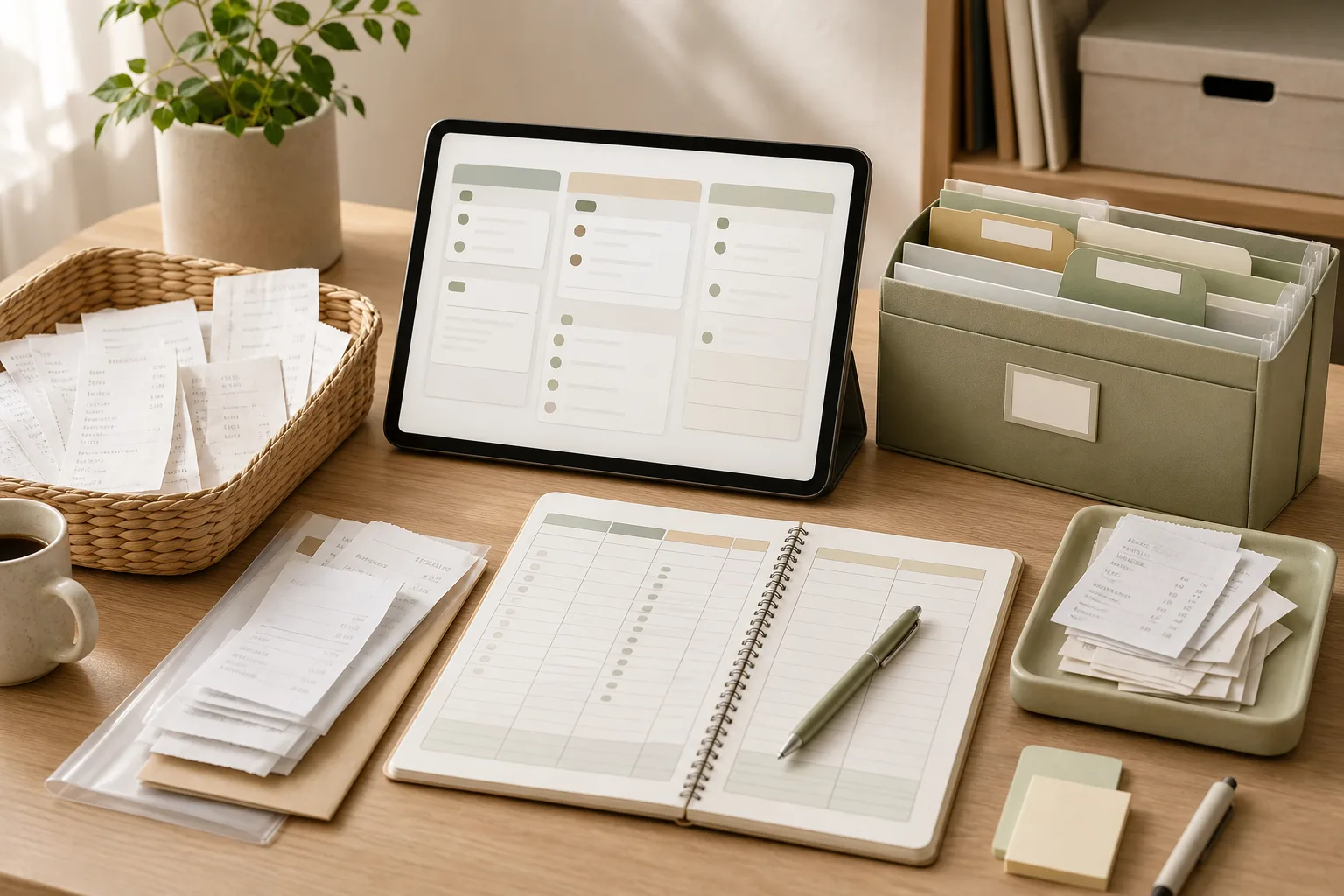
영수증을 월별로 분류하는 가장 간단한 방법은 저장 위치를 하나로 정한 다음, 해당 월의 영수증을 모아 날짜·지출 성격·처리 상태만 표시하는 것입니다. 처음부터 모든 항목을 세밀하게 나누기보다 15분 동안 준비, 분류, 기록, 점검을 순서대로 진행하면 생활비 기록을 꾸준히 이어가기 쉬워집니다.
생활비 정리를 시작하기 전에 정할 것
영수증 정리가 오래 걸리는 이유는 분류 기준이 부족해서가 아니라 저장 방식이 여러 곳으로 흩어져 있기 때문인 경우가 많습니다. 종이 영수증은 서랍에 넣고 모바일 영수증은 문자나 이메일에 남겨 두면 월말에 누락 여부를 확인하기 어렵습니다. 먼저 기록의 중심이 될 장소를 하나 선택하세요.
디지털 보관함: 월별 폴더를 만들고 사진이나 파일을 저장합니다.
지출 기록표: 날짜, 사용처, 금액, 분류, 메모를 입력합니다.
정기 결제 목록: 영수증이 반복적으로 발생하는 결제는 별도 표시합니다.
중요한 점은 특정 앱이나 서비스가 아니라 같은 규칙을 반복하는 것입니다. 휴대전화 메모, 스프레드시트, 파일 폴더 중 이미 익숙한 도구를 선택하고, 관리 도구를 자주 바꾸지 않는 편이 좋습니다.
추천하는 최소 기록 항목
항목
기록 방법
확인 목적
날짜
결제일 기준으로 입력
월별 분류
사용처
상점이나 서비스 이름 입력
거래 확인
금액
영수증에 적힌 금액 입력
월 지출 합계 확인
분류
식비, 교통, 생활용품 등으로 선택
지출 흐름 파악
메모
환불, 공동구매, 정기 결제 등 표시
나중에 다시 확인
영수증을 월별로 분류하는 4단계
1단계: 준비하기
기록표 또는 메모를 열고 이번에 정리할 월을 먼저 적습니다. 책상, 가방, 차량, 현관 주변처럼 영수증이 자주 쌓이는 장소에서 종이 영수증을 모읍니다. 문자, 이메일, 쇼핑몰 주문 내역처럼 전자 형태로 남은 영수증도 함께 확인하되, 이 단계에서는 금액을 모두 입력하려고 하지 않아도 됩니다.
영수증을 찾는 데 시간이 오래 걸린다면 자주 사용하는 결제 수단의 확인 위치를 메모해 두세요. 예를 들어 종이 영수증, 문자 알림, 이메일, 온라인 주문 내역처럼 네 가지 경로를 고정하면 다음 달 준비 시간이 줄어들 수 있습니다.
2단계: 분류하기
모은 영수증을 먼저 날짜 기준으로 해당 월과 이전·다음 달로 나눕니다. 결제일과 이용일이 다른 예약, 배송, 정기 결제는 영수증에 표시된 결제일을 우선 기록하고 필요한 경우 메모에 이용 기간을 적습니다.
그다음 지출 성격을 너무 세분화하지 않고 가구가 실제로 자주 확인할 수 있는 수준으로 나눕니다. 다음과 같은 기본 분류로 시작할 수 있습니다.
식비
교통·이동
생활용품
의료·건강 관련 지출
여가·취미
정기 결제
기타
한 영수증에 여러 종류의 물품이 섞여 있어 나누기 어렵다면 전체 금액을 대표 분류에 기록하고 메모에 ‘혼합 구매’라고 남겨도 됩니다. 매번 완벽하게 나누는 것보다 같은 기준을 유지하는 편이 월별 비교에 유리합니다.
3단계: 실행하기
정리한 영수증에서 필요한 항목만 기록합니다. 아래 순서를 따르면 입력 중에 판단이 흔들리는 것을 줄일 수 있습니다.
날짜와 사용처를 입력합니다.
금액을 영수증 또는 결제 내역과 대조합니다.
가장 가까운 지출 분류를 선택합니다.
환불, 부분 취소, 가족 공동 지출, 정기 결제 여부를 메모합니다.
종이 영수증은 사진으로 보관하거나 정한 보관 기간에 맞춰 정리합니다.
금액을 기록할 때는 추정값을 넣지 않는 것이 좋습니다. 확인이 되지 않는 항목은 빈칸으로 두기보다 ‘확인 필요’라고 표시하면 누락과 추정 기록을 구분할 수 있습니다. 같은 결제가 문자와 이메일에 모두 남아 있다면 중복 입력하지 않도록 사용처와 날짜를 함께 대조하세요.
4단계: 점검하기
마지막 3분은 입력한 기록을 검토하는 데 사용합니다. 전체 합계를 빠르게 확인하는 것보다 기록이 빠진 곳과 중복된 곳을 찾는 것이 우선입니다. 결제 알림 목록, 카드나 계좌의 거래 내역, 보관한 영수증을 모두 비교할 필요는 없으며, 평소 누락이 잦은 경로부터 확인하면 됩니다.
이번 달 폴더에 다른 달 영수증이 들어가 있지 않은가?
같은 사용처와 날짜가 두 번 입력되지 않았는가?
정기 결제가 별도로 표시되어 있는가?
환불이나 취소된 거래가 원래 지출로 남아 있지 않은가?
확인하지 못한 금액에 추정값을 입력하지 않았는가?
매달 반복하는 15분 실행표
정해진 요일이나 날짜에 다음 순서로 진행해 보세요. 15분 안에 끝나지 않더라도 중단한 위치를 표시하고 다음 차례에 이어가면 됩니다. 시간 제한은 모든 기록을 완성해야 한다는 뜻이 아니라, 정리를 시작하고 범위를 관리하기 위한 기준입니다.
시간
할 일
완료 기준
0~3분
종이·모바일 영수증 모으기
확인할 영수증을 한곳에 모음
3~6분
월별로 나누기
대상 월과 다른 월을 구분함
6~11분
기록표 입력
날짜·사용처·금액·분류를 입력함
11~13분
정기 결제와 예외 표시
반복 결제·환불·확인 필요 항목을 표시함
13~15분
중복·누락 점검
다음에 확인할 항목을 남김
복사해서 쓰는 월별 체크리스트
[ ] 이번 달 영수증을 종이와 디지털 경로에서 모았다.
[ ] 결제일을 기준으로 월을 나눴다.
[ ] 날짜, 사용처, 금액, 분류를 기록했다.
[ ] 정기 결제는 별도로 표시했다.
[ ] 환불·취소·공동 지출을 메모했다.
[ ] 중복 입력과 확인 필요 항목을 점검했다.
[ ] 다음 정리 때 먼저 볼 항목을 남겼다.
정리 방식이 무너질 때 조정하는 방법
영수증이 계속 쌓인다면 분류 항목을 더 늘리기보다 줄이는 것이 먼저입니다. 실제로 한 달에 거의 사용하지 않는 분류는 ‘기타’로 합치고, 자주 확인하는 항목만 독립적으로 유지하세요. 한 영수증을 여러 항목으로 쪼개는 데 시간이 많이 걸린다면 혼합 구매 원칙을 적용해 대표 분류와 메모만 남길 수 있습니다.
종이 영수증이 흐려지거나 분실될 우려가 있는 경우에는 보관이 필요한 항목을 사진으로 남길 수 있습니다. 다만 모든 영수증을 일률적으로 이미지로 저장하면 파일이 다시 쌓일 수 있으므로, 월별 폴더와 파일명 규칙을 함께 정하는 것이 좋습니다. 예를 들어 ‘월-날짜-사용처’ 형식처럼 본인이 알아보기 쉬운 이름을 사용하세요.
가구 구성원이 함께 지출하는 경우에는 사람별 기록보다 공동 지출 여부를 먼저 표시하는 방식이 간단할 수 있습니다. 누가 결제했는지 꼭 확인해야 하는 가정이라면 ‘결제자’ 항목을 추가하되, 필요하지 않은 정보까지 기록해 관리 부담을 키우지는 않는 편이 좋습니다.
결론: 생활비 기록은 완벽함보다 반복 가능한 기준
월별 영수증 정리는 모든 구매를 세밀하게 분석하는 작업이 아니라, 나중에 필요한 거래를 다시 찾을 수 있게 만드는 기본 정리입니다. 저장 장소를 하나로 정하고, 날짜·사용처·금액·분류를 같은 순서로 기록한 뒤, 정기 결제와 예외 사항만 별도로 표시해 보세요. 15분 루틴을 지키기 어렵다면 기록 항목이나 분류 수를 줄이고, 확인하지 못한 내용은 추정하지 말고 ‘확인 필요’로 남기는 방식부터 시작할 수 있습니다.
자주 묻는 질문
영수증이 없는 지출도 생활비 기록에 넣어야 하나요?
가능하면 결제 알림이나 주문 내역 등 확인 가능한 자료를 기준으로 입력하세요. 확인 자료가 없으면 금액을 추정해 확정값처럼 기록하기보다 사용처와 확인 필요 상태만 남기는 편이 안전합니다.
영수증을 반드시 지출 항목별로 나눠야 하나요?
반드시 그럴 필요는 없습니다. 월별 흐름만 확인하려면 날짜와 사용처, 금액만으로도 시작할 수 있습니다. 식비와 정기 결제처럼 자주 비교할 항목부터 분류하고, 나머지는 기타로 묶어도 됩니다.
정기 결제는 일반 영수증과 어떻게 구분하나요?
매달 또는 일정한 주기로 반복되는 서비스나 회비는 정기 결제로 표시하고, 결제일·사용처·메모를 함께 남기세요. 실제 결제 주기나 해지 상태가 불확실한 경우에는 결제 내역을 확인한 뒤 수정하는 것이 좋습니다.
15분 안에 끝내지 못하면 어떻게 해야 하나요?
중단한 위치를 기록하고 다음 정리 시간에 이어가면 됩니다. 한 번에 전체를 끝내려 하기보다 영수증을 모으는 단계와 기록하는 단계를 나누면 부담을 조절할 수 있습니다.