작성자: Kai Life Editorial Team
If your kitchen feels disorganized because frequently used tools, occasional equipment, meal notes, and shopping reminders are mixed together, try organizing by frequency of use. In a 15-minute session, prepare one work area, sort items into three use levels, act on the most important changes, and review the result before stopping. This approach keeps the system practical for busy people without requiring a full kitchen reset.
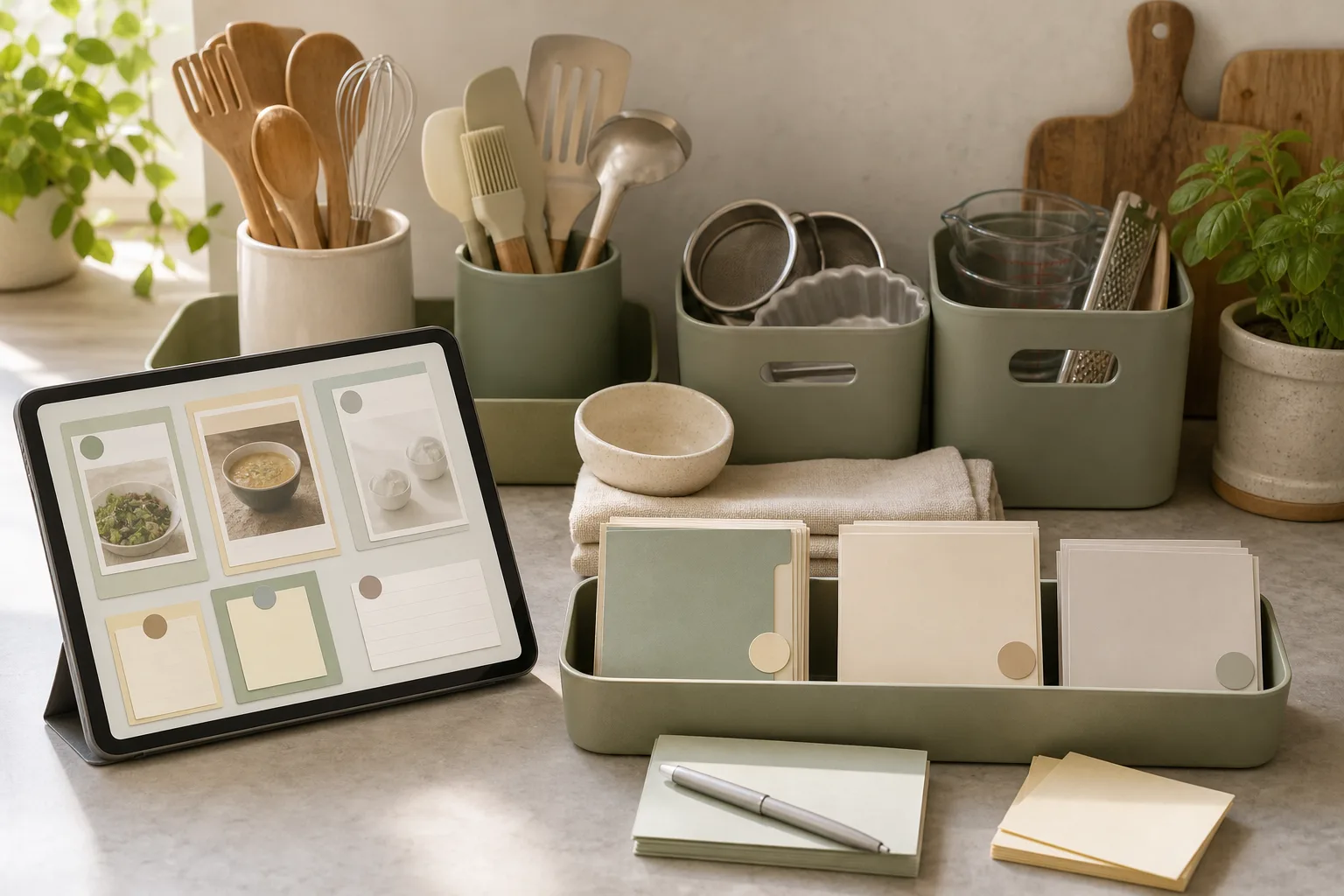
Why frequency can be a useful kitchen organization rule
Many kitchen organization systems begin with item type: utensils together, containers together, and notes in one place. Categories can help, but they do not answer a daily question: “What should be easiest to reach right now?” A frequency-based rule adds that missing layer.
Items used often can stay in the most convenient locations. Items used sometimes can move to a nearby drawer, shelf, or cabinet. Items used rarely can be placed farther away, provided you can still identify and retrieve them when needed. The same idea can apply to meal notes and shopping lists: information that guides today’s decisions should be easier to find than information kept for occasional reference.
This is not a rule about discarding useful tools. It is a way to reduce the number of decisions made during ordinary meal preparation and shopping planning. The arrangement can change as your schedule, cooking habits, or household needs change.
The three frequency levels
Use simple labels rather than trying to estimate exact numbers of uses. The goal is a workable decision, not a precise measurement.
| Level | Use pattern | Suggested location | Examples of information |
|---|---|---|---|
| Frequent | Used as part of ordinary meal or cleanup routines | Visible, frontmost, or easiest to reach | This week’s meal notes, current shopping list |
| Occasional | Useful for selected meals or periodic tasks | Nearby drawer, shelf, or cabinet | Recipe ideas, special-purpose tools |
| Rare | Used infrequently or kept for a specific situation | Higher, lower, or less central storage | Seasonal notes, infrequently used equipment |
These labels describe use, not value. A rarely used item may still deserve a clear storage place. The important distinction is that its location does not need to compete with items used during ordinary routines.
The 15-minute prepare, sort, act, and review routine
1. Prepare: choose one small zone
Set a timer for 15 minutes and choose one limited area: a utensil drawer, one shelf, a counter corner, or the place where meal and shopping notes collect. A small zone is easier to finish than an entire kitchen, and it gives you a clear boundary for the session.
Gather a few temporary labels or pieces of paper marked “frequent,” “occasional,” and “rare.” You can also use three spaces on the counter. Keep a recycling or discard container nearby only if you already know there are papers or packaging materials that no longer serve a purpose. The routine does not require you to make disposal decisions about every item.
2. Sort: assign items by current use
Move through the selected zone one item at a time. Ask, “How often do I reach for this during my current routine?” Place the item in one of the three frequency groups. For notes, ask a similar question: “Does this help me decide a meal or shopping action soon, or is it reference material for later?”
Try not to solve every storage problem while sorting. If an item belongs somewhere else, place it in a temporary “relocate” group and continue. This keeps the first part of the routine from turning into a tour of the whole kitchen.
- Frequent: items and notes that support repeated daily or weekly actions.
- Occasional: items and notes that are useful but not part of the current default routine.
- Rare: items and notes that are kept for less common situations.
- Relocate: items that belong outside the selected zone.
3. Act: change access before changing ownership
Use the next few minutes to move frequent items closer to the point of use. For example, a frequently used tool can move to the front of a drawer, while an occasional tool can move behind it or to a nearby shelf. If the zone contains meal notes and shopping lists, give the current list one clearly defined location instead of allowing several active lists to spread across the kitchen.
For paper notes, choose one current working area and one reference area. A current working area might hold the meal ideas and shopping items you are actively considering. A reference area can hold notes you may revisit later. If you use digital notes, apply the same distinction with a current list and a reference folder or note.
When two items are used with the same frequency, place the one used at the point of greatest inconvenience in the easier location. This keeps the system connected to actual movement rather than to an abstract category.
4. Review: check whether the arrangement is obvious
Use the final minutes to look at the zone as if you were starting a normal kitchen task. Can you identify the current shopping list? Can you find the tool needed for a common meal without moving several unrelated items? Is anything in the zone clearly waiting to be relocated?
Write down one adjustment for the next session if you find a problem. Avoid expanding the session simply because you noticed other areas. A short review protects the boundary of the routine and creates a useful starting point for the next 15 minutes.
A copyable 15-minute action plan
| Time | Action | Question to answer |
|---|---|---|
| 0–2 minutes | Choose one zone and gather temporary labels | What small area will I finish reviewing? |
| 2–7 minutes | Sort tools and notes by frequency | How often is this used in my current routine? |
| 7–12 minutes | Move frequent items closer and group current notes | What should be easiest to reach or read? |
| 12–15 minutes | Review the zone and record one follow-up | What still feels unclear or out of place? |
How to connect tools, meal notes, and shopping lists
Kitchen organization becomes easier to maintain when physical items and planning information support the same routine. Start by identifying the action that connects them. A meal note may lead to a shopping-list entry. A shopping-list entry may lead to a tool being used during preparation. Keeping these related steps visible can reduce the need to search in several places.
- Current planning: keep the meal notes and shopping items under active consideration together.
- Preparation: place frequently used tools in the easiest-to-reach part of the selected zone.
- Reference: move older ideas, occasional recipes, and less-used tools to a nearby but separate location.
- Review: remove completed planning notes from the current area so the active list remains readable.
“Remove” here can mean archive, recycle, file, or simply move the note to its proper reference location. The choice depends on how you keep records. The useful principle is to separate active decisions from information that is not currently guiding an action.
Checklist for the next session
- Choose one drawer, shelf, counter area, or note location.
- Set a 15-minute timer.
- Label three groups: frequent, occasional, and rare.
- Place misplaced items in a separate relocate group.
- Move frequently used tools to the most convenient available location.
- Keep the current meal notes and shopping list in one defined working place.
- Separate active notes from reference notes.
- Review the zone before the timer ends.
- Write down one follow-up adjustment instead of expanding the task.
Common mistakes to avoid
Organizing by category only
Keeping similar items together can still leave the most-used item buried. After grouping by type, apply the frequency rule to decide which items should be closest.
Making every item visible
Visibility is useful for active items, but displaying everything can make the work area harder to read. Use convenient access for frequent items and defined storage for occasional and rare items.
Creating several active lists
Multiple shopping lists or scattered meal notes can make it unclear which information is current. Choose one active location or note and treat the others as reference material until they are reviewed.
Trying to finish the whole kitchen
A 15-minute routine works best when its scope remains small. Stop at the boundary you selected, even if another area needs attention. You can record it as the next zone rather than interrupting the current review.
FAQ
What if my use pattern changes from week to week?
Use your current routine as the reference point. A tool can move from occasional to frequent during a particular period and move back later. Frequency-based organization is intended to be adjusted rather than treated as a permanent classification.
Should rare items be removed?
Not necessarily. The rule concerns access and location, not automatic disposal. Keep a rare item if it has a useful role for your household, and give it a storage place that does not interfere with frequent tasks.
Can this routine work with digital meal notes?
Yes. Create a distinction between an active meal or shopping note and a reference area. The exact app or format matters less than having a clear current location and a review step.
What should I do when I cannot decide an item’s frequency?
Place it in an undecided or occasional group and note the question for later. You can observe whether you reach for it during ordinary routines before changing its location again.
Conclusion
A frequency-based kitchen organization routine gives priority to the actions that happen most often. In 15 minutes, you can prepare one small zone, sort tools and notes, act on access, and review the result. The system does not depend on a specific kitchen layout or storage product. It depends on making current tools and planning information easier to identify while giving occasional and rare items a defined place. Repeat the routine on another small zone when the next adjustment becomes useful.