MIU Quilted nappa leather pouch is a compact black leather design by MIU MIU, distinguished by quilted detailing, visible stitching and metallic gold-lettered branding. The supplied product description identifies it as a shoulder bag with a single leather handle and a secure zipper closure.
Its streamlined profile suits refined everyday dressing, from a tailored coat and trousers to a simple knit-and-denim combination. This is a product-information-based selection guide; styling suggestions are editorial, not the result of hands-on testing.
Verified details and styling notes
Material: 100% leather.
Colour: NERO.
Manufacture: Italy.
Exterior dimensions: width 15 cm, height 8.5 cm, depth 8 cm.
Design details: metallic “miu miu” lettering, front gold-lettered logo, single leather handle, visible stitching and zipper closure.
The source describes a spacious interior, but it does not provide usable internal capacity or a list of items that will fit. Consider the stated exterior dimensions when planning how to carry it.
For coordination, let the gold-toned logo echo discreet jewellery, or keep accessories minimal so the front branding remains the focal point. The NERO colour can anchor both monochrome looks and softer neutral palettes.
Where it fits into a wardrobe
Use MIU Quilted nappa leather pouch as a compact accent for dinners, gallery visits or polished daytime outfits. The handle and zipper closure support a neat, considered styling approach, while the quilted leather introduces texture to otherwise simple silhouettes.
For a day look, pair it with a crisp shirt, relaxed trousers and understated flats. For evening, coordinate it with a black dress or sharp tailoring, allowing the gold lettering to provide a measured point of contrast.
A practical selection checklist
Before choosing this piece, check:
Whether the stated 15 × 8.5 × 8 cm exterior dimensions suit your intended essentials.
Whether a black NERO accessory complements your existing wardrobe.
Whether you prefer a single-handle design and zipper closure.
Whether the visible logo and gold finish match your preferred level of branding.
Whether the product page’s current condition and purchase details meet your requirements.
As the source does not state internal capacity, avoid assuming that a particular phone, wallet or cosmetic case will fit without checking measurements.
Frequently asked question
Is the internal capacity specified?
No. The description calls the interior spacious but does not give usable internal capacity, so compare your essentials with the stated exterior dimensions before purchase.
Please verify the current product details, condition, measurements and purchase information on the product page before purchase.
The DRAGON DIFFUSION Triple Jump small handbag brings a basket-inspired silhouette to a refined everyday wardrobe. Its dark brown finish, dual handles and compact proportions create a piece that can be carried by hand or worn on the shoulder, offering two distinct styling directions without changing the character of the design.
This is a product-information-based selection guide rather than a hands-on review. The verified product details identify a single-compartment handbag made from 100% buffalo leather, with artisanal construction and dimensions of 30 cm wide, 22 cm high and 15 cm deep. The exterior measurements describe the bag’s overall size; they should not be read as a guaranteed usable internal capacity.
Its appeal lies in the balance between structure and individuality. The product information notes that the basket sizing and details may vary, and that curves in the weaving or two-tone colour variation can result from the handcrafted process rather than indicate a manufacturing flaw. For shoppers who value visible craft character, this makes the bag especially suited to outfits that benefit from texture and considered contrast.
Design features and verified details
The DRAGON DIFFUSION Triple Jump small handbag is described as a basket design with a single compartment and two handles. This straightforward interior arrangement keeps the design visually clean, while the dual-handle construction supports the stated hand-carrying and shoulder-wearing options. The product is listed in DK BROWN, a deep, versatile shade that can sit comfortably within neutral, tonal and earth-coloured wardrobes.
Material: 100% buffalo leather.
Format: basket-style handbag with one compartment.
Handles: two handles, with carrying by hand or on the shoulder described in the product information.
Exterior measurements: width 30 cm, height 22 cm, depth 15 cm.
Colour: DK BROWN.
Construction note: the piece is handcrafted, so no two examples are alike.
Product code: DRAT9N8TBR1ZZZZZ01.
The measurements are useful for judging visual scale against your wardrobe and daily routine, but they do not establish the precise space available inside. The product description does not provide an internal pocket layout, closure specification or stated load capacity, so these should be confirmed on the product page before purchase if they are important to your selection.
Artisanal variation is central to the presentation. The stated possibility of differences in basket sizing, weaving curves and colour tone means that the finished appearance may have individual character. Rather than treating the surface as a perfectly uniform pattern, style it as a crafted element with natural visual variation.
How to style and use it
For a polished daytime look, pair the dark brown handbag with a cream knit, tailored trousers and understated leather shoes. The basket texture introduces warmth to a clean silhouette without relying on prominent decoration. A tonal brown belt or warm metal jewellery can connect the accessories while allowing the handbag to remain the defining texture.
For relaxed weekend dressing, use the shoulder option with denim, a softly structured jacket and a simple shirt. The compact exterior dimensions give the bag a defined presence, while the dark brown colour works naturally with indigo, ecru, olive and charcoal. Keep the surrounding pieces uncomplicated so the artisanal weaving remains legible.
The bag can also bring balance to a more feminine outfit. Consider it with a fluid dress in a muted shade, then repeat the brown through sandals or a slim belt. Alternatively, contrast the crafted basket form with a crisp blazer and a straight skirt. These combinations make the handbag feel deliberate rather than merely casual.
When planning what to carry, begin with essentials that suit a single-compartment format. Since the product information does not specify internal capacity or compartments, compare the stated exterior measurements with the dimensions of your own daily items before deciding. A light, organised approach may also help preserve the clean line of the silhouette.
For care and coordination, protect the leather from situations that could mark or wet it, and store it in a way that avoids unnecessary pressure on the woven form. These are general styling and handling suggestions, not product-specific care instructions. For authoritative care guidance, check the current product page or accompanying information before use.
A practical selection checklist
Choose the DRAGON DIFFUSION Triple Jump small handbag when the following criteria align with your wardrobe and routine:
Check the scale: compare the exterior measurements of 30 cm by 22 cm by 15 cm with the bags you already use. Remember that exterior dimensions are not the same as usable internal capacity.
Confirm your carry preference: the product is described as suitable for carrying by hand or on the shoulder, with two handles. Review the product page for any further information you require about the carrying arrangement.
Assess the interior format: the bag has one compartment. If you prefer multiple sections, built-in organisation or a specified closure, verify those details before purchasing because they are not supplied here.
Consider colour coordination: DK BROWN is suited to neutrals and earthy palettes, and can also temper brighter clothing. Look at your existing shoes, belts and outerwear to decide whether the shade will integrate easily.
Welcome artisanal variation: expect that basket sizing and details may vary. Curves in the weaving or a two-tone shade are described as consequences of the unique handcrafted process, not manufacturing flaws.
Review material expectations: the verified material is 100% buffalo leather. If particular care, finish or maintenance requirements matter to you, confirm the current product information before ordering.
This checklist is intentionally practical: it separates what is confirmed from what is a styling recommendation. The confirmed specifications cover material, colour, format, carrying options and exterior measurements. Capacity, interior organisation and detailed care instructions require direct verification if they affect your decision.
Frequently asked questions
Is the DRAGON DIFFUSION Triple Jump small handbag designed to be carried in more than one way? The product information describes it as suitable for carrying by hand or on the shoulder and lists two handles. Confirm any additional carrying details on the current product page.
What is it made from? The listed material is 100% buffalo leather.
What are the measurements? The stated exterior measurements are 30 cm wide, 22 cm high and 15 cm deep. These are overall dimensions, not a guaranteed measurement of usable internal capacity.
Does each handbag look exactly the same? No. The product is handcrafted, and basket sizing and details may vary. Curves in the weaving or two-tone colour variation are identified as part of the unique process.
What colour is available in the supplied product information? The listed colour is DK BROWN.
Will it hold everything I carry daily? The supplied details do not state internal capacity or a load limit. Compare the exterior measurements with your essentials and verify current product information before purchase.
Product details, measurements, colour and construction notes are based on the supplied product information. Please verify current product details and purchase information on the product page before purchase.
If screens tend to stretch your evening later than intended, begin with a small boundary rather than a dramatic digital detox: choose a realistic stopping point, decide which exceptions are allowed, place a simple offline activity nearby, and record what needs attention tomorrow. This self-care routine is designed to create room for rest and personal routines without turning the evening into another project to complete.
Note: The example below is hypothetical. Its times and choices are illustrations, not measurements or a claim about what will work for every person.
A completed example: one ordinary evening plan
Here is a filled-in editorial example for an adult who wants less unplanned scrolling after work but still needs to remain reachable for one household matter.
Decision
Example entry
Screen boundary
Put entertainment apps away at 9:00 p.m.; keep calls from family available until 9:30 p.m.
Physical cue
Charge the phone on a shelf outside the bedroom and use a basic clock for time checks.
Offline activity
Read five pages of a novel, then make tea if still awake.
Tomorrow note
“Send the revised meeting outline after breakfast.”
Adjustment rule
If work runs late, shorten the reading choice rather than abandoning the whole plan.
Notice what this example does not include: a demand to avoid every screen, a long list of wellness tasks, or a promise that sleep or mood will improve. It defines a boundary, an exception, a next activity, and a way to reduce the plan when the evening changes.
1. Decide what “putting screens away” means for you
“No screens” can be too vague to guide a real evening. Write a specific boundary that separates optional use from necessary use. The useful question is not whether a device is present, but whether the activity helps you finish a defined responsibility or pulls you into open-ended browsing.
Choose a boundary that matches the problem
If short-video scrolling is the issue, pause entertainment and social apps while allowing calls.
If work messages keep reopening unfinished tasks, set a final review window and move remaining items to tomorrow’s list.
If the phone is used for reading, try a paper book or download one selected article before the boundary begins.
If household coordination is necessary, keep one communication channel available and silence unrelated alerts.
A useful decision rule is: keep a screen available only for a named responsibility or planned activity; move everything else out of reach until the next chosen review time. This rule allows exceptions without making the boundary meaningless.
Pick the stopping point by working backward
Start with the part of the evening you want to protect, such as a shower, journaling, reading, music, or quiet conversation. Then allow time for practical closing tasks: replying to an essential message, setting an alarm, preparing clothes, or checking a morning appointment. The screen boundary can begin after those tasks, rather than at an arbitrary hour.
If your evenings vary, create two versions:
Regular evening: a longer offline period with one chosen personal activity.
Compressed evening: a short closing sequence that protects one small pause.
2. Make the offline choice easy to start
Removing a screen creates an empty space. If you do not decide what belongs there, your hand may return to the device out of habit or because the next activity feels difficult to begin.
Prepare one or two low-friction options before the boundary starts. Suitable choices might include a few pages of reading, stretching within your comfortable range, writing a short journal entry, organizing tomorrow’s bag, listening to offline audio, or sitting with a warm drink. The point is not to build a complete wellness program. It is to make the first offline action visible and available.
Use a “one activity plus one backup” plan
Choose one activity that sounds pleasant enough for the evening’s energy level.
Choose a backup that requires less concentration or movement.
Put the needed item where you will notice it.
Stop choosing after that. More options can become another form of planning.
For example, the main choice might be journaling for ten minutes, with quiet music as the backup. If writing feels forced, switch to the backup without treating the change as failure.
Keep journaling small and concrete
Journaling can support a transition when it has a clear limit. Try three lines:
One thing that is still occupying my attention.
One action I can place on tomorrow’s list.
One thing I am allowed to leave unfinished tonight.
This format is not a treatment method or a promise of emotional improvement. It is simply a way to separate an unresolved task from the time you are trying to protect.
3. Close the evening without creating a second workload
A screen-free routine can become counterproductive if it contains too many steps, detailed tracking, or strict rules. Keep the closing sequence short enough that it still works on a tiring day.
A practical checklist
Review: Check only the messages, calendar items, or household details that genuinely need an evening decision.
Capture: Write down unfinished tasks in one place instead of keeping them in your head.
Set aside: Put the phone, tablet, or laptop in its selected location. Keep permitted exceptions clear.
Begin: Start the chosen offline activity immediately, even if it is brief.
Release: When the activity ends, allow the evening to continue without adding another target.
You can copy this shorter version into a notes app before the boundary begins, then use it as a printed card or handwritten list later:
Tonight’s screen boundary: __________________
Allowed exception: _________________________
Offline choice: ____________________________
Backup choice: _____________________________
Tomorrow note: _____________________________
If the evening changes, I will: ______________
The template is intentionally modest. A routine that can be adjusted is often more useful than one that depends on ideal energy, ideal timing, or a quiet home.
When this routine needs a different shape
Putting screens away may not be the right first step in every situation. If you are responsible for urgent care, on-call work, safety communication, or a time-sensitive household issue, design a monitored-use plan instead of pretending the device can be unavailable.
In that case, specify:
which person or channel can reach you;
when you will check for a non-urgent message;
where the device will stay so you can hear an urgent alert without browsing;
what task will mark the end of the responsibility.
Similarly, if a screen is your chosen way to relax, the goal does not need to be removing it completely. You might select one film, one episode, or a defined reading session and avoid switching between apps. The relevant change is from unplanned continuation to a clearly chosen activity.
Common failures and specific adjustments
Failure: the boundary starts too late
If you begin only when you are already exhausted, preparation may feel impossible. Move the setup earlier: choose the activity, write the tomorrow note, and place the charger before the final work or entertainment block.
Failure: essential messages become an excuse for browsing
Use a narrow exception. For example, allow calls from selected contacts but turn off promotional and social notifications. If the device cannot separate the channels easily, keep it nearby for a planned check and leave it face down between checks.
Failure: the offline activity feels like homework
Remove the performance standard. Reading one page, listening to one song, or writing one sentence can count as beginning. If the activity remains unpleasant, choose a different kind of rest rather than adding discipline.
Failure: one disrupted evening makes the routine disappear
Use a recovery version for the next evening: write one unfinished task, place the device in its location, and choose a five-minute offline activity. This preserves the central boundary while acknowledging that the full plan was not possible.
A weekly review that stays practical
After several ordinary evenings, review the plan using observations rather than judgments. Ask:
Which type of screen use was hardest to stop?
Was the chosen boundary early enough to protect the activity?
Did the offline choice match my energy?
Which exception was genuinely necessary?
What should be shortened, moved, or removed?
Change one part at a time. If you change the time, location, activity, and notification settings together, it becomes harder to tell which adjustment helped you organize the evening.
FAQ
Do I need to stop using every screen?
No. Define the screen use you want to limit and the use you need to keep available. A specific boundary is easier to follow than a broad rule that conflicts with work or household responsibilities.
What if I need my phone as an alarm?
Keep it at a distance that discourages casual browsing, use a separate clock if one is available, or set the alarm before the evening boundary and place the phone in its chosen location. Select the option that fits your household and safety needs.
Is journaling required?
No. Journaling is one possible transition activity. A book, quiet music, preparation for tomorrow, conversation, or simply sitting without a task may fit better.
What should I do if I break the plan?
Identify the exact point where the plan became unrealistic. Then revise one element, such as the start time, permitted exception, or offline activity. Restarting with a smaller version is more useful than turning one disrupted evening into a judgment about the whole routine.
Conclusion: protect one small piece of the evening
A sustainable self-care routine for putting screens away does not require a dramatic rule or a long list of habits. Decide what optional use you are pausing, name legitimate exceptions, place one offline activity within reach, and keep a shortened version for difficult evenings. The aim is to create a dependable opening for rest and personal time while leaving enough flexibility for real responsibilities.
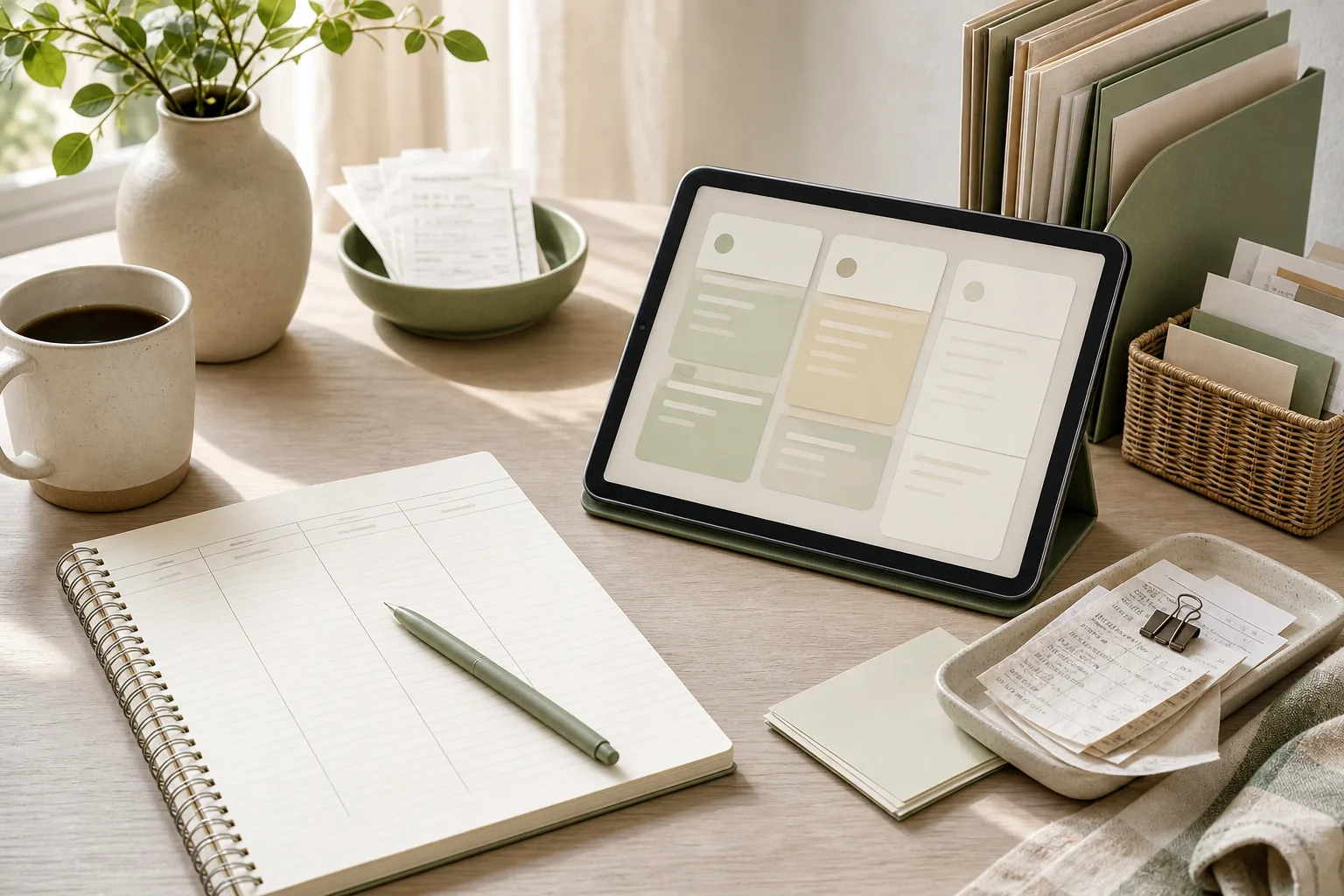
Household spending organization becomes easier when the goal is not to record every detail forever, but to create a clear view of where money went and what needs attention next. A practical approach is to use four steps: prepare, sort, act, and review. You can begin with recent bank or card records, group them into a small number of useful categories, identify recurring payments and unclear entries, then review the system briefly each month.
Why a small grouping system is useful
Many spending records become difficult to use because they contain too much detail or use categories that do not help with a decision. For example, separating every grocery store, convenience store, and delivery service may create a long list without showing the household pattern. A smaller structure can make the record easier to scan.
The purpose of grouping is not to judge each purchase. It is to answer practical questions such as:
Which payments repeat each month?
Which expenses change with household activity?
Which entries are difficult to identify?
Which category needs a closer look before the next review?
A useful category is one that helps you decide what to check, keep, change, or discuss. If a category does not support a decision, it may be too detailed for your current system.
Step 1: Prepare the records before sorting
Collect a manageable period of records, such as one recent month. Use the sources that contain your household activity, which might include a bank account, payment card, cash notes, or a receipt folder. You do not need to rebuild older records before starting. Beginning with a defined period keeps the first review from expanding into a large project.
Create a working list with a few basic columns:
Date
Description
Amount
Initial note
At this stage, copy the information without trying to make a decision about every entry. Mark entries that need a second look, such as an unfamiliar merchant name, a combined payment, or a purchase that may belong to more than one household purpose.
Keep private account numbers and other sensitive details out of shared notes. A short description is usually enough for organization.
Step 2: Sort spending into decision-friendly groups
Use a limited set of groups that reflects how your household reviews spending. The following structure is a starting point, not a required classification:
Home and regular bills: housing-related payments, utilities, communication, and other household services.
Food and daily living: groceries, meals, household supplies, and routine necessities.
Transport and movement: public transport, fuel, parking, and other travel-related spending.
Flexible household spending: clothing, activities, gifts, personal items, and purchases that vary.
Unclear or one-off: entries that need confirmation or do not fit the current structure.
You can rename these groups to match your home. The important point is to keep the number of groups small enough for a quick monthly review. A separate group for every merchant may be useful for a specific investigation, but it can make routine maintenance slower.
For mixed purchases, choose one consistent method. You could record the whole transaction in the group that best describes its main purpose, or split it when the separate amounts are easy to identify. Write a short note about the method so household members can use the same approach later.
A simple comparison table
After sorting, compare categories using a table that focuses on action rather than judgment.
Group
Entries to check
Repeats?
Next action
Home and regular bills
Yes / No / Unsure
Food and daily living
Yes / No / Unsure
Transport and movement
Yes / No / Unsure
Flexible household spending
Yes / No / Unsure
Unclear or one-off
Yes / No / Unsure
This table does not need to become a formal budget. It is a way to make the record easier to interpret.
Step 3: Act on the clearest items first
Once the entries are grouped, choose only a few actions. Too many changes at once can make a simple record-keeping system harder to continue. Start with items that are clear and easy to verify.
Possible actions include:
Confirm the name or purpose of an unclear payment.
Mark a recurring payment so it is easier to recognize next month.
Move a transaction into a more useful category.
Add a short explanation for a one-off household purchase.
Decide who will record cash spending and where the note will be kept.
Choose one date for the next monthly review.
Recurring payments deserve a separate label because they can be overlooked when scanning individual transactions. The label does not mean the payment needs to be canceled or changed. It simply distinguishes a repeating item from a purchase that may not appear again.
For unclear entries, avoid guessing. Use a neutral note such as “check receipt” or “confirm with household member.” A record that acknowledges uncertainty is more useful than one that gives an unsupported explanation.
Step 4: Review and adjust the system
At the next review, check whether the categories helped you understand the records. The review is also a chance to improve the process itself.
Ask these questions:
Did any category receive many entries that felt unrelated?
Were there repeated payments that were difficult to recognize?
Did the “unclear or one-off” group become too large?
Did the notes contain enough information for another household member?
Was the chosen review time practical?
If a group is too broad for a useful decision, divide it once. If two groups lead to the same action, consider combining them. The organization system should reflect how your household works now; it does not need to remain unchanged.
A 15-minute monthly action plan
A short routine can help prevent the records from becoming a large unfinished task. Adjust the timing to the amount of activity in your household.
Minutes 1–3: Open the selected account, card, receipt, or cash records for the review period.
Minutes 4–7: Add missing entries and mark unfamiliar descriptions.
Minutes 8–11: Sort entries into the household groups and label repeating payments.
Minutes 12–14: Choose one to three clear follow-up actions.
Minute 15: Record the next review date and note any category change.
If the records cannot be reviewed within this time, do not assume that more categories will solve the problem. The period may contain too many transactions, or several sources may need to be combined first. In that case, divide the work by source or use a longer review window.
Copyable household spending checklist
Use this checklist in a notebook, spreadsheet, or notes application:
[ ] Select one review period.
[ ] Collect the available spending records.
[ ] Remove or protect unnecessary sensitive information.
[ ] Mark unfamiliar descriptions for later confirmation.
[ ] Group each entry using the household’s current categories.
[ ] Label payments that repeat.
[ ] Add a short note for one-off or mixed purchases.
[ ] List one to three follow-up actions.
[ ] Record the next review date.
[ ] Reconsider categories that were confusing or unused.
Common problems and practical adjustments
The categories keep multiplying
When a category is created for every special case, the monthly review can become a classification exercise. Return to the question, “What decision will this category support?” If there is no clear answer, place the entry in a broader group and add a brief note.
Several people record spending differently
Write a short shared rule for mixed purchases, cash entries, and recurring payments. The rule can be simple enough to fit at the top of the shared sheet. Consistency is more useful than a complicated classification standard.
Some payments are hard to recognize
Keep the original transaction description and add a separate plain-language note after confirming it. This preserves a reference for later checking without relying on memory.
The monthly review is postponed
Reduce the first task to identifying recurring payments and unclear entries. A partial review can show which records need attention and may make the next session more focused.
FAQ
How many spending categories should a household use?
There is no single suitable number. Start with a small set that separates the decisions your household actually makes. Add a category only when the existing groups no longer make the records clear.
Should cash purchases be included?
Include them if you want the record to describe household spending more fully. A simple cash note with the date, amount, and group may be enough. If cash details are unavailable, mark the gap rather than inventing an entry.
Do recurring payments need their own category?
Not necessarily. A recurring label can work alongside the main spending group. For example, a communication payment can remain under home and regular bills while also being marked as recurring.
Is this a budget?
This method is mainly an organization system. It helps you understand and maintain spending records. You can use the information for a separate household planning process, but this checklist does not set targets or provide financial advice.
Conclusion
Household spending organization can remain practical when the system is built around a few useful groups and a short review routine. Prepare the records, sort them by household purpose, act on the clearest questions, and review whether the structure still helps. The goal is a record that people in the household can understand and maintain, not a complicated document that requires constant attention.
MONCLER Trailgrip GTX low top sneakers in LIGHT BEIGE can anchor a neutral outfit or add a structured contrast to dark separates. Start with the silhouette and colour, then check the size guidance and intended use on the product page. This is a styling and selection guide, not a wear test or a performance assessment.
Designed around contrast, the style balances practical-looking structure with elevated detailing. Visible stitching adds definition across the upper, while the MONCLER logo on the side and tongue provides recognisable character without overwhelming the overall design. The result is a pair that can move comfortably between relaxed daytime dressing, polished casual looks and carefully coordinated travel wardrobes.
This guide focuses on how to read the design, select the right styling direction and care for the light-toned finish. For the confirmed product details, including composition, measurements and size information, consult the product page before making a purchase.
Three outfit formulas to compare before buying
Use these as styling suggestions rather than rules. Try the colour combinations with pieces already in your wardrobe before deciding whether another pair fills a real gap.
Direction
Start with
What to check
Tonal and quiet
Cream knit, beige straight-leg trousers, one darker bag
Do the trouser hem and shoe shape remain distinct rather than blending into one block?
Everyday denim
Plain white top, blue denim and a simple outer layer
Does the hem let the side and heel details show without dragging over the shoe?
Dark contrast
Charcoal or navy separates with a light neutral accent
Is the light shoe an intentional focal point, with the other accessories kept restrained?
Separate appearance from performance
A trail-inspired appearance does not establish suitability for a particular route, weather condition or sport. Do not infer waterproofing, traction, cushioning or long-distance comfort from the name or photographs alone. Confirm any required performance feature in the current product documentation.
Compare the listed size guide with a pair that fits you; this article does not establish a universal size recommendation.
Check the complete material and care information rather than treating every panel in the photograph as the same material.
Before purchasing, identify the outfit or use case this pair would serve, and review the current purchase and return information.
Design details that shape the silhouette
The appeal of MONCLER Trailgrip GTX low top sneakers lies in the relationship between clean lines and visible construction details. The closed structure gives the shoe a composed, substantial appearance, while the round toe keeps the profile approachable and easy to coordinate. This is a versatile foundation for outfits that need definition without excessive ornament.
Neutral LIGHT BEIGE colour: a soft, adaptable shade that works with tonal dressing, denim and darker tailored separates.
Beveled heel: a sculptural detail that adds visual lift and distinguishes the rear profile.
Visible stitching: precise-looking lines bring texture and emphasize the crafted character of the design.
Logo placement: the MONCLER logo appears on the side and tongue, creating deliberate points of recognition.
Low-top format: an easy proportion for cropped trousers, full-length denim and relaxed everyday silhouettes.
Specified construction: the product details list a leather upper, a polyamide upper component, a polyester lining and an elastodiene sole.
The listed heel height is 4.5 cm / 1.77", giving the sneaker a visibly considered base while retaining its low-top identity. Together, these elements make the pair suited to wardrobes that value restrained branding, tonal versatility and a balance between urban polish and outdoor-influenced styling.
How to style them across the week
LIGHT BEIGE makes MONCLER Trailgrip GTX low top sneakers especially useful when an outfit needs a softer alternative to white or dark footwear. Begin with a tonal weekday look: pair them with beige, stone or cream trousers and a knit in a closely related neutral. The subtle variation between shades allows the footwear to anchor the outfit without creating a hard visual break.
For denim, choose a medium or deep blue pair with a straight or relaxed leg. The round toe and structured heel complement denim’s casual character, while the side logo adds a refined fashion accent. A simple shirt, lightweight knit or clean overshirt can complete the look without competing with the footwear.
They also suit a modern smart-casual direction. Try them with charcoal or navy trousers, a plain top and an unstructured jacket. The pale colour lightens a darker palette, while the visible stitching and beveled heel prevent the outfit from feeling overly formal. Keep the rest of the accessories concise so the sneaker remains the principal textural detail.
For weekend dressing, combine the shoes with straight-leg utility trousers, relaxed cotton trousers or understated shorts, depending on the season and setting. A neutral sweatshirt or simple outer layer reinforces the sneaker’s functional-looking attitude. Since the design already includes logo details, restrained coordination usually produces the most polished result.
When packing a travel wardrobe, use the pair as the light neutral option alongside darker trousers and complementary tops. The colour can bridge several outfits, but it is worth planning around the finish: keep the surrounding pieces clean and uncomplicated, and avoid pairing too many competing logos or highly contrasting patterns.
What to consider before choosing
Start with proportion. The low-top shape and round toe are broadly adaptable, but the beveled heel gives the shoe a more defined presence than a flat, understated trainer. If your wardrobe consists mainly of relaxed trousers, denim or contemporary casual tailoring, this structure should integrate naturally. Consider whether you prefer the visual emphasis of a substantial sneaker or a slimmer, less pronounced profile.
Next, consider colour coordination. LIGHT BEIGE is versatile, but it is also a light finish that becomes a visible part of the outfit. It works particularly well with cream, stone, khaki, navy, grey and denim. If you favour predominantly black or very dark wardrobes, the pair will create a clear contrast; this can be effective when repeated through a top layer or another small styling detail.
Review the listed composition carefully. The product information specifies a leather upper, upper material listed as 100% polyamide, lining 1 as 100% polyester and a sole of 100% elastodiene. Those details should be considered alongside your own material preferences and care routine.
For sizing, the supplied information states that the fit is true to size and recommends taking your normal size. Before ordering, compare this guidance with the product page’s current size guide and your usual footwear measurements. Product code MC16NBCNBEI4HAAA00 is also provided for reference.
Finally, think about maintenance. Store the sneakers in a clean, dry place and keep the light-coloured upper away from avoidable contact with darker, unstable or heavily textured surfaces. For cleaning, follow the care guidance supplied with the product or confirm the appropriate method on the product page rather than applying an unverified treatment.
Frequently asked questions
What colour are these sneakers?
They are listed in LIGHT BEIGE, a neutral shade suited to tonal outfits, denim and darker casual tailoring.
What design details do they feature?
The description notes a closed structure, round toe, beveled heel, visible stitching, and MONCLER logos on the side and tongue.
What is the listed heel height?
The stated heel height is 4.5 cm / 1.77".
How should I choose the size?
The supplied information says the fit is true to size and recommends taking your normal size. Check the current size guide on the product page before purchase.
What materials are listed?
The product data lists a leather upper, an upper component of 100% polyamide, lining 1 of 100% polyester and a sole of 100% elastodiene.
Are they suitable for every outfit?
The neutral low-top profile is versatile, but the best coordination depends on your preferred proportions, colour palette and the occasion. Use the styling suggestions above as a starting point.
Product details, composition, measurements, sizing guidance and purchase information may change. Please verify the current details and purchase information on the product page before purchase.
To prioritize today’s work, separate tasks you can start from tasks waiting on an input, then choose a short list that fits the time actually available. A three-column note—Do Today, Prepare or Wait, and Park for Later—makes that decision visible without replacing your project system.
Worked example: an 80-minute work window
This is an invented planning example, not a measured productivity result. Assume meetings leave 80 minutes of open work time. The first draft of your list contains 90 minutes of work, so the list must change before it can become a useful plan.
Incoming item
Decision
Next action
Client update, estimated 35 minutes; due today
Do Today
Draft the update and check the three unresolved points.
Write the agenda questions and link the background file.
Slide redesign, estimated 30 minutes; no near deadline
Park for Later
Record the first change to test, then move it off today’s list.
Report blocked by another person’s figures
Prepare or Wait
Send one request with the missing input and the time it is needed.
The revised example allocates 60 minutes to the two ready tasks, leaving 20 minutes unassigned for transitions or unexpected work. Those estimates are planning assumptions, not promises that the tasks will finish on time.
A rule for a new urgent request
Before adding it to Do Today, name the item it displaces. If everything remains on the list, you have not resolved the priority conflict. Ask the relevant owner to choose the trade-off when deadlines cannot all be met.
Copy this line: “I can complete A and B in the available time. If C becomes the priority, which item should move?”
The three-column priority note
The note is designed for practical work organization rather than a complete project-management system. It gives every task a temporary home and reduces the need to repeatedly reconsider the same list.
Column
Use it for
Example
Do Today
Work that has a meaningful reason to move today and can be started with the information available.
Draft the two-paragraph update for the 3 p.m. review.
Prepare or Wait
Tasks blocked by a question, approval, file, meeting, or response from another person.
Ask for the latest figures before updating the report.
Park for Later
Useful work that is not needed in the current workday or does not fit the available capacity.
Collect ideas for next month’s process guide.
Keep the wording action-based. “Client project” is a topic, while “confirm the open items for the client project” is a next action. If a task is too large to begin, add a smaller first step such as “open the previous version,” “list the three missing inputs,” or “write the question for the meeting.”
A four-step routine for today’s work
1. Prepare: collect before you prioritize
Set a short timer and gather tasks from the places you already use: email flags, chat messages, meeting notes, paper reminders, and the previous day’s list. Do not try to organize each item while collecting it. Capture enough detail to recognize the task later.
For repeated tasks, use a consistent verb at the start of each line: review, reply, draft, check, schedule, compare, or send. This makes a work checklist easier to scan and helps separate actions from general concerns.
2. Sort: give each item one temporary home
Move each item into one of the three columns. Ask three practical questions:
Is there a clear reason to move this forward today?
Can I begin it with the information and access I have?
If not today, what event or condition would bring it back?
Items with a time-sensitive commitment may belong in Do Today, but the column should remain small enough to be realistic. Items waiting for a reply belong in Prepare or Wait; write the next follow-up date or question beside them. Items without a current reason to act can go to Park for Later, where they remain visible without competing with today’s work.
3. Act: choose a short sequence, not a perfect schedule
Choose one starting task, one secondary task, and a small number of maintenance actions such as replies or filing. Begin with the task that has the clearest next action, the nearest useful checkpoint, or the greatest effect on other work. The right choice can change when a manager replies, a meeting moves, or new information arrives.
Use the Prepare or Wait column actively. Send the question, request the file, or record the decision needed. A blocked task that has a named follow-up is easier to revisit than a blocked task that simply remains in a list.
4. Review: close the loop before stopping
At the end of the work period, spend a few minutes updating the note. Mark completed actions, move unfinished work to the correct column, and write the next action for anything that remains. Avoid carrying a vague item forward unchanged.
For a weekly review, look across the notes from the past few days. Identify repeated delays, recurring requests, and tasks that repeatedly return from Park for Later. This is not a request to redesign your entire workflow. It is a way to notice whether a recurring task needs a template, a clearer owner, a meeting decision, or a scheduled block of time.
A 15-minute action plan
Minutes 1–4: Collect tasks from messages, meeting notes, and yesterday’s note.
Minutes 5–8: Sort every item into Do Today, Prepare or Wait, or Park for Later.
Minutes 9–12: Choose the first action and write any questions, dependencies, or follow-up dates.
Minutes 13–15: Put the note where it will be visible and remove duplicate or unclear lines.
After this setup, keep the note open beside the work you are doing. When a new request arrives, capture it in the appropriate column instead of immediately replacing the task already in progress. Re-sort during a natural pause, such as after a meeting or before a break.
Copyable daily template
DATE:
TODAY’S MAIN OUTCOME:

DO TODAY
- [ ] Action / next step — useful checkpoint:
- [ ] Action / next step — useful checkpoint:
- [ ] Action / next step — useful checkpoint:

PREPARE OR WAIT
- [ ] Waiting for / question — person or source — follow-up date:
- [ ] Waiting for / question — person or source — follow-up date:

PARK FOR LATER
- [ ] Task or idea — revisit when:
- [ ] Task or idea — revisit when:

END-OF-DAY REVIEW
- Completed:
- Moved to another column:
- First action for the next work period:
The template can live in a plain text file, a document, a notebook, or an existing task tool. The value comes from the decisions recorded in it, not from a particular format.
Using the note for meeting notes
Meeting notes often mix decisions, information, open questions, and future ideas. After a meeting, translate each useful line into one of the three columns:
Decision with an owner: place your next action in Do Today only when today is the appropriate time to begin.
Open question or missing input: place the follow-up in Prepare or Wait and name the person, document, or decision needed.
Future idea: place it in Park for Later with a review point if one is known.
This separation helps prevent meeting notes from becoming a second, unstructured task list. Keep the original context elsewhere if needed, but bring only the actionable next step into the daily note.
A short checklist for repeated tasks
Capture: Did I record the task in one place rather than relying on memory?
Clarify: Does each line begin with an action or a clearly stated question?
Sort: Is the item in the column that matches its current timing and dependency?
Limit: Can the Do Today column fit the time and attention available?
Unblock: Have I sent the request or written the question for waiting work?
Review: Does every unfinished item have a next action or a reason to wait?
Common adjustments when the system feels strained
Too many items in Do Today
Move items without a current checkpoint to Park for Later. For urgent requests, compare deadlines, dependencies, and the cost of delaying existing work. If priorities conflict, record the conflict and ask the relevant decision-maker rather than silently expanding the list.
Prepare or Wait keeps growing
Add a specific follow-up date and make the dependency visible. If several tasks wait on the same input, group them under one request. A waiting list can reveal a communication or ownership issue, but it does not by itself resolve one.
Park for Later becomes a storage pile
During the weekly review, remove ideas that no longer matter and give useful items a review condition. For example, “revisit after the next process meeting” is easier to act on than “someday.”
FAQ
Should every task have a deadline?
No. A deadline is useful when there is a real date or consequence. For other items, use a next review point, dependency, or decision condition instead of inventing a date.
How many tasks should go in Do Today?
Use the time and attention available as the limit. A short list of meaningful actions is generally easier to update than a long list that treats every task as equally urgent. The exact number depends on the workday, interruptions, and task size.
Can this replace a project-management tool?
It can serve as a daily working note, but it may not replace tools used for shared ownership, approvals, deadlines, audit history, or complex dependencies. Keep the source of truth for team work where your organization expects it, and use this note as a focused daily view.
What should happen to a new urgent request?
Capture it first, then compare it with the current Do Today list. If it changes the order of work, note what will move and communicate that trade-off when another person’s expectation is affected.
Conclusion
A three-column priority note offers a small structure for a busy workday: act on what is ready, make blocked work easier to unblock, and keep later ideas from competing with current commitments. The four-step cycle—prepare, sort, act, and review—turns the note into a repeatable work checklist. Start with the 15-minute setup, adjust the column names to match your language, and review the system after several workdays for patterns that deserve a larger process change.
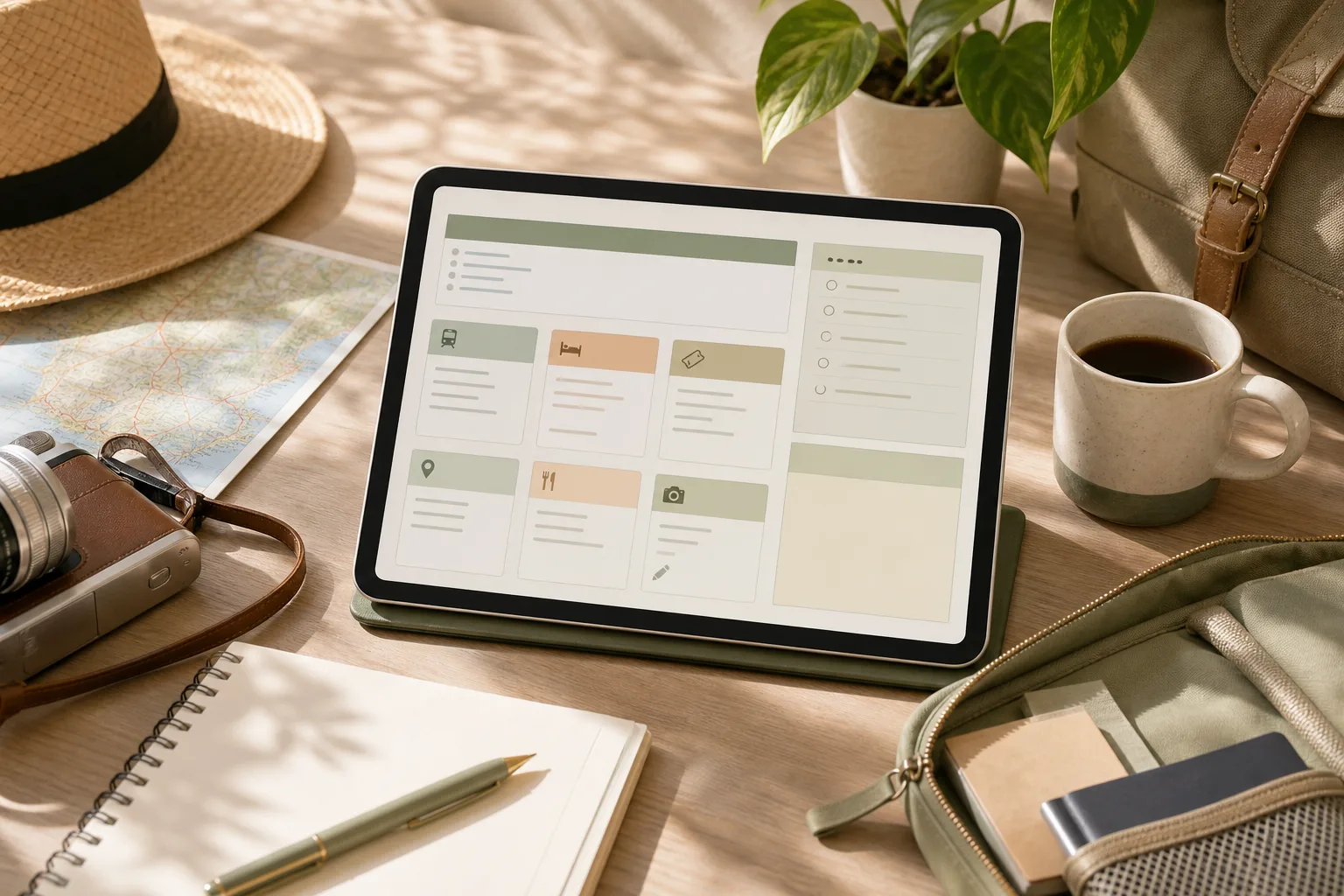
A practical travel planning checklist should show what is booked, what is only an idea, and what you will do if the first option changes. Keep the reservation source, map link and next action together on one page; save essential addresses and instructions in a form you can access without reopening every website.
Worked example: turn a saved place into a usable plan
The entries below are fictional and contain no destination-specific opening times, prices or transport promises. Replace each placeholder with information checked on the relevant operator’s official page.
Planning item
Record now
If the first option changes
Arrival
Accommodation address, booking reference stored privately, check-in instructions and the official contact route
Keep the address and instructions available offline; check the provider’s current arrival guidance.
Main visit
Official place link, intended date and whether booking is actually confirmed
Keep one nearby alternative as an idea, clearly separated from confirmed bookings.
Travel between places
The operator’s route information and the station or stop names you checked
Recheck current service information before departure rather than relying on an old screenshot.
Flexible time
A small set of optional places grouped by area
Drop an optional stop before compressing the entire day around it.
Use three status labels
Confirmed means a reservation or requirement has actually been completed. To check means a detail still needs verification. Optional means the item can be removed without disrupting a booking. A saved URL by itself should not be marked Confirmed.
Do not put passport details, full payment information or private booking access links in a publicly shared itinerary. Share only the details the intended recipient needs.
Why one page helps with travel planning
Travel information often arrives in different forms: a booking confirmation in email, a map link in a message, a restaurant idea saved in a browser, and a local attraction found during research. Each item may be useful, but scattered information is difficult to compare when plans change.
A single planning page gives every item a visible place. It does not need to contain every detail about a destination. Instead, it should answer practical questions:
What is this link for?
When might I use it?
Is action required before the trip?
What should I remember if the page is hard to access later?
The goal is not to create a rigid schedule. It is to create a dependable reference that supports decisions while leaving room for local conditions, energy levels, weather, and unexpected changes.
Step 1: Prepare one home page
Begin with one note, document, or spreadsheet that can be opened from the device you expect to use during the trip. Choose the format based on how you think. A note may be convenient for short plans, while a table can make categories and missing details easier to see.
Give the page a clear title that includes the destination and travel dates or trip name. Then add four simple sections:
Core bookings: transport, accommodation, tours, or tickets already selected.
Places: sights, food, neighborhoods, shops, parks, and other ideas.
Practical details: opening information, arrival notes, access instructions, and transport references.
Questions and actions: details that still need checking or decisions that remain open.
At this stage, do not try to arrange the ideal itinerary. The preparation step is only about creating a clear home for information. A short heading and consistent layout will make later sorting easier.
Copyable planning table
Item
Type
Link
When useful
Action or note
Accommodation
Booking
Paste URL
Arrival and departure
Save address and check-in details
Local place
Idea
Paste URL
Flexible day
Note area, opening information, and priority
Transport
Practical
Paste URL
Travel between areas
Record the relevant route or station
Reservation
Booking
Paste URL
Specific date or time
Check cancellation or arrival instructions
Step 2: Sort links by purpose, not by discovery order
Once links are collected, sort them according to how they will be used. Discovery order is rarely useful: the first saved link may not be the most important one, and several links may describe the same place.
Use a small set of labels such as booked, candidate, route, reference, and check. These labels distinguish firm commitments from optional ideas. They also prevent a long place list from looking like a fixed itinerary.
For each link, add a short description in your own words. For example, “museum ticket page” is more useful than a long URL title. If a page contains information that may be difficult to find later, write the relevant detail beside the link rather than relying on memory.
Remove or combine duplicates during sorting. If three pages refer to one location, keep the link that is most useful for the intended task and place other references in a short note if they provide different information. Avoid saving a link without identifying its purpose; an unexplained link becomes another research task later.
Use a priority field
A simple priority field can keep optional ideas from competing with fixed plans:
High: connected to a booking, a time-sensitive visit, or an important arrival detail.
Medium: useful if the route and schedule allow it.
Low: an idea to consider locally or on a future trip.
Priority is a planning aid, not a promise to complete every item. Keeping some ideas in the low-priority group can make the page more realistic and easier to use.
Step 3: Act on the details that affect the trip
After sorting, focus on links that require a decision or a verification. This is where a collection of links becomes a working plan.
Confirm fixed details: review dates, times, locations, names, and reference numbers shown in your booking materials.
Mark time-sensitive items: identify reservations, ticket windows, entry periods, or places whose access information may affect the day.
Group nearby places: place locations in the same area together, without treating the group as a mandatory schedule.
Write a fallback: add one nearby alternative for an important activity when changing conditions could affect the plan.
Record access notes: note the information you will need at the moment of use, such as an address, meeting point, or check-in instruction.
Keep the action notes short. The page is not intended to reproduce every webpage. Its role is to reduce the number of decisions you need to make while moving between places.
A 15-minute action plan
Minutes 1–3: create the page and add headings for bookings, places, practical details, and questions.
Minutes 4–7: paste the links already found in email, messages, browser bookmarks, or notes.
Minutes 8–10: label each item by purpose and mark high, medium, or low priority.
Minutes 11–13: write one useful note beside each high-priority item.
Minutes 14–15: identify duplicates and list the next two details that need checking.
This short session is enough to create a usable starting page. More research can be added later without changing the basic structure.
Step 4: Review the page before and during the trip
A planning page should be reviewed because information can change and because the page may reveal gaps that were not obvious during research. Review it at a sensible point before departure, then update only the details that affect decisions.
Check whether each important item has a clear label, a working destination, and a short note explaining its use. Look for conflicting dates, duplicated places, missing addresses, and activities that are too far apart to combine comfortably. If you are traveling with other people, make the page readable to someone who did not collect the original links.
During the trip, use a lightweight update method. Mark completed bookings or visited places only when that helps you orient yourself. Move postponed ideas into a separate section rather than deleting them immediately. This preserves useful research without allowing the main plan to become crowded.
Review checklist
Are the most important bookings easy to find?
Does every saved link have a purpose or description?
Are fixed plans separated from optional ideas?
Have nearby places been grouped sensibly?
Are arrival, meeting, and access notes written in plain language?
Have duplicate or outdated links been removed or labeled?
Is there a short list of unresolved questions?
Can the page still be understood when you are tired or in a hurry?
How to keep the system useful without overbuilding it
Travel planning organization can become counterproductive when the system takes more time than the trip decisions it supports. Use the smallest structure that answers your questions. A single page with a table is enough for a short visit. A longer trip may benefit from separate sections for each area or day, but the same labels can remain in place.
Separate research from commitment. A saved place is not automatically part of the itinerary, and a suggested route is not necessarily suitable for your timing or mobility needs. Treat the page as a decision aid rather than an instruction to follow every item.
Also consider access. If a link depends on a connection, account, or page that may be difficult to open, copy the key non-sensitive detail into the note. Avoid placing private booking credentials or unnecessary personal information in a broadly shared document.
FAQ
Should one page include the full itinerary?
It can, but a full itinerary is not required. The page may work better as a control center containing bookings, place ideas, route references, and unresolved questions. A separate day-by-day schedule can be linked or added only when it provides practical value.
What should I do with places I cannot fit into the schedule?
Move them into a low-priority or “if nearby” section. This preserves the research while making clear that the items are optional. The list can also become a starting point for a future visit.
How many categories should the page have?
Start with four to five categories. Add another category only when it solves a repeated problem, such as separating transport from accommodation. Too many categories can make quick scanning harder.
What if a saved link stops working?
Replace it with another relevant source when practical and keep the useful detail in your own note. For bookings, refer to the original confirmation or provider account rather than relying only on a copied link.
Conclusion
A one-page travel planning system does not need complex software or a detailed schedule. Prepare one home page, sort links by purpose, act on the details that affect decisions, and review the result before using it. With a few clear labels and short notes, scattered research can become a practical reference for independent travel while leaving space for changes along the way.
BOTTEGA VENETA Nappa coin holder is a black leather accessory to consider when you want a separate place for loose change. Compare its listed dimensions with the bag and other items you carry before deciding whether the format suits your routine. This guide is based on product information, not a capacity or durability test.
Its appeal lies in the balance between practical scale and refined finish. The softly described Nappa leather gives the piece an elevated character, while the black colour makes coordination straightforward across weekday tailoring, relaxed denim and evening dressing. At 14 cm wide, 7.5 cm high and 4 cm deep, it offers a considered format for those who prefer a dedicated coin holder rather than allowing loose change to collect inside a larger bag.
Manufactured in Italy, this accessory reflects BOTTEGA VENETA’s luxury positioning through a focused design rather than unnecessary visual complexity. It can be selected as a standalone small leather good or as part of a carefully edited accessories wardrobe, especially when a neutral, understated accent is preferred.
A size check you can do before ordering
The dimensions stated in the existing product information are 14 cm wide, 7.5 cm high and 4 cm deep. Reconfirm them on the current product page. Exterior measurements do not establish usable internal capacity or the size of an opening.
Mark a 14 × 7.5 cm rectangle on scrap paper and use a 4 cm depth reference to visualize the outer envelope.
Compare that envelope with the bag opening and the space left after your usual essentials are packed.
Decide whether you need a coin holder specifically or a different layout for cards and receipts. Do not assume compartments that are not shown or listed.
Questions that distinguish a useful purchase from an extra container
Your routine
Useful question
You carry coins regularly
Would one dedicated item make them easier to retrieve than the arrangement you already use?
You use a compact handbag
Does the depth leave enough space for the other essentials you actually carry?
You mainly carry cards
Does the documented layout match that need, or are you selecting it mainly for its appearance?
The paper comparison is a visualization exercise only. It is not proof that a particular phone, wallet or number of coins will fit.
What Defines BOTTEGA VENETA Nappa coin holder
Nappa leather construction: The product is described as being crafted from soft and supple Nappa leather, with the material specification listed as 100% leather.
Timeless black colour: Black provides an adaptable foundation for both neutral and more expressive accessories, making coordination uncomplicated.
Compact organisation: The coin holder is designed to keep coins organised and secure, giving small essentials their own dedicated place.
Useful proportions: Its listed measurements are 14 cm in width, 7.5 cm in height and 4 cm in depth. These proportions are substantial enough for visibility within a bag while remaining distinctly compact.
Italian manufacture: The country of manufacture is listed as Italy, an important consideration for shoppers reviewing product details.
Recognisable luxury positioning: The BOTTEGA VENETA name gives this practical accessory a sophisticated wardrobe context without relying on a highly seasonal colour.
The overall impression is one of restrained utility. Rather than competing with the rest of an outfit, BOTTEGA VENETA Nappa coin holder supports a more intentional approach to everyday carry. Its black leather profile can sit comfortably alongside other small leather goods, whether the surrounding palette is tonal or deliberately contrasting.
Styling and Everyday Use Scenarios
For a streamlined daily arrangement, place BOTTEGA VENETA Nappa coin holder inside a structured handbag with a matching black wallet or card holder. The consistent colour story creates a composed foundation, while the compact format helps separate coins from cards, keys and other personal items. This approach suits a polished office wardrobe, where small details can contribute to an organised overall impression.
For a more relaxed daily look, pair the black accessory with denim, knitwear and a spacious casual bag. The contrast between soft clothing textures and the refined leather finish keeps the combination considered without appearing overly formal. It also works naturally with monochrome dressing, where the black colour can reinforce a clean visual line from shoes or belt to handbag.
When dressing for an evening occasion, its compact proportions make it a practical companion to a smaller bag, subject to the bag’s own available space. The understated black finish is especially easy to coordinate with tailoring, satin-inspired textures or simple jewellery because it does not introduce an additional colour competing for attention.
It can also be considered for travel organisation. Use it as a dedicated place for coins within a larger personal bag, keeping the arrangement easier to navigate. Before relying on it for a particular travel setup, compare its listed dimensions with the interior measurements of the bag or pouch intended to hold it.
For care and long-term coordination, treat the item as a leather accessory and follow the current care guidance provided on the product page or by the brand. Avoid assuming that every leather-care product is suitable. Store it thoughtfully with other accessories so that its surface is not pressed against rough or abrasive items, and review the product images for the most accurate understanding of its visible finish.
How to Decide if It Fits Your Accessories Wardrobe
Start with the intended role. Choose this piece if you want a dedicated holder for coins rather than a larger, multifunctional wallet. Its described purpose is focused and straightforward.
Check the measurements. The listed dimensions are 14 cm by 7.5 cm by 4 cm. Compare these figures with your handbag, tote, travel pouch or drawer before purchase, particularly if you prefer a close-fitting arrangement.
Consider the colour relationship. Black is an adaptable choice for a wardrobe built around neutrals and equally useful as a grounding accessory beside brighter clothing or patterned bags. If you prefer accessories that make a strong colour statement, this design takes the more restrained route.
Assess the material preference. The item is listed as 100% leather and described as soft and supple Nappa leather. Shoppers who prioritise leather small goods may appreciate this specification; those seeking a different material should compare alternatives.
Think about scale and visibility. The dimensions give it a noticeable presence inside a bag without changing its essential role as a compact accessory. Consider whether that balance suits the way you organise daily essentials.
Review the listing carefully. Confirm the current product information, images, measurements and purchase details on the product page. The listed product code is BOTG6G58BCKZZZZZ00, which can also help you identify the intended item when reviewing the listing.
Ultimately, the strongest reason to select BOTTEGA VENETA Nappa coin holder is its combination of focused function, black leather versatility and Italian manufacture. It is best suited to an edited accessories collection where each item has a clear role and a polished visual relationship with the rest.
Frequently Asked Questions
What is BOTTEGA VENETA Nappa coin holder made from? The product information lists the material as 100% leather and describes it as soft and supple Nappa leather.
What colour is it? It is listed in black, a versatile option for coordinating with a wide range of handbags and outfits.
What are the listed measurements? The item measures 14 cm in width, 7.5 cm in height and 4 cm in depth.
Where is it manufactured? The country of manufacture is listed as Italy.
What is it designed to hold? It is described as a coin holder intended to keep coins organised and secure. Check the current product page for any additional details before purchase.
How should I confirm suitability? Compare the listed dimensions with your intended bag or storage space, then verify the current description, images and purchase information on the product page.
Please verify the current product details, measurements, images, condition and purchase information on the product page before purchase.
To organize an email inbox, decide what each message needs next: an action, a dated commitment, a waiting record, a reference location or removal. Make that decision before creating more folders. A useful inbox system should make unfinished work visible without requiring you to keep every message unread.
A five-message sorting example
These are fictional messages. The purpose is to make the next action explicit; the names of labels or folders can be adapted to the email tool you already use.
Message
Decision
Record outside the inbox if needed
“Can you review this draft?”
Action
A task naming the document, the review required and any agreed deadline.
An appointment confirmation
Dated commitment
A calendar entry with the relevant location or joining instructions.
Your question awaiting a supplier reply
Waiting
Who you are waiting for, the question and an appropriate follow-up date.
A receipt you need to retain
Reference
The correct private record location under your own retention requirements.
A newsletter you no longer read
Remove or unsubscribe
No task unless there is a specific reason to keep it.
Turn “follow up” into a usable note
A note that says only “supplier” still requires you to reconstruct the task. Write “Ask supplier whether the replacement draft has been sent; follow up on [date]” instead. Use the follow-up date you actually agreed or selected, not an invented urgency.
Copyable reply: “Thanks for the update. Could you confirm [missing detail]? I need it to complete [next step]. Please let me know if [proposed date] is workable.”
Check that attachments are accessible in their intended location before archiving the source message. This example does not override your organisation’s confidentiality or retention rules.
Why purpose works better than sorting by topic
Topic labels such as “clients,” “tools,” or “projects” can be useful, but they do not answer the most important question: what should happen to this message? A client email may require a reply, contain a file for long-term reference, or include a link that belongs with a project note. The topic is the same, while the next action is different.
A purpose-based rule makes the decision more direct. For each message, ask:
Act: Does this require a task, reply, decision, or scheduled time?
Keep: Is the message useful as a reference, record, receipt, or source?
Move: Does a file, link, or detail belong in another system?
Remove: Has the message lost its value?
This approach also supports broader digital organization. Email is often an entry point for documents, apps, links, and commitments. Sorting the message without deciding where its useful contents belong can leave the wider workspace just as difficult to search.
Step 1: Prepare a small sorting workspace
Preparation reduces the number of decisions you make at once. Set a timer for 15 minutes and open only the inbox, your task list or calendar, and the destination you use for important files or links. Avoid redesigning every folder or app during this session. The purpose is to create a manageable route for today’s messages.
Choose a temporary holding label or folder such as “To sort.” This is not a permanent archive. It gives you a place to put messages that need a second look without letting them interrupt the first pass.
Before sorting, decide what counts as a useful destination in your own system. A simple set might include:
Task list: items that need a future action.
Calendar: events, deadlines, or time-specific commitments.
File storage: documents, records, or attachments worth retaining.
Notes or knowledge base: durable information that you expect to use again.
Link collection: web resources that need context, a title, and possibly a project name.
Archive or delete: messages that no longer need attention but may have different retention requirements.
For work involving contracts, taxes, regulated information, or company records, follow the relevant retention and security rules instead of relying on a general inbox routine.
Step 2: Sort each message by purpose
Work from the newest messages or from a narrow search, such as unread messages from the current week. Read enough to identify the purpose, then choose one destination. The decision should be small and concrete.
Use the four-question decision rule
Is there a real next action? If yes, write the action in your task system or reply if the response is brief and appropriate.
Is there a time or date attached? If yes, place the commitment on the calendar rather than leaving it as an inbox reminder.
Does the message contain a reusable asset? Save the attachment, record, or link in the system where you will look for it later.
Is the message only informational or no longer useful? Archive, label, or delete it according to your needs.
Try to separate information from the email container. For example, a message containing a project brief may need a task for reviewing the brief, a file destination for the attachment, and an archive label for the correspondence. The email itself does not need to carry every reminder indefinitely.
Handle links with enough context
A saved link without context can become difficult to recognize later. When moving a link out of email, record a short title, the reason it matters, and the related project or topic. If the link is only useful for a pending task, attach it to that task instead of placing it in a general collection.
Handle attachments as records, not clutter
For an attachment, ask whether the email is the best place to find it again. If the file will be edited, shared, or used in a project, move it to the appropriate file location and use a clear name. If it is a receipt or business record, use the storage and naming practice required for that type of record. If it is a duplicate or temporary export, remove it only after checking that no separate copy is needed.
Step 3: Act on the smallest useful next step
Sorting without action can create a second inbox in a task app. For messages that need work, define the next visible step rather than writing a vague label such as “handle email.” A useful task describes an action: “Review the proposal and list two questions” is easier to start than “Proposal.”
Use one of these actions:
Reply now: when the response is short and does not require research.
Create a task: when work remains after reading the message.
Schedule time: when the work requires focused attention or a meeting.
Delegate or clarify: when another person needs to provide information or take the next step.
Record and archive: when the message is a reference rather than an open commitment.
Keep the action connected to the source. A task can include the email link, sender, project name, or due-date context. That connection prevents repeated searching when the task comes up later.
For solo business owners, this step can also protect the boundary between communication and operations. An email about a customer request may lead to a support task, a product note, or a calendar commitment. Assign the useful material to the operational system rather than expecting the inbox to function as the entire business dashboard.
Step 4: Review the system, not every message
A short review helps reveal where the process is failing. At the end of the 15-minute session, look at the destinations you used and ask three questions:
Did any message lack a clear destination?
Did a folder, label, or app receive information without enough context?
Did any task remain vague or disconnected from its source?
Use the answers to make one small adjustment. You might rename a label, add a project field to saved links, change a file naming pattern, or remove a destination that creates extra decisions. Avoid adding categories simply because a message feels important. A category earns its place when it helps you find or act on information later.
Set a review rhythm that fits your workload. A short session after a busy period may be more useful than trying to process every message continuously. The routine should support attention, not become another project to maintain.
A 15-minute email sorting plan
Time
Focus
What to do
Minutes 0–2
Prepare
Open the inbox and destination systems; choose a narrow message range.
Minutes 2–9
Sort
Decide whether each message needs an action, calendar entry, saved material, archive, or removal.
Minutes 9–13
Act
Reply briefly, create clear tasks, save files or links, and add useful context.
Minutes 13–15
Review
Check for vague tasks, misplaced material, and one process improvement.
If a message requires deep work, do not try to complete that work inside the sorting session. Capture the next step, add an appropriate time or priority, and continue with the inbox review.
Copyable checklist
Prepare: Set a 15-minute timer and choose a limited message range.
Prepare: Open the task list, calendar, and file or link destination you use.
Sort: Ask what purpose the message serves: action, time, record, reference, link, or removal.
Sort: Move attachments and links to their useful long-term locations when appropriate.
Act: Write a specific next step instead of a broad reminder.
Act: Keep the source email connected to the task or record when that context may help.
Review: Check for vague tasks, duplicated storage, and labels that add effort.
Review: Make one small change to improve the next session.
FAQ
Should the inbox be empty after sorting?
Not necessarily. An inbox can contain messages that are intentionally waiting for a response, decision, or scheduled action. The useful standard is whether each remaining message has a clear purpose and a known next step.
How many folders or labels should be used?
Use the smallest set that helps you retrieve information or see pending work. If a label requires frequent debate, it may be too specific or may be solving a problem better handled by a task, file, or notes system.
What should happen to newsletters and automated notifications?
Decide based on their value and frequency. Keep items that support a defined work or learning purpose, route them to a reading area if your email service supports that option, and unsubscribe or filter messages that repeatedly add no useful information. Check that automated messages are not carrying records or alerts you still need.
Is this system suitable for confidential information?
The framework is general, not a security policy. Confidential or regulated information may require approved storage, access controls, retention rules, and organizational procedures. Follow those requirements before moving messages or attachments between systems.
Conclusion
Purpose-based email sorting gives each message a practical destination: an action, a calendar commitment, a file, a note, a link collection, an archive, or removal. The four steps—prepare, sort, act, and review—also connect the inbox with file organization, app organization, and link management. Start with a 15-minute session, keep decisions concrete, and adjust the system when it creates more work than clarity.
Start weekly meal planning with a short menu, check the ingredients already available, then write only the remaining shopping items. Keep one flexible meal unassigned so the note can adapt when plans change. The example below links a meal shortlist to a grocery list without requiring a different recipe for every day.
Worked example: three meal ideas, one shopping decision
This is a planning illustration, not a nutrition plan or food-storage guide. Adapt it to dietary requirements and use reliable recipes and appropriate food-safety guidance for preparation and storage.
Meal idea
Check what is available
Add only what is missing
Vegetable pasta
Pasta, vegetables and the ingredients required by your chosen recipe
Missing recipe ingredients; do not duplicate items already available.
Bean and rice bowl
Rice, beans and suitable toppings
Any missing base or topping items, checked against the actual recipe.
Flexible simple meal
A familiar meal you can assemble with verified available ingredients
Only the items needed to keep that option workable.
Combine ingredients without guessing quantities
If two selected recipes need the same ingredient, total their requirements before shopping. For example, if one recipe calls for one onion and another calls for two, record three in total, then subtract any usable onions already available. This arithmetic is an example, not a suggested serving size.
Keep the long-term recipe collection separate from this week’s shopping decisions. A saved recipe is a candidate, not an instruction to buy all of its ingredients immediately.
Why meal ideas become difficult to organize
Meal planning often collects information from several places: messages, saved recipes, a paper note, a shopping app, and memory. The problem is not necessarily a lack of ideas. It is the effort required to decide which ideas belong to this week, what needs to be bought, and what can wait.
A useful note does not need to contain every possible meal. It only needs to support the next decision. Start with a small working list and separate three kinds of information:
Ideas: meals you may want to make later.
Plans: meals you are considering for the current week.
Actions: ingredients or kitchen tasks that need attention.
Keeping these categories distinct makes the note easier to scan. It also prevents a long collection of saved ideas from being mistaken for a shopping plan.
Step 1: Prepare one weekly note
Create one note for the current planning period. The location can be a notebook, phone note, document, or another tool you already use. The important feature is that the note has a clear title and a limited purpose.
Use a simple heading such as Meals — week of [date]. Under it, add four sections:
Meal candidates
Items already available
Shopping list
Review notes
At this stage, collect ideas without trying to arrange the entire week. Add meals from your existing notes, recent preferences, or a recipe you intend to try. If an item is only a vague possibility, label it as an idea instead of treating it as a commitment.
One practical boundary is to keep the active note short. A note that tries to hold every future recipe can become an archive rather than a planning tool. Move longer-term ideas to a separate list when possible.
Step 2: Sort ideas into a workable shortlist
Next, review the candidates and choose a small shortlist for the week. This is a sorting task, not a test of creativity. The goal is to identify meals that fit the time, attention, and ingredients you expect to have available.
For each candidate, ask:
Do I want to consider this during the current week?
Is the preparation effort compatible with the day it may be used?
Are key ingredients already available, or would they require a separate shopping task?
Would this idea be easier to keep as a later option?
You can use three labels to keep the decision light:
Label
Meaning
Next action
Now
A meal worth considering this week
Move relevant items to the shopping list
Later
A useful idea that does not fit the current plan
Move it to the longer-term idea list
Drop
An idea that no longer seems useful
Remove it from the active note
These labels are intentionally flexible. They do not require a fixed number of meals or a detailed calendar. If a weekly schedule helps you, assign shortlisted ideas to days. If a schedule creates extra maintenance, keep a short list of options instead.
Step 3: Turn the shortlist into an action list
Once the meal candidates are sorted, convert them into actions. Review what is already available before adding items to the shopping list. This keeps the list connected to the plan rather than copying every ingredient from every recipe.
Write shopping items in the form that helps you recognize them quickly. For example, group them by your own shopping route or by broad categories such as produce, pantry, chilled items, and other. The best grouping is the one that reduces searching when you use the list.
Separate decisions from reminders. A meal note might contain:
Meal: the idea being considered.
Check: an item to confirm at home.
Buy: an item to add to the shopping list.
Do: a preparation or kitchen task to remember.
This separation helps prevent a common source of clutter: putting every thought into one undifferentiated list. A shopping list should support shopping, while a meal note can hold the context behind it.
After the week, spend a short time reviewing the note. The review is not about judging the plan. It is a way to learn which parts of the system deserve less attention next time.
Use three questions:
Which meal ideas were easy to decide on?
Which shopping or note-taking step caused friction?
What should be moved to the later list, rewritten, or removed?
Keep the review notes brief. A useful entry might say that a meal was too involved for a busy day, that a shopping category was unclear, or that an idea should remain available for another week. These observations can improve the structure of the next note without requiring a new planning system.
Also remove completed actions. A note that contains old unchecked tasks can make the next planning session harder to read. Archive the finished note if you want a record, then start a fresh weekly note with only the information that still matters.
A 15-minute action plan
If you have limited time, use the following sequence. Adjust the minutes to suit your schedule; the purpose is to create a short, repeatable session rather than a detailed planning ritual.
Minutes 1–3: Open one note and add the current date. Collect meal ideas from your existing notes.
Minutes 4–7: Mark each idea as Now, Later, or Drop. Keep the current shortlist manageable.
Minutes 8–11: Check what is already available and write only the remaining shopping actions.
Minutes 12–14: Group the shopping list in a way that suits your usual routine.
Minute 15: Add one reminder for review and remove distracting details from the active note.
If the list remains unfinished, stop at a sensible point and mark the next action. A clear next step is more useful than adding more categories to the system.
Kitchen organization checklist
Stage
Checklist
Prepare
One dated note exists; meal ideas are collected; longer-term ideas are separate.
Sort
Each candidate is marked Now, Later, or Drop; current options are easy to see.
Act
Available items are checked; shopping tasks are grouped; kitchen actions are separate.
Review
Completed tasks are cleared; friction points are noted; useful ideas are carried forward.
Common mistakes to avoid
Making the note an archive
A large collection of recipes can hide the few ideas relevant to the current week. Keep the active note focused and store future ideas elsewhere.
Writing ingredients before choosing meals
A long ingredient list can create extra decisions. Choose the shortlist first, then write the shopping actions connected to it.
Using too many categories
Categories should help you find information. If maintaining them takes more effort than using the note, combine sections and return to the basic four: candidates, available items, shopping, and review.
Treating the plan as fixed
Plans can change because of time, preferences, or what is available. Mark an idea for later rather than rewriting the entire note when the week changes.
Conclusion
A simple meal note can support kitchen organization when it separates ideas from actions. Prepare one dated note, sort candidates, create a focused shopping list, and review the result. The 15-minute version is enough to begin: collect, label, check, group, and record the next step. The system can remain small while still giving your weekly meal decisions a clearer home.
FAQ
Do I need to plan every meal?
No. You can use the note for a shortlist of meal ideas rather than a complete calendar. Choose the level of detail that supports your routine.
What should I do with ideas I do not use?
Move them to a separate Later list if they may still be useful. Remove them if they no longer fit your preferences or planning needs.
Should my shopping list be organized by store section?
It can be, but it does not have to be. Use categories that make the list easier for you to scan and update.
How often should I review the note?
Review it at the end of the planning period or when you start the next one. A short review is enough to identify what to keep, change, or remove.