작성자: Kai Life Editorial Team
A simpler meal routine can begin with one small kitchen organization task: create a clear worktop zone for the next meal, the shopping list, and the notes you are likely to use. This 15-minute routine uses four steps—prepare, sort, act, and review—so you can reduce visual distractions without reorganizing the whole kitchen.
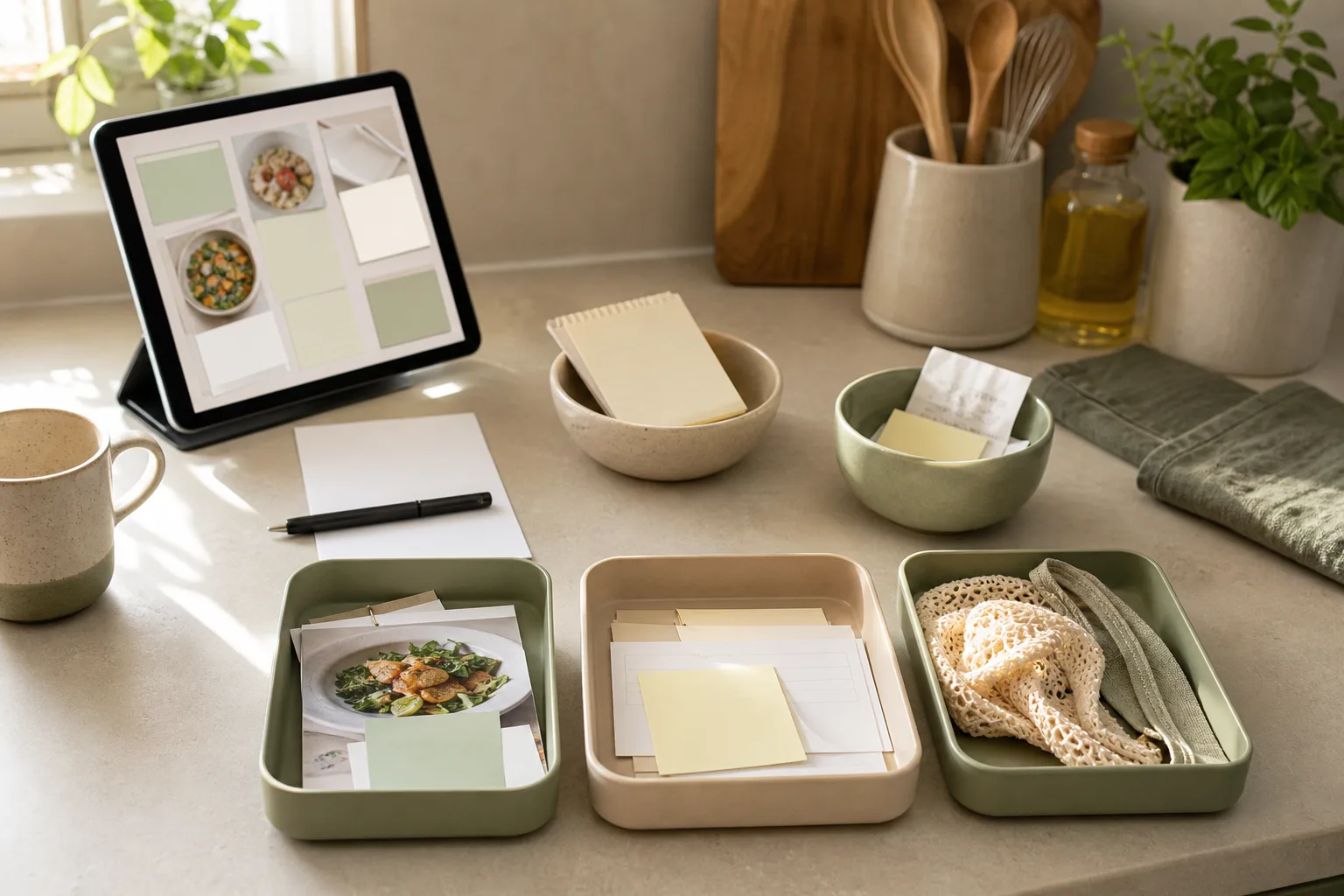
What the 15-minute routine is designed to do
A worktop often becomes a temporary landing place for several different things: unopened groceries, recipe notes, reusable bags, receipts, appliances, and reminders about meals. When these items share one surface, it can become harder to see the next useful action. The goal of this routine is not to create a showroom-style kitchen. It is to make the next meal-related decision easier to find.
The routine uses three practical zones:
- Use now: items connected to the next meal or immediate kitchen task.
- Decide later: notes and items that need a decision but do not belong to the current meal.
- Move elsewhere: objects that belong in another room, cupboard, recycling area, or shopping bag.
These zones can be represented by three small groups on the worktop, or by temporary containers placed nearby. No special organizer is required. A sheet of paper, a pen, and a timer are enough to begin.
Step 1: Prepare the worktop in 2 minutes
Set a timer for two minutes and remove anything that is clearly unrelated to food planning or kitchen use. Put each item in a temporary location rather than stopping to find its final home. The purpose of this first step is to make sorting easier, not to complete every household task.
Keep the following within reach:
- One sheet of paper or a note-taking app for the shopping list.
- A pen if you are using paper notes.
- The meal note, recipe, or short plan for the next meal.
- A small container or defined spot for items that need to move elsewhere.
Choose one reference point for the routine. For example, you might use the next meal that needs preparation, the next grocery trip, or the meal that has created the most notes. Selecting one focus prevents the worktop from becoming a planning board for every possible future meal.
Step 2: Sort items into useful groups in 4 minutes
Now look at each item on the worktop and assign it to one of four groups. The fourth group is useful for information that is not a physical object.
| Group | Question to ask | What happens next |
|---|---|---|
| Next meal | Will this help with the meal I am focusing on? | Keep it in the active worktop zone. |
| Shopping | Does this represent something to buy or check? | Add a short entry to the shopping list. |
| Meal notes | Is this a recipe idea, preference, substitution, or reminder? | Place it with the meal notes or record it digitally. |
| Elsewhere | Does it belong outside this meal routine? | Move it to a temporary relocation spot. |
Keep the labels short. A shopping list entry can be a food or household item name without extra explanation. A meal note can describe the decision you need to remember, such as “try this with rice” or “check what is already available.” The aim is to capture enough information for the next action, rather than writing a complete diary of the meal.
If an item fits more than one group, give it one temporary home and record the other connection in a note. For example, a recipe page may support the next meal and suggest a shopping item. Keep the recipe with the next meal, then add only the needed purchase to the shopping list.
Step 3: Act on the clearest next actions in 6 minutes
Use the next six minutes to turn the sorted groups into visible actions. Start with the worktop because physical movement often reveals which notes are still vague.
Create a small active-meal zone
Select one area for the meal you are focusing on. Place only the related note, ingredient reminder, or utensil-related prompt there. If the area becomes crowded, keep the most useful note and move the rest to the meal-notes group. The active zone is a short-term workspace, not permanent storage.
Write the shopping list as decisions
Review the shopping group and write each item in a way that will make sense when you see it away from the kitchen. If an item depends on a choice, include that choice briefly. For example, “vegetables for soup” may be less useful than a specific item you have already decided to consider. When you have not decided, place the entry in a separate “decide” section instead of treating it as a confirmed purchase.
- Buy: items that are already clear.
- Check: items you may already have or need to compare.
- Decide: items that need a meal or preference decision first.
Reduce meal notes to usable prompts
Meal notes work best when they help with a future decision. Rewrite long or scattered notes into one-line prompts. Useful formats include:
- “Make again when planning a quick dinner.”
- “Compare with the other lunch option.”
- “Use the remaining ingredient in another meal.”
- “Ask whether this belongs on the next shopping list.”
These prompts do not need to predict the entire week. They simply preserve the part of the idea that would otherwise be easy to forget.
Move unrelated items without creating a second pile
Take the “elsewhere” group to a temporary relocation point, such as a basket or a nearby shelf. If you cannot complete the relocation now, leave one clear note about its destination. A temporary group is useful only when it has a next step; otherwise it can become another form of clutter.
Step 4: Review the setup in 3 minutes
Use the final three minutes to check whether the worktop communicates the next action at a glance. Review the setup with these questions:
- Can I identify the meal or kitchen task I am focusing on?
- Is the shopping list separate from general meal ideas?
- Are uncertain items marked as decisions rather than purchases?
- Does each note have a clear place to return to?
- Is there enough open surface to begin the next task comfortably?
If the answer to a question is no, make one small adjustment. Remove one extra note, combine two similar entries, or move a nonessential object. Avoid expanding the routine into a full kitchen clean-up. The review is meant to improve the information flow around meals, not to solve every storage problem in one session.
A copyable 15-minute checklist
Save or copy this checklist for a future worktop reset:
- Prepare — 2 minutes: Set a timer, clear unrelated objects, and gather paper or a note app.
- Sort — 4 minutes: Separate next-meal items, shopping items, meal notes, and items that belong elsewhere.
- Act — 6 minutes: Set up the active-meal zone, write clear shopping entries, shorten meal notes, and move unrelated items.
- Review — 3 minutes: Confirm that the next action, shopping list, and open worktop area are easy to identify.
For a more compact version, use this table:
| Time | Action | Finished when |
|---|---|---|
| 0–2 min | Prepare | Unrelated objects are out of the active area. |
| 2–6 min | Sort | Items have a group: next meal, shopping, notes, or elsewhere. |
| 6–12 min | Act | The active zone and shopping list are usable. |
| 12–15 min | Review | The next meal-related action is easy to see. |
How to keep the routine manageable
Use the routine when the worktop begins to mix several kinds of information, rather than waiting for a large reset. You can also attach it to an existing moment, such as after making a shopping list or before planning the next meal. The frequency can vary with your household and schedule.
Keep one consistent place for meal notes and one consistent place for shopping information. The physical worktop can change from day to day, but the information destinations are easier to use when they remain familiar. If you prefer digital notes, use headings such as “Next meal,” “Buy,” “Check,” and “Meal ideas.” If you prefer paper, use the same labels on one sheet.
When the routine stops working, look for the point of friction. A list may be too detailed, a note may be too vague, or the active zone may contain too many items. Adjust that part rather than adding more containers or more planning categories.
Conclusion
A practical kitchen organization system can begin with a 15-minute worktop reset. Prepare the area, sort information into four groups, act on the clearest meal and shopping tasks, and review the result. The value comes from making the next decision easier to see, not from maintaining a particular visual style. Repeat the routine when meal notes and shopping reminders start competing for the same space.
FAQ
Do I need a dedicated kitchen organizer?
No. A sheet of paper, a note app, or a temporary container can support the routine. A dedicated organizer may be useful later if it solves a repeated problem, but it is not required to begin.
What if I do not have a meal plan?
Use the next meal decision as the focus. You might choose what to prepare, what to buy, or what ingredient to use. The routine can organize the decision without requiring a complete schedule.
Where should general recipe ideas go?
Keep them separate from the active-meal zone and the confirmed shopping list. A “meal ideas” note or a separate section on paper can hold them until you are ready to review them.
What if I cannot finish in 15 minutes?
Stop at the end of the timer and leave a short continuation note. Record the next action, such as “review decide list” or “move basket items.” The routine can remain useful even when the whole worktop is not fully resolved.