GOLDEN GOOSE Superstar glittery sneakers는 밀크·도브·브라운 색 조합과 시퀸 디테일을 코디의 중심으로 삼고 싶을 때 살펴볼 수 있는 스니커즈입니다. 이 글은 상품 설명과 이미지를 바탕으로 한 스타일링 가이드이며, 직접 착화한 후기나 편안함을 검증한 결과는 아닙니다.
라운드 토와 플랫 힐 실루엣을 바탕으로 하며, 끈과 스트랩이 함께 구성되어 있습니다. 측면의 시그니처 로고와 눈에 보이는 스티치가 디자인의 특징을 이루므로, 신발 자체를 스타일링의 중심에 두고 싶을 때 특히 잘 맞습니다. 여성 데일리룩부터 주말 외출까지, 기본적인 옷차림에 질감과 반짝임을 더하고 싶은 경우 선택을 고려해 볼 수 있습니다.
옷장에 있는 세 벌로 먼저 비교해 보세요
새 옷을 함께 사야만 코디가 완성되는지, 이미 가진 옷으로 활용할 수 있는지 먼저 확인하는 방법입니다. 아래 조합은 정답이 아닌 코디 예시입니다.
코디 방향
가지고 있는 옷에서 고를 것
거울에서 확인할 점
데님 중심
장식이 적은 상의와 스트레이트 데님
바지 밑단에 가려지지 않고 신발 디테일이 보이는가?
뉴트럴 톤
아이보리 상의와 베이지·브라운 하의
비슷한 색을 연결하되 전체가 한 덩어리로 보이지 않는가?
간결한 원피스
패턴과 액세서리를 줄인 단색 원피스
시퀸 외에 강한 포인트가 여러 개 겹치지 않는가?
코디 판단과 착화 판단은 별개입니다
사진에서 마음에 드는 비율과 실제로 발에 맞는지는 다른 문제입니다. 평소 신는 사이즈만으로 결정하지 말고 현재 상품의 사이즈 안내, 발볼·발등 조건, 구매·반품 안내를 함께 확인하세요. 소재와 장식별 관리법도 판매 페이지의 현재 안내를 기준으로 판단하는 것이 좋습니다.
선택 메모: 자주 입는 옷 ___ / 활용할 장면 ___ / 사이즈 확인 결과 ___ / 구매 전 남은 질문 ___.
디자인과 구성에서 확인할 점
시퀸 디테일: 어퍼에 반짝이는 시퀸 요소가 더해져 단색 의상에도 시각적인 포인트를 만들어 줍니다.
스니커즈 실루엣: 닫힌 라운드 토와 1cm 플랫 힐이 적용된 형태로, 과장된 굽보다 낮고 단정한 인상을 선호하는 스타일에 어울립니다.
안정적인 착화 조절: 레이스와 스트랩을 함께 사용해 발에 맞게 조절하는 방식입니다. 사이즈는 정사이즈 기준으로 안내되어 있으며 평소 사이즈 선택이 권장됩니다.
소재 구성: 겉감은 소가죽 92%, 폴리에틸렌 테레프탈레이트 5%, 면 3%이며, 안감과 밑창에도 여러 소재가 사용되었습니다. 밑창은 고무 100%입니다.
제조 정보: 이탈리아 제조 제품이며, 제품 코드와 상세 소재 구성은 구매 전 상품 페이지에서 다시 확인하는 것이 좋습니다.
이렇게 스타일링해 보세요
1. 데님과 함께하는 데일리룩 스트레이트 또는 여유 있는 데님 팬츠에 스니커즈를 매치하면 시퀸 디테일이 자연스럽게 드러납니다. 상의는 화이트 티셔츠나 니트처럼 장식이 적은 아이템으로 선택하면 신발의 밀크·도브 톤과 조화가 좋습니다.
2. 뉴트럴 톤 출근 외출 스타일 베이지 팬츠와 브라운 계열 가방, 크림색 재킷을 조합하면 신발의 색상 구성을 차분하게 이어갈 수 있습니다. 포멀한 구두 대신 낮은 플랫 힐 스니커즈를 선택해 지나치게 딱딱하지 않은 인상을 연출하고 싶을 때 활용해 보세요.
3. 심플한 원피스의 포인트 블랙이나 아이보리 원피스처럼 선이 간결한 옷에는 신발의 로고와 시퀸 디테일이 돋보입니다. 액세서리는 최소화하고 가방이나 헤어 스타일을 단정하게 정리하면 반짝임이 과하게 분산되지 않습니다.
선택 전 체크 가장 먼저 평소 신는 사이즈와 상품의 사이즈 안내를 비교하세요. 이어서 반짝이는 장식의 존재감, 뉴트럴 컬러 조합, 레이스와 스트랩 구성, 소재 및 관리 방식이 자신의 옷장과 잘 맞는지 살펴보면 활용도를 가늠하기 쉽습니다.
구매 전 관리와 코디 가이드
시퀸과 가죽이 함께 사용된 디자인인 만큼, 착용 전에는 전체적인 색상 배치와 디테일의 위치를 상품 이미지로 확인하는 것이 좋습니다. 특히 밝은 밀크 톤이 포함되어 있어 어두운 의상과 매치할 때는 신발이 선명한 포인트가 될 수 있습니다. 반대로 밝은 톤의 팬츠나 스커트와 착용하면 부드럽고 통일감 있는 분위기를 만들 수 있습니다.
보관할 때는 표면의 장식이 다른 물건에 걸리지 않도록 여유를 두고, 오염이 생겼을 경우 소재와 장식에 적합한 방법인지 먼저 확인하세요. 가죽과 시퀸 부분을 동일한 방식으로 관리하기보다, 상품 페이지의 안내와 소재 특성을 기준으로 관리하는 편이 안전합니다. 물기, 마찰, 강한 세정제 사용은 제품 상태에 영향을 줄 수 있으므로 주의가 필요합니다.
스타일링 면에서는 신발에 이미 로고와 시퀸이라는 포인트가 있으므로 의상의 패턴을 줄이면 전체 균형을 잡기 쉽습니다. 데일리룩에는 데님과 니트, 외출에는 톤온톤 팬츠와 재킷, 주말에는 간결한 원피스처럼 옷의 실루엣을 단순하게 두고 신발의 질감을 살려 보세요. 낮은 굽과 라운드 토의 단정한 형태도 함께 고려하면 활용 장면을 구체적으로 상상할 수 있습니다.
자주 묻는 질문
Q. 사이즈는 어떻게 선택하나요? A. 상품 안내상 정사이즈에 맞는 핏이며, 평소 사이즈 선택이 권장됩니다. 구매 전 사이즈 가이드를 함께 확인하세요.
Q. 색상은 무엇인가요? A. 상품 색상은 MILK/DOVE/BROWN으로 안내되어 있습니다. 화면 환경에 따라 보이는 색이 다를 수 있으므로 상품 이미지를 함께 확인하는 것이 좋습니다.
Q. 굽 높이는 얼마인가요? A. 안내된 힐 높이는 1cm입니다.
Q. 어떤 옷과 잘 어울리나요? A. 데님, 뉴트럴 톤 팬츠, 심플한 원피스처럼 장식이 적은 옷과 매치하면 시퀸과 로고 디테일을 포인트로 살릴 수 있습니다.
상품의 소재, 사이즈, 색상, 재고 및 구매 관련 정보는 변경될 수 있으니 구매 전 THANKS KAI 상품 페이지에서 최신 상세 내용을 반드시 확인해 주세요.
A practical travel planning checklist should show what is booked, what is only an idea, and what you will do if the first option changes. Keep the reservation source, map link and next action together on one page; save essential addresses and instructions in a form you can access without reopening every website.
Worked example: turn a saved place into a usable plan
The entries below are fictional and contain no destination-specific opening times, prices or transport promises. Replace each placeholder with information checked on the relevant operator’s official page.
Planning item
Record now
If the first option changes
Arrival
Accommodation address, booking reference stored privately, check-in instructions and the official contact route
Keep the address and instructions available offline; check the provider’s current arrival guidance.
Main visit
Official place link, intended date and whether booking is actually confirmed
Keep one nearby alternative as an idea, clearly separated from confirmed bookings.
Travel between places
The operator’s route information and the station or stop names you checked
Recheck current service information before departure rather than relying on an old screenshot.
Flexible time
A small set of optional places grouped by area
Drop an optional stop before compressing the entire day around it.
Use three status labels
Confirmed means a reservation or requirement has actually been completed. To check means a detail still needs verification. Optional means the item can be removed without disrupting a booking. A saved URL by itself should not be marked Confirmed.
Do not put passport details, full payment information or private booking access links in a publicly shared itinerary. Share only the details the intended recipient needs.
Why one page helps with travel planning
Travel information often arrives in different forms: a booking confirmation in email, a map link in a message, a restaurant idea saved in a browser, and a local attraction found during research. Each item may be useful, but scattered information is difficult to compare when plans change.
A single planning page gives every item a visible place. It does not need to contain every detail about a destination. Instead, it should answer practical questions:
What is this link for?
When might I use it?
Is action required before the trip?
What should I remember if the page is hard to access later?
The goal is not to create a rigid schedule. It is to create a dependable reference that supports decisions while leaving room for local conditions, energy levels, weather, and unexpected changes.
Step 1: Prepare one home page
Begin with one note, document, or spreadsheet that can be opened from the device you expect to use during the trip. Choose the format based on how you think. A note may be convenient for short plans, while a table can make categories and missing details easier to see.
Give the page a clear title that includes the destination and travel dates or trip name. Then add four simple sections:
Core bookings: transport, accommodation, tours, or tickets already selected.
Places: sights, food, neighborhoods, shops, parks, and other ideas.
Practical details: opening information, arrival notes, access instructions, and transport references.
Questions and actions: details that still need checking or decisions that remain open.
At this stage, do not try to arrange the ideal itinerary. The preparation step is only about creating a clear home for information. A short heading and consistent layout will make later sorting easier.
Copyable planning table
Item
Type
Link
When useful
Action or note
Accommodation
Booking
Paste URL
Arrival and departure
Save address and check-in details
Local place
Idea
Paste URL
Flexible day
Note area, opening information, and priority
Transport
Practical
Paste URL
Travel between areas
Record the relevant route or station
Reservation
Booking
Paste URL
Specific date or time
Check cancellation or arrival instructions
Step 2: Sort links by purpose, not by discovery order
Once links are collected, sort them according to how they will be used. Discovery order is rarely useful: the first saved link may not be the most important one, and several links may describe the same place.
Use a small set of labels such as booked, candidate, route, reference, and check. These labels distinguish firm commitments from optional ideas. They also prevent a long place list from looking like a fixed itinerary.
For each link, add a short description in your own words. For example, “museum ticket page” is more useful than a long URL title. If a page contains information that may be difficult to find later, write the relevant detail beside the link rather than relying on memory.
Remove or combine duplicates during sorting. If three pages refer to one location, keep the link that is most useful for the intended task and place other references in a short note if they provide different information. Avoid saving a link without identifying its purpose; an unexplained link becomes another research task later.
Use a priority field
A simple priority field can keep optional ideas from competing with fixed plans:
High: connected to a booking, a time-sensitive visit, or an important arrival detail.
Medium: useful if the route and schedule allow it.
Low: an idea to consider locally or on a future trip.
Priority is a planning aid, not a promise to complete every item. Keeping some ideas in the low-priority group can make the page more realistic and easier to use.
Step 3: Act on the details that affect the trip
After sorting, focus on links that require a decision or a verification. This is where a collection of links becomes a working plan.
Confirm fixed details: review dates, times, locations, names, and reference numbers shown in your booking materials.
Mark time-sensitive items: identify reservations, ticket windows, entry periods, or places whose access information may affect the day.
Group nearby places: place locations in the same area together, without treating the group as a mandatory schedule.
Write a fallback: add one nearby alternative for an important activity when changing conditions could affect the plan.
Record access notes: note the information you will need at the moment of use, such as an address, meeting point, or check-in instruction.
Keep the action notes short. The page is not intended to reproduce every webpage. Its role is to reduce the number of decisions you need to make while moving between places.
A 15-minute action plan
Minutes 1–3: create the page and add headings for bookings, places, practical details, and questions.
Minutes 4–7: paste the links already found in email, messages, browser bookmarks, or notes.
Minutes 8–10: label each item by purpose and mark high, medium, or low priority.
Minutes 11–13: write one useful note beside each high-priority item.
Minutes 14–15: identify duplicates and list the next two details that need checking.
This short session is enough to create a usable starting page. More research can be added later without changing the basic structure.
Step 4: Review the page before and during the trip
A planning page should be reviewed because information can change and because the page may reveal gaps that were not obvious during research. Review it at a sensible point before departure, then update only the details that affect decisions.
Check whether each important item has a clear label, a working destination, and a short note explaining its use. Look for conflicting dates, duplicated places, missing addresses, and activities that are too far apart to combine comfortably. If you are traveling with other people, make the page readable to someone who did not collect the original links.
During the trip, use a lightweight update method. Mark completed bookings or visited places only when that helps you orient yourself. Move postponed ideas into a separate section rather than deleting them immediately. This preserves useful research without allowing the main plan to become crowded.
Review checklist
Are the most important bookings easy to find?
Does every saved link have a purpose or description?
Are fixed plans separated from optional ideas?
Have nearby places been grouped sensibly?
Are arrival, meeting, and access notes written in plain language?
Have duplicate or outdated links been removed or labeled?
Is there a short list of unresolved questions?
Can the page still be understood when you are tired or in a hurry?
How to keep the system useful without overbuilding it
Travel planning organization can become counterproductive when the system takes more time than the trip decisions it supports. Use the smallest structure that answers your questions. A single page with a table is enough for a short visit. A longer trip may benefit from separate sections for each area or day, but the same labels can remain in place.
Separate research from commitment. A saved place is not automatically part of the itinerary, and a suggested route is not necessarily suitable for your timing or mobility needs. Treat the page as a decision aid rather than an instruction to follow every item.
Also consider access. If a link depends on a connection, account, or page that may be difficult to open, copy the key non-sensitive detail into the note. Avoid placing private booking credentials or unnecessary personal information in a broadly shared document.
FAQ
Should one page include the full itinerary?
It can, but a full itinerary is not required. The page may work better as a control center containing bookings, place ideas, route references, and unresolved questions. A separate day-by-day schedule can be linked or added only when it provides practical value.
What should I do with places I cannot fit into the schedule?
Move them into a low-priority or “if nearby” section. This preserves the research while making clear that the items are optional. The list can also become a starting point for a future visit.
How many categories should the page have?
Start with four to five categories. Add another category only when it solves a repeated problem, such as separating transport from accommodation. Too many categories can make quick scanning harder.
What if a saved link stops working?
Replace it with another relevant source when practical and keep the useful detail in your own note. For bookings, refer to the original confirmation or provider account rather than relying only on a copied link.
Conclusion
A one-page travel planning system does not need complex software or a detailed schedule. Prepare one home page, sort links by purpose, act on the details that affect decisions, and review the result before using it. With a few clear labels and short notes, scattered research can become a practical reference for independent travel while leaving space for changes along the way.
BOTTEGA VENETA Nappa coin holder is a black leather accessory to consider when you want a separate place for loose change. Compare its listed dimensions with the bag and other items you carry before deciding whether the format suits your routine. This guide is based on product information, not a capacity or durability test.
Its appeal lies in the balance between practical scale and refined finish. The softly described Nappa leather gives the piece an elevated character, while the black colour makes coordination straightforward across weekday tailoring, relaxed denim and evening dressing. At 14 cm wide, 7.5 cm high and 4 cm deep, it offers a considered format for those who prefer a dedicated coin holder rather than allowing loose change to collect inside a larger bag.
Manufactured in Italy, this accessory reflects BOTTEGA VENETA’s luxury positioning through a focused design rather than unnecessary visual complexity. It can be selected as a standalone small leather good or as part of a carefully edited accessories wardrobe, especially when a neutral, understated accent is preferred.
A size check you can do before ordering
The dimensions stated in the existing product information are 14 cm wide, 7.5 cm high and 4 cm deep. Reconfirm them on the current product page. Exterior measurements do not establish usable internal capacity or the size of an opening.
Mark a 14 × 7.5 cm rectangle on scrap paper and use a 4 cm depth reference to visualize the outer envelope.
Compare that envelope with the bag opening and the space left after your usual essentials are packed.
Decide whether you need a coin holder specifically or a different layout for cards and receipts. Do not assume compartments that are not shown or listed.
Questions that distinguish a useful purchase from an extra container
Your routine
Useful question
You carry coins regularly
Would one dedicated item make them easier to retrieve than the arrangement you already use?
You use a compact handbag
Does the depth leave enough space for the other essentials you actually carry?
You mainly carry cards
Does the documented layout match that need, or are you selecting it mainly for its appearance?
The paper comparison is a visualization exercise only. It is not proof that a particular phone, wallet or number of coins will fit.
What Defines BOTTEGA VENETA Nappa coin holder
Nappa leather construction: The product is described as being crafted from soft and supple Nappa leather, with the material specification listed as 100% leather.
Timeless black colour: Black provides an adaptable foundation for both neutral and more expressive accessories, making coordination uncomplicated.
Compact organisation: The coin holder is designed to keep coins organised and secure, giving small essentials their own dedicated place.
Useful proportions: Its listed measurements are 14 cm in width, 7.5 cm in height and 4 cm in depth. These proportions are substantial enough for visibility within a bag while remaining distinctly compact.
Italian manufacture: The country of manufacture is listed as Italy, an important consideration for shoppers reviewing product details.
Recognisable luxury positioning: The BOTTEGA VENETA name gives this practical accessory a sophisticated wardrobe context without relying on a highly seasonal colour.
The overall impression is one of restrained utility. Rather than competing with the rest of an outfit, BOTTEGA VENETA Nappa coin holder supports a more intentional approach to everyday carry. Its black leather profile can sit comfortably alongside other small leather goods, whether the surrounding palette is tonal or deliberately contrasting.
Styling and Everyday Use Scenarios
For a streamlined daily arrangement, place BOTTEGA VENETA Nappa coin holder inside a structured handbag with a matching black wallet or card holder. The consistent colour story creates a composed foundation, while the compact format helps separate coins from cards, keys and other personal items. This approach suits a polished office wardrobe, where small details can contribute to an organised overall impression.
For a more relaxed daily look, pair the black accessory with denim, knitwear and a spacious casual bag. The contrast between soft clothing textures and the refined leather finish keeps the combination considered without appearing overly formal. It also works naturally with monochrome dressing, where the black colour can reinforce a clean visual line from shoes or belt to handbag.
When dressing for an evening occasion, its compact proportions make it a practical companion to a smaller bag, subject to the bag’s own available space. The understated black finish is especially easy to coordinate with tailoring, satin-inspired textures or simple jewellery because it does not introduce an additional colour competing for attention.
It can also be considered for travel organisation. Use it as a dedicated place for coins within a larger personal bag, keeping the arrangement easier to navigate. Before relying on it for a particular travel setup, compare its listed dimensions with the interior measurements of the bag or pouch intended to hold it.
For care and long-term coordination, treat the item as a leather accessory and follow the current care guidance provided on the product page or by the brand. Avoid assuming that every leather-care product is suitable. Store it thoughtfully with other accessories so that its surface is not pressed against rough or abrasive items, and review the product images for the most accurate understanding of its visible finish.
How to Decide if It Fits Your Accessories Wardrobe
Start with the intended role. Choose this piece if you want a dedicated holder for coins rather than a larger, multifunctional wallet. Its described purpose is focused and straightforward.
Check the measurements. The listed dimensions are 14 cm by 7.5 cm by 4 cm. Compare these figures with your handbag, tote, travel pouch or drawer before purchase, particularly if you prefer a close-fitting arrangement.
Consider the colour relationship. Black is an adaptable choice for a wardrobe built around neutrals and equally useful as a grounding accessory beside brighter clothing or patterned bags. If you prefer accessories that make a strong colour statement, this design takes the more restrained route.
Assess the material preference. The item is listed as 100% leather and described as soft and supple Nappa leather. Shoppers who prioritise leather small goods may appreciate this specification; those seeking a different material should compare alternatives.
Think about scale and visibility. The dimensions give it a noticeable presence inside a bag without changing its essential role as a compact accessory. Consider whether that balance suits the way you organise daily essentials.
Review the listing carefully. Confirm the current product information, images, measurements and purchase details on the product page. The listed product code is BOTG6G58BCKZZZZZ00, which can also help you identify the intended item when reviewing the listing.
Ultimately, the strongest reason to select BOTTEGA VENETA Nappa coin holder is its combination of focused function, black leather versatility and Italian manufacture. It is best suited to an edited accessories collection where each item has a clear role and a polished visual relationship with the rest.
Frequently Asked Questions
What is BOTTEGA VENETA Nappa coin holder made from? The product information lists the material as 100% leather and describes it as soft and supple Nappa leather.
What colour is it? It is listed in black, a versatile option for coordinating with a wide range of handbags and outfits.
What are the listed measurements? The item measures 14 cm in width, 7.5 cm in height and 4 cm in depth.
Where is it manufactured? The country of manufacture is listed as Italy.
What is it designed to hold? It is described as a coin holder intended to keep coins organised and secure. Check the current product page for any additional details before purchase.
How should I confirm suitability? Compare the listed dimensions with your intended bag or storage space, then verify the current description, images and purchase information on the product page.
Please verify the current product details, measurements, images, condition and purchase information on the product page before purchase.
To organize an email inbox, decide what each message needs next: an action, a dated commitment, a waiting record, a reference location or removal. Make that decision before creating more folders. A useful inbox system should make unfinished work visible without requiring you to keep every message unread.
A five-message sorting example
These are fictional messages. The purpose is to make the next action explicit; the names of labels or folders can be adapted to the email tool you already use.
Message
Decision
Record outside the inbox if needed
“Can you review this draft?”
Action
A task naming the document, the review required and any agreed deadline.
An appointment confirmation
Dated commitment
A calendar entry with the relevant location or joining instructions.
Your question awaiting a supplier reply
Waiting
Who you are waiting for, the question and an appropriate follow-up date.
A receipt you need to retain
Reference
The correct private record location under your own retention requirements.
A newsletter you no longer read
Remove or unsubscribe
No task unless there is a specific reason to keep it.
Turn “follow up” into a usable note
A note that says only “supplier” still requires you to reconstruct the task. Write “Ask supplier whether the replacement draft has been sent; follow up on [date]” instead. Use the follow-up date you actually agreed or selected, not an invented urgency.
Copyable reply: “Thanks for the update. Could you confirm [missing detail]? I need it to complete [next step]. Please let me know if [proposed date] is workable.”
Check that attachments are accessible in their intended location before archiving the source message. This example does not override your organisation’s confidentiality or retention rules.
Why purpose works better than sorting by topic
Topic labels such as “clients,” “tools,” or “projects” can be useful, but they do not answer the most important question: what should happen to this message? A client email may require a reply, contain a file for long-term reference, or include a link that belongs with a project note. The topic is the same, while the next action is different.
A purpose-based rule makes the decision more direct. For each message, ask:
Act: Does this require a task, reply, decision, or scheduled time?
Keep: Is the message useful as a reference, record, receipt, or source?
Move: Does a file, link, or detail belong in another system?
Remove: Has the message lost its value?
This approach also supports broader digital organization. Email is often an entry point for documents, apps, links, and commitments. Sorting the message without deciding where its useful contents belong can leave the wider workspace just as difficult to search.
Step 1: Prepare a small sorting workspace
Preparation reduces the number of decisions you make at once. Set a timer for 15 minutes and open only the inbox, your task list or calendar, and the destination you use for important files or links. Avoid redesigning every folder or app during this session. The purpose is to create a manageable route for today’s messages.
Choose a temporary holding label or folder such as “To sort.” This is not a permanent archive. It gives you a place to put messages that need a second look without letting them interrupt the first pass.
Before sorting, decide what counts as a useful destination in your own system. A simple set might include:
Task list: items that need a future action.
Calendar: events, deadlines, or time-specific commitments.
File storage: documents, records, or attachments worth retaining.
Notes or knowledge base: durable information that you expect to use again.
Link collection: web resources that need context, a title, and possibly a project name.
Archive or delete: messages that no longer need attention but may have different retention requirements.
For work involving contracts, taxes, regulated information, or company records, follow the relevant retention and security rules instead of relying on a general inbox routine.
Step 2: Sort each message by purpose
Work from the newest messages or from a narrow search, such as unread messages from the current week. Read enough to identify the purpose, then choose one destination. The decision should be small and concrete.
Use the four-question decision rule
Is there a real next action? If yes, write the action in your task system or reply if the response is brief and appropriate.
Is there a time or date attached? If yes, place the commitment on the calendar rather than leaving it as an inbox reminder.
Does the message contain a reusable asset? Save the attachment, record, or link in the system where you will look for it later.
Is the message only informational or no longer useful? Archive, label, or delete it according to your needs.
Try to separate information from the email container. For example, a message containing a project brief may need a task for reviewing the brief, a file destination for the attachment, and an archive label for the correspondence. The email itself does not need to carry every reminder indefinitely.
Handle links with enough context
A saved link without context can become difficult to recognize later. When moving a link out of email, record a short title, the reason it matters, and the related project or topic. If the link is only useful for a pending task, attach it to that task instead of placing it in a general collection.
Handle attachments as records, not clutter
For an attachment, ask whether the email is the best place to find it again. If the file will be edited, shared, or used in a project, move it to the appropriate file location and use a clear name. If it is a receipt or business record, use the storage and naming practice required for that type of record. If it is a duplicate or temporary export, remove it only after checking that no separate copy is needed.
Step 3: Act on the smallest useful next step
Sorting without action can create a second inbox in a task app. For messages that need work, define the next visible step rather than writing a vague label such as “handle email.” A useful task describes an action: “Review the proposal and list two questions” is easier to start than “Proposal.”
Use one of these actions:
Reply now: when the response is short and does not require research.
Create a task: when work remains after reading the message.
Schedule time: when the work requires focused attention or a meeting.
Delegate or clarify: when another person needs to provide information or take the next step.
Record and archive: when the message is a reference rather than an open commitment.
Keep the action connected to the source. A task can include the email link, sender, project name, or due-date context. That connection prevents repeated searching when the task comes up later.
For solo business owners, this step can also protect the boundary between communication and operations. An email about a customer request may lead to a support task, a product note, or a calendar commitment. Assign the useful material to the operational system rather than expecting the inbox to function as the entire business dashboard.
Step 4: Review the system, not every message
A short review helps reveal where the process is failing. At the end of the 15-minute session, look at the destinations you used and ask three questions:
Did any message lack a clear destination?
Did a folder, label, or app receive information without enough context?
Did any task remain vague or disconnected from its source?
Use the answers to make one small adjustment. You might rename a label, add a project field to saved links, change a file naming pattern, or remove a destination that creates extra decisions. Avoid adding categories simply because a message feels important. A category earns its place when it helps you find or act on information later.
Set a review rhythm that fits your workload. A short session after a busy period may be more useful than trying to process every message continuously. The routine should support attention, not become another project to maintain.
A 15-minute email sorting plan
Time
Focus
What to do
Minutes 0–2
Prepare
Open the inbox and destination systems; choose a narrow message range.
Minutes 2–9
Sort
Decide whether each message needs an action, calendar entry, saved material, archive, or removal.
Minutes 9–13
Act
Reply briefly, create clear tasks, save files or links, and add useful context.
Minutes 13–15
Review
Check for vague tasks, misplaced material, and one process improvement.
If a message requires deep work, do not try to complete that work inside the sorting session. Capture the next step, add an appropriate time or priority, and continue with the inbox review.
Copyable checklist
Prepare: Set a 15-minute timer and choose a limited message range.
Prepare: Open the task list, calendar, and file or link destination you use.
Sort: Ask what purpose the message serves: action, time, record, reference, link, or removal.
Sort: Move attachments and links to their useful long-term locations when appropriate.
Act: Write a specific next step instead of a broad reminder.
Act: Keep the source email connected to the task or record when that context may help.
Review: Check for vague tasks, duplicated storage, and labels that add effort.
Review: Make one small change to improve the next session.
FAQ
Should the inbox be empty after sorting?
Not necessarily. An inbox can contain messages that are intentionally waiting for a response, decision, or scheduled action. The useful standard is whether each remaining message has a clear purpose and a known next step.
How many folders or labels should be used?
Use the smallest set that helps you retrieve information or see pending work. If a label requires frequent debate, it may be too specific or may be solving a problem better handled by a task, file, or notes system.
What should happen to newsletters and automated notifications?
Decide based on their value and frequency. Keep items that support a defined work or learning purpose, route them to a reading area if your email service supports that option, and unsubscribe or filter messages that repeatedly add no useful information. Check that automated messages are not carrying records or alerts you still need.
Is this system suitable for confidential information?
The framework is general, not a security policy. Confidential or regulated information may require approved storage, access controls, retention rules, and organizational procedures. Follow those requirements before moving messages or attachments between systems.
Conclusion
Purpose-based email sorting gives each message a practical destination: an action, a calendar commitment, a file, a note, a link collection, an archive, or removal. The four steps—prepare, sort, act, and review—also connect the inbox with file organization, app organization, and link management. Start with a 15-minute session, keep decisions concrete, and adjust the system when it creates more work than clarity.
CELINE Coast easy mule in lambskin은 SAHARA 컬러를 데님이나 뉴트럴 톤 의상에 연결해 보고 싶을 때 살펴볼 수 있는 뮬입니다. 이 글에서는 코디 방향과 구매 전 확인할 항목을 나눠 정리합니다. 상품 설명과 이미지 기반의 가이드이며, 직접 착화하거나 보행 성능을 시험한 후기는 아닙니다.
어퍼에는 금박으로 표현된 “celine triomphe paris” 문구가 더해졌으며, 솔 뒤쪽에는 엠보싱 Triomphe 디테일이 들어가 있습니다. 장식을 여러 겹 쌓기보다 하나의 상징적인 포인트를 살리는 디자인이어서 데일리룩, 여행지의 가벼운 외출, 정돈된 리조트 스타일에 폭넓게 활용할 수 있습니다. 제품 페이지의 이미지를 함께 확인하면서 컬러와 디테일의 균형을 살펴보면 선택에 도움이 됩니다.
코디를 고르는 기준과 구매를 결정하는 기준
먼저 볼 것
확인 방법
단정하지 말아야 할 것
SAHARA 컬러와 옷의 연결
자주 입는 데님, 아이보리 팬츠, 단색 원피스 중 두 벌과 비교
화면에서 보이는 색이 모든 조명에서 동일하다는 판단
바지와 신발의 비율
발등과 뒤축이 드러나는 위치를 상품 이미지와 비교
사진의 비율만으로 자신의 발에 맞는다고 판단하는 것
사이즈와 발등 조건
현재 상품의 사이즈 안내와 구매·반품 조건 확인
낮은 굽이면 누구나 오래 걸어도 편하다는 판단
소재별 관리
어퍼·안감·솔의 구성과 판매처의 관리 안내 확인
가죽 전체에 하나의 세척법을 적용해도 된다는 판단
구매 전에 적어 볼 네 가지
① 함께 입을 옷 두 벌 ② 착용하려는 장면 ③ 사이즈 안내에서 확인한 내용 ④ 판매처에 물어볼 질문을 각각 한 줄로 적어 보세요. 코디가 마음에 들어도 사이즈나 구매 조건이 불명확하다면 그 부분부터 확인하는 편이 좋습니다.
이 표는 선택을 돕는 편집용 체크리스트입니다. 착용감, 내구성, 특정 활동에 대한 적합성을 보증하지 않습니다.
디자인과 구성에서 살펴볼 점
둥근 앞코: 날렵한 인상보다 부드럽고 편안해 보이는 실루엣을 연출합니다. 캐주얼한 데님부터 단정한 테일러드 팬츠까지 다양한 하의와 연결하기 좋습니다.
브랜드 포인트: 어퍼의 금박 “celine triomphe paris” 문구와 뒤쪽 솔의 엠보싱 Triomphe가 과도하지 않은 방식으로 아이덴티티를 드러냅니다.
가죽 구성: 제품 데이터 기준 어퍼는 100% 램스킨이며, 안감은 100% 고트스킨입니다. 인솔과 아웃솔은 가죽으로 구성되어 있습니다.
낮은 굽: 힐 높이는 1cm로 안내되어 있어 높은 굽보다 담백한 데일리 비율을 선호하는 경우 참고할 수 있습니다.
제조 정보: 이탈리아 제조 제품이며, 제품 코드는 CEL76XFABEII21A100, 참조 번호는 366635268c.03aa로 안내됩니다.
이 제품의 매력은 소재와 장식, 낮은 굽이 한 방향으로 정리된다는 점입니다. 특별한 장식이 많은 신발을 찾기보다, 한 켤레로 여러 옷차림에 연결할 수 있는 뮬을 찾는다면 디자인 요소를 우선 비교해 보세요.
이런 장면과 스타일에 어울립니다
1. 데님 중심의 데일리룩 연청이나 중청 데님에 셔츠, 얇은 니트, 재킷을 더한 뒤 이 뮬을 매치하면 전체 룩이 한층 정돈되어 보입니다. 바지 밑단이 발목을 살짝 드러내도록 연출하면 뮬의 형태와 SAHARA 컬러가 자연스럽게 보입니다.
2. 뉴트럴 톤의 출근 스타일 베이지, 아이보리, 브라운 계열의 와이드 팬츠나 스트레이트 팬츠와 조합하면 컬러 흐름이 부드럽게 이어집니다. 금박 문구가 포인트가 되므로 액세서리는 골드 계열 한두 가지로 간결하게 맞추는 편이 좋습니다.
3. 스커트와 원피스 미디 스커트나 가벼운 원피스와 함께 착용하면 둥근 앞코가 여성스러운 분위기를 지나치게 딱딱하지 않게 정리합니다. 패턴이 있는 의상을 선택할 때는 신발과 가까운 색조가 포함된 디자인을 고르면 전체적인 조화가 쉬워집니다.
4. 여행과 휴일의 가벼운 외출 간결한 티셔츠와 쇼츠, 린넨 계열의 팬츠처럼 힘을 뺀 옷차림에 브랜드 디테일을 더하고 싶을 때 활용할 수 있습니다. 다만 실제 착용감과 사이즈는 개인차가 있으므로 구매 전 사이즈 가이드를 확인하는 것이 좋습니다.
가죽 제품인 만큼 물기, 마찰, 오염에 노출되는 상황을 줄이고, 착용 후에는 통풍이 되는 곳에서 상태를 확인하는 방식으로 관리해 보세요. 구체적인 관리 방법은 제품 페이지에 추가 안내가 있는지 함께 확인하는 것이 안전합니다.
선택 전 확인할 기준
사이즈와 발등 형태: 뮬은 뒤축이 열려 있는 구조이므로 평소 신발 사이즈만으로 판단하기보다 제품 페이지의 사이즈 가이드를 확인하세요. 발볼과 발등의 형태, 양말 착용 여부, 원하는 여유감까지 함께 고려하면 좋습니다.
컬러 활용도: SAHARA는 다양한 뉴트럴 계열과 연결하기 쉬운 색상입니다. 옷장에 베이지, 크림, 브라운, 데님이 많다면 데일리 매치의 기준점으로 활용하기 좋습니다.
디테일의 존재감: 금박 문구와 엠보싱 Triomphe는 가까이에서 보았을 때 드러나는 포인트입니다. 로고가 크게 강조된 스타일보다 절제된 브랜드 디테일을 선호하는지 생각해 보세요.
소재와 관리: 램스킨 어퍼와 고트스킨 안감, 가죽 인솔 및 아웃솔이라는 구성을 확인하고 구매하세요. 가죽 특성상 보관 시 다른 물건과의 마찰을 줄이고, 오염이 생겼을 때 임의의 세정제를 사용하기 전 적합한 관리 안내를 확인하는 편이 좋습니다.
실루엣과 활용 장면: 1cm 힐의 낮은 비율과 둥근 앞코가 자신의 평소 스타일에 맞는지 사진으로 비교해 보세요. 팬츠 위주인지, 스커트와 원피스 위주인지에 따라 체감되는 활용도가 달라질 수 있습니다.
신발을 고를 때는 디자인만큼 실제로 자주 입을 옷과의 조합을 먼저 떠올리는 것이 유용합니다. 이 제품은 강한 색 대비보다 소재의 질감과 금박 디테일을 살리는 스타일링에 잘 맞는 선택지입니다.
자주 묻는 질문
Q. 어떤 색상의 옷과 잘 어울리나요? A. SAHARA 컬러는 아이보리, 베이지, 브라운 같은 뉴트럴 톤은 물론 데님과도 자연스럽게 조합할 수 있습니다.
Q. 굽 높이는 얼마인가요? A. 제품 정보에는 힐 높이 1cm, 약 0.39인치로 안내되어 있습니다.
Q. 어떤 소재로 제작되었나요? A. 어퍼는 100% 램스킨, 안감은 100% 고트스킨이며 인솔과 아웃솔은 가죽으로 안내되어 있습니다.
Q. 사이즈는 어떻게 확인하나요? A. 제품 페이지의 사이즈 가이드를 확인해 발볼과 발등, 양말 착용 여부를 함께 고려해 선택하세요.
Q. 어디에서 제조되었나요? A. 제조 국가는 이탈리아로 안내되어 있습니다.
구매 전 제품 페이지에서 현재의 상품 상세, 사이즈 안내, 소재 및 구매 관련 정보를 반드시 확인해 주세요.
Start weekly meal planning with a short menu, check the ingredients already available, then write only the remaining shopping items. Keep one flexible meal unassigned so the note can adapt when plans change. The example below links a meal shortlist to a grocery list without requiring a different recipe for every day.
Worked example: three meal ideas, one shopping decision
This is a planning illustration, not a nutrition plan or food-storage guide. Adapt it to dietary requirements and use reliable recipes and appropriate food-safety guidance for preparation and storage.
Meal idea
Check what is available
Add only what is missing
Vegetable pasta
Pasta, vegetables and the ingredients required by your chosen recipe
Missing recipe ingredients; do not duplicate items already available.
Bean and rice bowl
Rice, beans and suitable toppings
Any missing base or topping items, checked against the actual recipe.
Flexible simple meal
A familiar meal you can assemble with verified available ingredients
Only the items needed to keep that option workable.
Combine ingredients without guessing quantities
If two selected recipes need the same ingredient, total their requirements before shopping. For example, if one recipe calls for one onion and another calls for two, record three in total, then subtract any usable onions already available. This arithmetic is an example, not a suggested serving size.
Keep the long-term recipe collection separate from this week’s shopping decisions. A saved recipe is a candidate, not an instruction to buy all of its ingredients immediately.
Why meal ideas become difficult to organize
Meal planning often collects information from several places: messages, saved recipes, a paper note, a shopping app, and memory. The problem is not necessarily a lack of ideas. It is the effort required to decide which ideas belong to this week, what needs to be bought, and what can wait.
A useful note does not need to contain every possible meal. It only needs to support the next decision. Start with a small working list and separate three kinds of information:
Ideas: meals you may want to make later.
Plans: meals you are considering for the current week.
Actions: ingredients or kitchen tasks that need attention.
Keeping these categories distinct makes the note easier to scan. It also prevents a long collection of saved ideas from being mistaken for a shopping plan.
Step 1: Prepare one weekly note
Create one note for the current planning period. The location can be a notebook, phone note, document, or another tool you already use. The important feature is that the note has a clear title and a limited purpose.
Use a simple heading such as Meals — week of [date]. Under it, add four sections:
Meal candidates
Items already available
Shopping list
Review notes
At this stage, collect ideas without trying to arrange the entire week. Add meals from your existing notes, recent preferences, or a recipe you intend to try. If an item is only a vague possibility, label it as an idea instead of treating it as a commitment.
One practical boundary is to keep the active note short. A note that tries to hold every future recipe can become an archive rather than a planning tool. Move longer-term ideas to a separate list when possible.
Step 2: Sort ideas into a workable shortlist
Next, review the candidates and choose a small shortlist for the week. This is a sorting task, not a test of creativity. The goal is to identify meals that fit the time, attention, and ingredients you expect to have available.
For each candidate, ask:
Do I want to consider this during the current week?
Is the preparation effort compatible with the day it may be used?
Are key ingredients already available, or would they require a separate shopping task?
Would this idea be easier to keep as a later option?
You can use three labels to keep the decision light:
Label
Meaning
Next action
Now
A meal worth considering this week
Move relevant items to the shopping list
Later
A useful idea that does not fit the current plan
Move it to the longer-term idea list
Drop
An idea that no longer seems useful
Remove it from the active note
These labels are intentionally flexible. They do not require a fixed number of meals or a detailed calendar. If a weekly schedule helps you, assign shortlisted ideas to days. If a schedule creates extra maintenance, keep a short list of options instead.
Step 3: Turn the shortlist into an action list
Once the meal candidates are sorted, convert them into actions. Review what is already available before adding items to the shopping list. This keeps the list connected to the plan rather than copying every ingredient from every recipe.
Write shopping items in the form that helps you recognize them quickly. For example, group them by your own shopping route or by broad categories such as produce, pantry, chilled items, and other. The best grouping is the one that reduces searching when you use the list.
Separate decisions from reminders. A meal note might contain:
Meal: the idea being considered.
Check: an item to confirm at home.
Buy: an item to add to the shopping list.
Do: a preparation or kitchen task to remember.
This separation helps prevent a common source of clutter: putting every thought into one undifferentiated list. A shopping list should support shopping, while a meal note can hold the context behind it.
After the week, spend a short time reviewing the note. The review is not about judging the plan. It is a way to learn which parts of the system deserve less attention next time.
Use three questions:
Which meal ideas were easy to decide on?
Which shopping or note-taking step caused friction?
What should be moved to the later list, rewritten, or removed?
Keep the review notes brief. A useful entry might say that a meal was too involved for a busy day, that a shopping category was unclear, or that an idea should remain available for another week. These observations can improve the structure of the next note without requiring a new planning system.
Also remove completed actions. A note that contains old unchecked tasks can make the next planning session harder to read. Archive the finished note if you want a record, then start a fresh weekly note with only the information that still matters.
A 15-minute action plan
If you have limited time, use the following sequence. Adjust the minutes to suit your schedule; the purpose is to create a short, repeatable session rather than a detailed planning ritual.
Minutes 1–3: Open one note and add the current date. Collect meal ideas from your existing notes.
Minutes 4–7: Mark each idea as Now, Later, or Drop. Keep the current shortlist manageable.
Minutes 8–11: Check what is already available and write only the remaining shopping actions.
Minutes 12–14: Group the shopping list in a way that suits your usual routine.
Minute 15: Add one reminder for review and remove distracting details from the active note.
If the list remains unfinished, stop at a sensible point and mark the next action. A clear next step is more useful than adding more categories to the system.
Kitchen organization checklist
Stage
Checklist
Prepare
One dated note exists; meal ideas are collected; longer-term ideas are separate.
Sort
Each candidate is marked Now, Later, or Drop; current options are easy to see.
Act
Available items are checked; shopping tasks are grouped; kitchen actions are separate.
Review
Completed tasks are cleared; friction points are noted; useful ideas are carried forward.
Common mistakes to avoid
Making the note an archive
A large collection of recipes can hide the few ideas relevant to the current week. Keep the active note focused and store future ideas elsewhere.
Writing ingredients before choosing meals
A long ingredient list can create extra decisions. Choose the shortlist first, then write the shopping actions connected to it.
Using too many categories
Categories should help you find information. If maintaining them takes more effort than using the note, combine sections and return to the basic four: candidates, available items, shopping, and review.
Treating the plan as fixed
Plans can change because of time, preferences, or what is available. Mark an idea for later rather than rewriting the entire note when the week changes.
Conclusion
A simple meal note can support kitchen organization when it separates ideas from actions. Prepare one dated note, sort candidates, create a focused shopping list, and review the result. The 15-minute version is enough to begin: collect, label, check, group, and record the next step. The system can remain small while still giving your weekly meal decisions a clearer home.
FAQ
Do I need to plan every meal?
No. You can use the note for a shortlist of meal ideas rather than a complete calendar. Choose the level of detail that supports your routine.
What should I do with ideas I do not use?
Move them to a separate Later list if they may still be useful. Remove them if they no longer fit your preferences or planning needs.
Should my shopping list be organized by store section?
It can be, but it does not have to be. Use categories that make the list easier for you to scan and update.
How often should I review the note?
Review it at the end of the planning period or when you start the next one. A short review is enough to identify what to keep, change, or remove.
LOUIS VUITTON Soft Polochon PM combines a dark blue Damier Heritage canvas exterior with a compact cylindrical shape. To assess whether it fits your routine, look at the listed dimensions, opening and documented storage features before considering outfit coordination. This guide is not a hands-on capacity or wear test.
Its visual identity is rooted in a modern interpretation of the House’s emblematic pattern. Pharrell Williams’s take on the motif is influenced by the original rendering created by Georges Vuitton in 1888, including the historical “Marque L.Vuitton Déposée” signature. This connection between archival reference and contemporary styling makes the bag especially suited to wardrobes that value recognisable design without relying on excessive ornament.
With a width of 26 cm, height of 14 cm, and depth of 14 cm, the proportions sit comfortably between a small shoulder bag and a compact messenger. A zip closure helps keep the contents enclosed, while the inside flat pocket provides a dedicated place for smaller essentials. The removable name tag allows the exterior to remain streamlined or to carry an additional accent, depending on the look.
Check the packing layout, not just the exterior size
The product information in this guide lists 26 cm width, 14 cm height and 14 cm depth. Reconfirm the current measurements on the product page. A cylindrical outline is not equivalent to a rectangular box with those measurements, and neither tells you the exact usable interior space.
List the items you carry on an ordinary outing rather than starting with everything you might carry.
Compare the largest item’s dimensions with the documented bag measurements and opening information.
Look for the listed inside flat pocket and zip closure in the product information. Do not assume extra dividers or compartments.
If fit is essential, ask the seller about the particular item rather than treating an exterior measurement as a fit guarantee.
Two styling directions to try with your own clothes
Direction
Suggested starting point
What to compare
Quiet weekday outfit
Navy or charcoal separates with a plain top
Whether the pattern adds the amount of contrast you want without competing accessories.
Relaxed city outfit
Denim, a simple knit or shirt and restrained footwear
How the cylindrical shape sits against the outfit’s lines in the carry style shown by the seller.
These are styling proposals, not evidence of comfort, suitability for travel conditions or compatibility with a particular device.
Design details that shape its everyday character
The appeal of LOUIS VUITTON Soft Polochon PM lies in the balance between graphic pattern, tactile contrast, and practical organisation. Each listed detail contributes to a bag that can move easily from relaxed daytime dressing to more considered city looks.
Damier Heritage canvas: The dark blue Damier fabric creates a strong visual foundation, drawing attention through pattern and tone rather than bright colour.
Distinctive construction: Cowhide leather trimming frames the bag and introduces a contrasting material against the canvas. The lining is fabric, with silvery metal elements completing the hardware palette.
Compact proportions: Measuring 26 cm by 14 cm by 14 cm, the PM format offers a neat silhouette that is easy to coordinate with layered outfits and shorter outerwear.
Zip closure: The main opening closes securely with a zip, giving the bag a clean appearance when worn across the body or carried by hand.
Inside flat pocket: A flat interior pocket helps separate smaller belongings from the main compartment, making everyday organisation more straightforward.
Removable name tag: Keep the tag attached for a more distinctive finish, or remove it when a quieter, more minimal presentation suits the outfit.
The combination of dark blue, silvery metal, and leather trimming also makes coordination simple. Rather than competing with colour-heavy clothing, the bag can anchor a neutral palette and add pattern to otherwise understated styling.
How to style and use it across the week
The compact format of LOUIS VUITTON Soft Polochon PM is particularly effective when the occasion calls for essentials without visual bulk. Its proportions work naturally with modern everyday outfits, while the Damier Heritage canvas adds enough distinction to make the accessory feel intentional.
Elevated daily dressing: Pair the dark blue bag with a crisp shirt, fine knitwear, straight trousers, or clean denim. The patterned canvas can serve as the focal point of a restrained outfit, especially when the rest of the palette stays within navy, white, grey, black, or soft beige.
Relaxed weekend looks: Wear it with a simple T-shirt, overshirt, and casual trousers for a balanced contrast between easy clothing and a more refined accessory. Keeping the removable name tag attached can reinforce the bag’s graphic character.
Layered seasonal styling: The compact dimensions sit neatly against coats, jackets, or tailored overshirts without overwhelming the silhouette. For a quieter appearance, remove the tag and let the dark blue canvas coordinate with the outer layer.
Smart casual evenings: The zip closure and silvery metal details lend a polished finish to a monochrome look. A dark blazer or tailored jacket can highlight the bag’s structured shape without making the overall styling feel formal.
For carrying, the bag can be considered alongside the rest of the outfit’s proportions. Streamlined clothing supports its compact form, while relaxed silhouettes create a more casual contrast. When coordinating accessories, silvery metal details pair naturally with cool-toned jewellery or understated hardware. Leather footwear in a complementary dark shade can connect the trimming to the rest of the look without matching every element exactly.
Because the product page specifies that only items shown in the product photos and expressly listed on the page are included, review the presentation carefully when planning how the bag will be used or styled.
What to consider before choosing this piece
When selecting LOUIS VUITTON Soft Polochon PM, begin with the intended role in your wardrobe. This is a compact format, so it is best approached as a focused everyday or occasion bag rather than a large-capacity carryall. Consider the essentials you normally take with you and whether the listed 26 cm width, 14 cm height, and 14 cm depth suit that routine.
Next, assess the visual balance. Damier Heritage canvas is central to the design, and the dark blue colour offers versatility while retaining a clear pattern identity. It can work well for someone who prefers a recognisable textile motif but wants an alternative to an all-black accessory. The cowhide leather trimming adds definition, while the fabric lining and silvery metal details maintain a coordinated finish.
Organisation is another useful point of comparison. The zip closure provides a defined opening, and the inside flat pocket is useful for separating smaller items. If quick access or a highly open interior is a priority, compare those needs with the listed construction before purchase. The removable name tag also gives a small styling choice: attached for added character, removed for a more pared-back appearance.
Finally, review the product information and images in detail. The listed country of manufacture is France, and the product code is LVUPHEV6BLUZZZZZ00. Packaging and accessories are limited to items shown in the product photos and expressly listed on the page; original brand packaging is not guaranteed. These points are important when evaluating the complete purchase as well as the bag itself.
Frequently asked questions
What is the size of LOUIS VUITTON Soft Polochon PM?
The listed measurements are 26 cm wide, 14 cm high, and 14 cm deep, equivalent to approximately 10.24, 5.51, and 5.51 inches.
What colour is the bag?
The specified colour is dark blue, presented in Damier Heritage canvas with cowhide leather trimming.
What storage features are included?
The bag has a zip closure and an inside flat pocket. It also includes a removable name tag as part of the listed design details.
What materials are specified?
The product data lists Damier fabric, cowhide leather trimming, a fabric lining, and silvery metal elements.
Is original brand packaging included?
Original brand packaging is not guaranteed. Only items shown in the product photos and expressly listed on the product page are included.
Where is it manufactured?
The listed country of manufacture is France.
Please verify the current product details, measurements, included items, and purchase information on the product page before purchase.
For a small home, begin with one repeated activity and keep the items it needs near the point of use. Then test whether those items are just as easy to put back. This approach helps you evaluate a storage layout before buying organisers or rearranging an entire room.
Worked example: an entryway without a return point
Imagine that a bag lands on a chair, keys travel between two surfaces and outgoing items are forgotten in another room. The layout may look tidy after a clean-up but still provide no obvious return point. The example below is fictional and does not claim a measured reduction in time or walking distance.
Item
First placement idea
Test during normal use
Keys
One clearly designated place near the normal arrival point
Can each person who uses it find and return the keys consistently?
Everyday bag
An existing suitable surface or storage spot
Does putting it away keep the route and other necessary access clear?
Items leaving the home
A small, defined departure area
Are unrelated items accumulating there, or does it still mean “take this out”?
Run the take-out and put-back test
Do the ordinary activity once without first staging the space for the test.
Notice where an item is left when it is no longer needed.
If the planned return point is repeatedly bypassed, reconsider its position, accessibility or capacity.
Change one thing and observe again rather than adding several new containers at once.
Before buying storage: measure the available space, identify the specific item group, and check that the proposed placement does not obstruct a walkway, exit or necessary access. An attractive container cannot resolve an unclear purpose by itself.
Why placement affects home flow
A room can look tidy and still create unnecessary movement. For example, mugs may be stored far from the kettle, cleaning cloths may be kept in another room, or everyday bags may have no clear landing spot near the entrance. These small gaps make ordinary tasks include extra walks, temporary piles, or items left in convenient but unsuitable places.
The aim is not to make every item equally accessible. A more useful approach is to match storage distance with how often an item is used and where the action happens. Items used several times a day deserve a short return path. Items used occasionally can occupy less convenient storage, provided that their location remains clear and safe.
Think of each area as having three practical zones:
Action zone: the surface or location where an activity takes place.
Near zone: storage within a short reach or a few steps of that activity.
Reserve zone: storage for occasional, seasonal, spare, or backup items.
This zoning method supports home organization while leaving room for different layouts and household habits. It also avoids assuming that one storage arrangement works for every home.
Step 1: Prepare by observing one short route
Choose one repeated activity rather than trying to reorganize the entire home. Suitable examples include making a drink, leaving for work, preparing a simple meal, doing laundry, or cleaning the bathroom. Observe the route from beginning to end.
Write down the points where you stop, turn back, open several cabinets, or place an item temporarily. The goal is not to judge the route. It is to identify where the current storage rule does not match the activity.
Use these preparation questions:
Where does the activity begin?
Which items are handled during the activity?
Where is each item currently stored?
Which item is commonly left out after use?
Is the problem distance, limited capacity, unclear ownership, or difficult access?
Limit the first review to one cabinet, shelf, drawer, or landing area. A narrow scope makes the action easier to complete and gives you a clear result to review.
Step 2: Sort items by use and return difficulty
Take out only the items connected with the selected activity. Sort them into four groups. These groups are storage decisions, not permanent judgments about whether an item should remain in the home.
Group
Placement idea
Question to ask
Frequent use
Keep in the action zone or near zone
Is the item used during most repetitions of the activity?
Occasional use
Keep in a reserve zone
Would a short delay be acceptable when it is needed?
Backup or duplicate
Store together and label the location
Does the duplicate need to be available in the action zone?
Unresolved
Set aside for later review
Is the item’s use or storage purpose clear?
Next, consider return difficulty. An item may be physically close but still inconvenient if it requires stacking, moving another object, opening a tight container, or reaching an unsafe height. Storage rules work better when both access and return are simple.
For shared homes, add an ownership check. If two people use the same item differently, choose a location that both can identify and reach. If an item belongs mainly to one person, that person’s routine can guide the placement, while shared access and safety remain relevant.
Step 3: Act with a shorter-path placement rule
Now place the highest-frequency items closest to the action zone. Move occasional items outward, upward, or into a clearly marked reserve location. Keep related items together when separating them would create additional searching or walking.
Use this placement rule:
Place the item where the activity begins or happens if it is used repeatedly during that activity.
Place supporting items in the nearest practical storage location.
Move backups and seasonal items away from the main working area.
Give unresolved items a temporary holding location instead of returning them randomly.
Test whether the item can be taken out and put back without shifting several other items.
Do not treat every empty space as storage capacity. Keep walkways, exits, work surfaces, vents, heat sources, and frequently opened doors usable. Heavy or awkward items may need a lower, more stable location. Household safety and accessibility take priority over a shorter route.
When no location seems suitable, the issue may be capacity rather than placement. In that case, reduce duplicates, group similar items, or postpone a purchase until the actual gap is clear. New containers can support a storage rule, but they do not replace one.
Step 4: Review the route after one normal use
Use the adjusted area once under ordinary conditions. Notice whether you still walk back for an item, leave something on a nearby surface, or hesitate because the storage location is unclear.
Review the result with three questions:
Path: Did the activity require fewer unnecessary trips?
Return: Could each item go back without extra rearranging?
Clarity: Could another household member identify the intended location?
If one answer is no, make one small change rather than redesigning the entire area. Move the item closer, separate frequent and occasional items, or create a clearer return point. A storage rule should support real behavior, including rushed moments and incomplete tidying.
A focused 15-minute tidy-up plan
Use this sequence when you want a short, contained reset.
Minutes 1–3: Choose one activity and observe its route.
Minutes 4–6: Gather the connected items and remove obvious unrelated objects.
Minutes 7–10: Sort items into frequent, occasional, backup, and unresolved groups.
Minutes 11–13: Place frequent items near the action zone and group the remaining items.
Minutes 14–15: Test one normal use and record the next adjustment.
Stopping after one area is acceptable. The purpose of a short tidy-up routine is to create a manageable decision, not to turn a small task into a full-home project.
Copyable home organization checklist
Check
Task
□
I selected one repeated activity.
□
I identified the starting point and action zone.
□
I gathered only the items connected to that activity.
□
I sorted items by frequency, backup status, and uncertainty.
□
I placed frequent-use items in the nearest practical location.
□
I moved occasional and seasonal items to a reserve zone.
□
I kept walkways, exits, and work surfaces usable.
□
I tested taking items out and returning them.
□
I noted one adjustment for the next review.
Conclusion: organize around repeated movement
Effective home organization can begin with one question: “Where does this item need to be when this activity happens?” Place frequent-use items near their action zone, keep occasional items in a reserve zone, and make returning items as clear as taking them out. The prepare, sort, act, and review framework turns that idea into a small experiment that can fit into a 15-minute tidy-up routine.
FAQ
Should every item be stored close to where it is used?
No. Close storage is most useful for frequently repeated activities. Occasional, seasonal, spare, or rarely used items can be placed farther away when the location remains identifiable and practical.
What if two activities need the same item?
Compare how often each activity uses it and how difficult it is to return. A shared location near the more frequent activity may be suitable, or a neutral location may work better when both routines are similar.
What if the home still feels crowded after sorting?
The issue may be capacity rather than path length. Review duplicates, unclear categories, and items without a defined storage purpose. Consider additional storage only after identifying the specific gap it would address.
How often should the arrangement be reviewed?
Review it after a few normal uses or whenever the activity, household, or season changes. Small adjustments can be more useful than a large reset when the problem is limited to one route.
Miu x New Balance 530 suede mules는 1992년에 처음 선보인 디자인에서 영감을 받은 New Balance 530 SL의 분위기를 뮬 스타일로 풀어낸 제품입니다. 익숙한 스니커즈 실루엣에 뒤꿈치가 열린 형태를 더해, 신발을 고르는 시간이 짧은 날에도 편안하게 매치하기 좋은 인상을 줍니다.
페이디드 스웨이드의 차분한 질감은 캐주얼한 옷차림에 자연스럽게 어울리고, 가죽 인서트와 가죽·코튼 레이스가 디자인에 선명한 포인트를 더합니다. 로고가 텅과 인솔에 스크린 프린트로 표현되어 있어 가까이에서 보았을 때도 협업 제품 특유의 존재감을 확인할 수 있습니다.
여유로운 데일리룩부터 정돈된 주말 외출 스타일, 계절감 있는 레이어드 착장까지 폭넓게 활용하고 싶다면 실루엣과 소재, 관리 포인트를 함께 살펴보는 것이 좋습니다.
디자인과 소재에서 살펴볼 포인트
스니커즈의 익숙함과 뮬의 간결함
이 제품의 가장 큰 특징은 530 계열의 스포티한 인상과 뮬의 간편한 형태가 함께 구성된 점입니다. 발등을 덮는 앞부분은 스니커즈처럼 보이면서도 뒤꿈치가 열려 있어, 전체 착장이 지나치게 무겁거나 답답해 보이지 않도록 연출할 수 있습니다. 팬츠의 밑단이 신발 위에 자연스럽게 떨어지는 스타일과 특히 잘 맞습니다.
질감이 만드는 은은한 대비
외부와 안감에는 100% 송아지 스웨이드가 사용되었고, 트리밍은 100% 송아지 가죽, 밑창은 100% 고무로 구성됩니다. 페이디드 스웨이드의 부드럽고 낮은 광택은 매끈한 가죽 인서트와 대비를 이루며, 단순한 색상 조합만으로도 소재감이 살아나는 스타일을 만들 수 있습니다.
가죽 인서트가 더해진 어퍼
텅과 인솔의 스크린 프린트 로고
가죽과 코튼 소재의 레이스
고무 아웃솔
기하학적 패턴의 트레드
선택할 때는 스웨이드의 질감을 좋아하는지, 뮬 형태의 열린 뒤꿈치가 평소 신는 방식과 잘 맞는지 먼저 확인해 보세요. 스포티한 디테일을 원하지만 지나치게 강한 러닝화 느낌은 피하고 싶은 경우에도 균형 있는 선택지가 될 수 있습니다.
상황별 스타일링과 활용 아이디어
데님과 함께하는 데일리룩
스트레이트 데님이나 여유 있는 실루엣의 팬츠에 매치하면 제품의 스니커즈 무드가 자연스럽게 드러납니다. 상의는 무지 티셔츠, 셔츠, 가벼운 니트처럼 장식이 많지 않은 아이템을 선택하고, 가죽 인서트나 레이스의 디테일이 보이도록 팬츠 밑단을 길게 끌지 않는 방식이 좋습니다.
단정한 팬츠 스타일
테이퍼드 팬츠나 깔끔하게 떨어지는 면 팬츠와 조합하면 뮬의 열린 뒤꿈치가 가벼운 변화를 만들어 줍니다. 블레이저나 간결한 재킷을 더할 때에는 액세서리를 과하게 겹치기보다 시계나 작은 가방처럼 정돈된 소품을 선택하면 신발의 질감이 중심에 남습니다.
주말의 편안한 레이어드
후디, 스웨트셔츠, 카디건처럼 편안한 아이템을 활용한 주말 착장에도 잘 어울립니다. 스웨이드의 차분한 표면이 캐주얼한 소재와 만나면서 룩을 지나치게 가볍게 보이지 않도록 잡아줍니다. 양말을 함께 착용할 때에는 팬츠와 신발 사이에 보이는 면적을 고려해 전체 비율을 조정해 보세요.
관리와 코디를 오래 유지하는 방법
스웨이드 소재는 착용 전후 표면 상태를 살펴보고, 오염이 생겼을 때에는 제품 소재에 맞는 관리 방법을 우선 확인하는 것이 좋습니다. 물기나 마찰에 노출되는 상황은 줄이고, 보관할 때에는 다른 의류나 신발에 눌리지 않도록 형태를 정돈해 주세요. 스웨이드의 색감과 질감이 스타일의 중요한 부분인 만큼, 어두운 소재의 의류와 매치할 때에는 이염 가능성도 함께 확인하는 편이 안전합니다.
구매 전 확인하면 좋은 기준
첫째, 제품의 형태가 자신의 생활 방식에 맞는지 살펴보세요. 뮬은 뒤꿈치가 열려 있어 신고 벗기 쉬운 인상을 주지만, 발에 맞는 착화감과 안정감은 개인차가 있을 수 있습니다. 평소 신는 신발의 형태와 발등을 덮는 정도를 비교해 보는 것이 좋습니다.
둘째, 스웨이드와 가죽 디테일의 조합이 원하는 스타일 방향과 맞는지 확인하세요. 부드러운 질감이 강조된 룩을 선호한다면 데님, 니트, 코튼 팬츠와의 조합을 떠올려 볼 수 있고, 보다 선명한 대비를 원한다면 매끈한 소재의 팬츠나 재킷과 함께 계획할 수 있습니다.
셋째, 제품 페이지의 이미지와 설명을 기준으로 세부 요소를 확인하세요. 어퍼의 가죽 인서트, 텅과 인솔의 로고, 가죽·코튼 레이스, 고무 솔과 기하학적 트레드가 자신의 기대와 일치하는지 살펴보면 선택에 도움이 됩니다. 소재 구성은 외부와 안감 송아지 스웨이드 100%, 밑창 고무 100%, 트리밍 송아지 가죽 100%로 안내되어 있습니다.
마지막으로 사이즈, 현재 판매 정보, 구매 조건 등 주문에 필요한 사항은 구매 시점의 제품 페이지에서 다시 확인하세요. 스타일만 보고 결정하기보다 실제 활용 빈도와 관리 가능성까지 함께 고려하면 더욱 만족도 높은 선택을 할 수 있습니다.
자주 묻는 질문
어떤 스타일에 잘 어울리나요?
데님, 테이퍼드 팬츠, 면 팬츠, 후디와 니트 중심의 캐주얼한 착장에 자연스럽게 어울립니다. 재킷을 더한 단정한 스타일에도 뮬 형태가 가벼운 변화를 줍니다.
스웨이드 소재의 특징은 무엇인가요?
페이디드 스웨이드는 표면의 부드러운 질감과 차분한 인상이 특징입니다. 마찰과 오염에 유의하고, 소재에 맞는 관리 방법을 확인해 주세요.
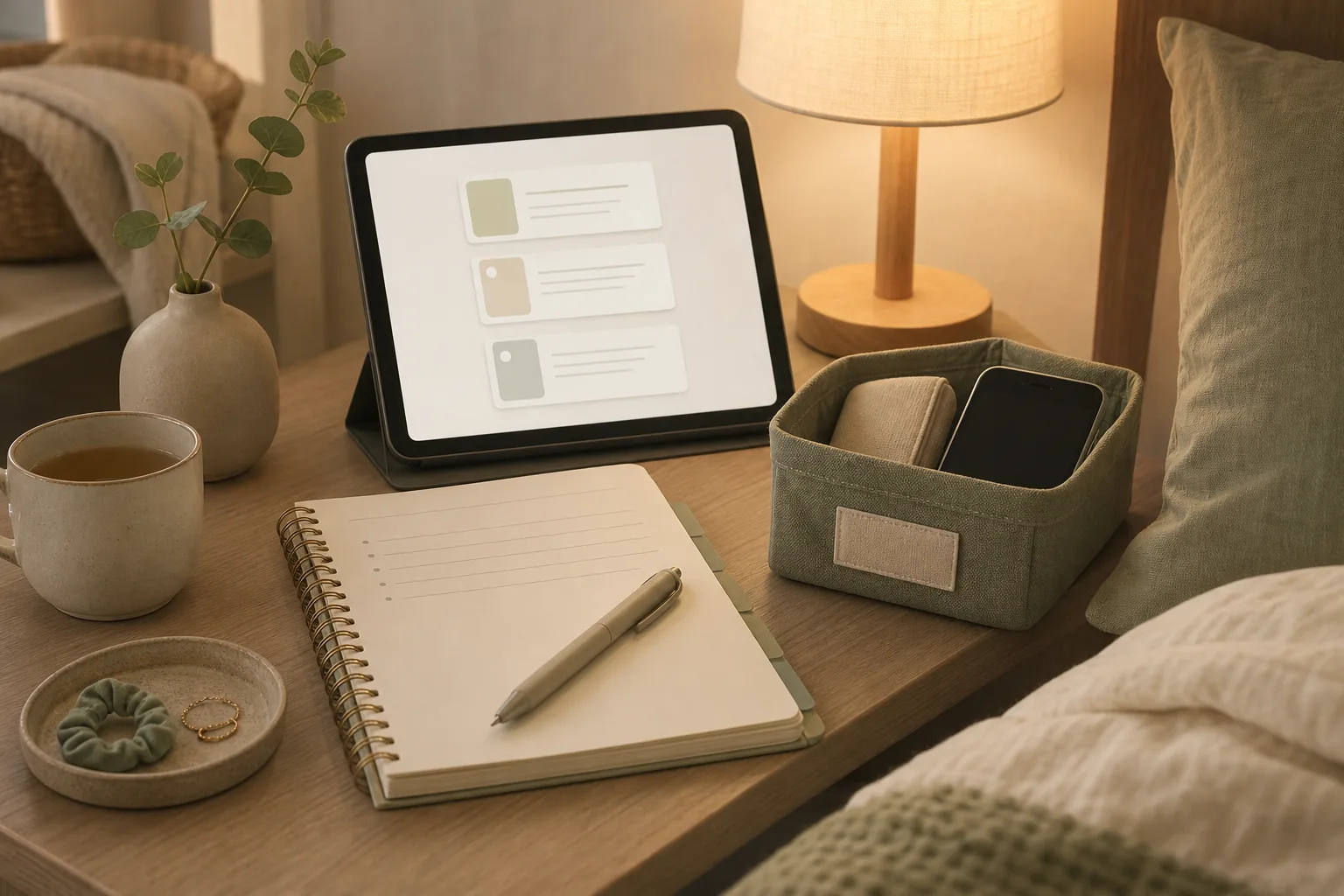
잠들기 전 화면 사용을 정리하려면 스마트폰을 한 번에 완전히 끊기보다, 준비·분류·실행·점검의 4단계로 저녁 시간을 나누는 방법이 현실적입니다. 이 셀프케어 루틴은 화면을 보는 시간을 일률적으로 줄이겠다는 목표보다, 꼭 필요한 사용과 미루어도 되는 사용을 구분하고 휴식으로 넘어가는 신호를 만드는 데 초점을 둡니다. 아래의 15분 실행표를 기준으로 시작하되, 근무 일정이나 가족 돌봄처럼 예외가 있는 날에는 단계를 짧게 조정해도 됩니다.
1. 준비: 화면을 줄이기 전에 환경부터 정리하기
저녁 루틴이 자주 흐트러지는 이유는 의지 부족보다 시작 조건이 모호하기 때문입니다. “오늘은 덜 봐야지”라고 생각하는 대신, 언제 무엇을 정리할지 먼저 정하면 실행 부담이 낮아집니다.
시작 신호를 하나 정하기
저녁 식사 후, 씻은 뒤, 또는 다음 날 준비를 마친 뒤처럼 이미 존재하는 행동을 시작 신호로 정합니다. 새로운 알림을 여러 개 만들기보다 하루에 한 번 반복하기 쉬운 행동과 연결하는 편이 간단합니다.
화면을 둘 공간과 쉬는 공간 구분하기
충전 위치, 리모컨, 태블릿처럼 화면을 다시 켜게 하는 물건을 침대 바로 옆에 두고 있다면 잠시 옮길 위치를 정합니다. 다른 방이 어렵다면 침대에서 손이 바로 닿지 않는 선반이나 가방 안처럼 작은 거리부터 시작할 수 있습니다.
오늘의 예외를 미리 인정하기
업무 연락, 가족 연락, 이동 중 확인처럼 화면이 필요한 날이 있습니다. 이런 사용까지 실패로 분류하지 말고, “필요한 연락만 확인하고 다시 내려놓기”처럼 예외의 범위를 미리 적어 둡니다.
2. 분류: 화면 사용을 세 가지로 나누기
모든 화면 사용을 같은 종류로 보면 계획이 지나치게 엄격해집니다. 잠들기 전 화면을 다음 세 가지로 나누면 무엇을 줄이고 무엇을 남길지 결정하기 쉬워집니다.
분류
예시
정리 방법
필수 확인
긴급 연락, 다음 날 일정 확인
확인할 항목만 먼저 정하고 마치면 종료
도움이 되는 사용
짧은 기록, 시간 확인, 오디오 재생 준비
목적을 한 문장으로 적은 뒤 실행
자동 반복
끝없이 넘기기, 목적 없는 검색
앱을 닫고 다른 행동으로 전환
분류의 기준은 화면 자체가 아니라 사용을 시작한 이유와 끝낼 수 있는지입니다. 같은 앱이라도 필요한 연락 확인은 필수 사용일 수 있고, 목적 없이 계속 넘기는 행동은 자동 반복에 가까울 수 있습니다. 자신을 평가하기보다 행동의 유형을 관찰하는 방식으로 기록하세요.
복사 가능한 분류 체크리스트
[ ] 오늘 밤 꼭 확인해야 하는 연락이나 일정이 있는가?
[ ] 확인할 내용을 한두 문장으로 말할 수 있는가?
[ ] 화면을 켠 목적 없이 앱을 이동하고 있지는 않은가?
[ ] 목적이 끝난 뒤 이어서 할 비화면 행동을 정했는가?
3. 실행: 15분 저녁 루틴으로 전환하기
다음 실행표는 화면을 완전히 없애는 계획이 아니라, 사용을 정리하고 휴식으로 이동하는 짧은 순서입니다. 처음부터 모든 단계를 지키려 하기보다 하루에 한 번 실행 가능한 부분부터 적용하세요.
시간
행동
확인 질문
0~3분
필수 연락과 다음 날 일정 확인
지금 꼭 확인할 내용만 남아 있는가?
3~5분
열려 있는 앱과 알림 정리
이 화면을 계속 볼 목적이 있는가?
5~8분
짧은 기록 작성
내일로 넘길 일을 한 줄로 적었는가?
8~10분
기기를 정한 위치에 두기
침대에서 바로 손이 닿지 않는가?
10~15분
비화면 휴식 행동 선택
지금 몸과 마음이 부담 없이 할 수 있는가?
기록은 길게 쓰지 않기
기록 습관은 감상을 자세히 쓰는 일이 아니라 머릿속에 남은 일을 정리하는 도구로 사용할 수 있습니다. 다음 세 줄이면 충분합니다.
오늘 마친 일: 하루를 닫는 데 도움이 된 사실 한 가지
내일 넘길 일: 지금 해결하지 않아도 되는 일 한 가지
지금 할 행동: 물 마시기, 세면, 가벼운 정리처럼 바로 가능한 행동 한 가지
기록을 쓰다가 오히려 생각이 많아진다면 문장 대신 단어만 남기거나, 기록 단계를 생략하고 기기를 내려놓아도 됩니다. 루틴은 기록 자체를 지키기 위한 규칙이 아니라 휴식으로 이동하기 위한 보조 수단입니다.
비화면 행동은 선택지를 적게 유지하기
선택지가 너무 많으면 다시 화면을 켤 가능성이 커질 수 있습니다. 미리 두세 가지를 정해 두세요. 예를 들어 조명을 낮추고 가볍게 정리하기, 종이 책 몇 쪽 읽기, 다음 날 입을 옷 준비하기처럼 시작과 종료가 비교적 분명한 행동이 적합합니다. 특정 활동이 모든 사람에게 맞는 것은 아니므로, 불편하거나 부담이 커지면 다른 행동으로 바꿉니다.
4. 점검: 실패 여부보다 조정할 지점을 찾기
저녁 루틴을 점검할 때 “지켰다”와 “못 지켰다”만 기록하면 원인을 찾기 어렵습니다. 대신 어느 단계에서 막혔는지 확인하세요.
[ ] 준비 단계에서 시작 신호가 모호했는가?
[ ] 분류 단계에서 필수 사용과 자동 반복을 구분하기 어려웠는가?
[ ] 실행 단계의 15분이 현재 일정에 비해 길었는가?
[ ] 기기를 내려놓은 뒤 이어 할 행동이 준비되지 않았는가?
[ ] 예외 상황을 루틴 실패로 판단하고 포기했는가?
예를 들어 연락 확인이 길어졌다면 다음 날에는 확인할 사람이나 항목을 먼저 정할 수 있습니다. 기록이 부담스러웠다면 세 줄을 한 줄로 줄이고, 기기를 옮기는 단계가 어려웠다면 충전 위치 대신 알림 정리부터 시작할 수 있습니다. 조정의 목표는 더 엄격한 규칙이 아니라 반복 가능한 수준을 찾는 것입니다.
상황별로 루틴을 짧게 바꾸는 방법
늦게 귀가한 날
15분 전체를 실행하기 어렵다면 필수 확인 2분, 기기 위치 정하기 1분, 비화면 행동 3분처럼 축약합니다. 짧게 했다는 이유로 다음 날 보상하듯 과도한 계획을 추가하지 않는 편이 좋습니다.
업무 연락이 이어지는 날
연락을 모두 차단하기보다 확인할 시간과 확인할 범위를 분리합니다. 답장이 필요한 내용과 내일 처리할 내용을 나누어 적고, 지금 답하지 않아도 되는 메시지는 기록만 남긴 뒤 종료합니다.
화면이 휴식에 필요한 날
오디오나 영상이 휴식에 도움이 되는 경우에는 재생 목록이나 시청 목적을 먼저 정합니다. 자동 재생이나 추천 콘텐츠로 이어지지 않도록 종료 시점을 정하고, 화면을 보는 대신 듣는 방식이 더 편한지 살펴볼 수 있습니다. 다만 이 방식이 오히려 사용 시간을 늘린다면 다른 휴식 행동으로 바꿉니다.
자주 묻는 질문
잠들기 전 화면을 반드시 완전히 끊어야 하나요?
반드시 그럴 필요는 없습니다. 이 글의 방법은 화면 사용을 일률적으로 금지하는 대신, 필요한 사용과 자동 반복 사용을 구분하는 데 목적이 있습니다. 생활 조건에 따라 필요한 연락이나 일정 확인은 남기고, 목적이 끝난 뒤 종료하는 구조를 만들어 보세요.
매일 루틴을 지키지 못하면 다시 처음부터 해야 하나요?
처음부터 다시 시작할 필요는 없습니다. 어느 단계에서 중단되었는지 한 가지만 확인하고 다음 날 그 단계의 부담을 줄이면 됩니다. 하루의 예외를 전체 습관의 실패로 확대하지 않는 것이 중요합니다.
기록을 꼭 종이에 해야 하나요?
방법은 자유롭게 선택할 수 있습니다. 종이, 메모 앱, 음성 기록 등 자신이 짧게 끝낼 수 있는 방식을 사용하세요. 다만 메모를 하다가 다른 앱으로 이동하게 된다면 종이나 단순한 타이머처럼 목적이 제한된 도구가 더 편할 수 있습니다.
결론: 화면을 없애기보다 저녁의 다음 행동을 정하기
잠들기 전 셀프케어 루틴의 핵심은 화면 사용을 완벽하게 통제하는 것이 아닙니다. 필요한 확인을 분류하고, 짧게 기록하고, 기기를 둘 위치와 다음 휴식 행동을 정하는 것이 시작점입니다. 오늘은 15분 전체를 지키기보다 준비 단계와 기기 위치 정하기만 실행해도 됩니다. 이후 자신의 일정과 피로도에 맞춰 시간을 줄이거나 예외를 조정하면서, 부담 없이 반복할 수 있는 저녁 루틴을 찾아보세요.